Android SMS Sending Limit: Why Your Phone Pauses Bulk Texts and What to Do
If you send texts from an Android phone through an app, you'll eventually see a warning that the app is sending a large number of messages. Here's how the Android SMS sending limit works, how carriers limit volume too, and how to send at scale without problems.
On this page
- Why Android limits SMS sending
- How the limit works
- Carrier limits: the bigger constraint
- Practical ways to send at scale
- Spread volume across several phones
- Use dual-SIM phones
- Pace your sending
- Warm up new SIMs
- Personalise messages
- Keep your list clean
- A worked example
- Keep the phone healthy
- Know when a phone gateway isn't the right tool
- How SMS Gora handles volume
- A sensible starting point
Anyone who has used an Android phone as an SMS gateway has seen it eventually. The first few dozen messages fly out, then the phone pops up a warning that an app "is sending a large number of SMS messages", or the queue simply slows to a crawl. It's not a bug in the app. It's Android protecting the phone owner, and it's working as designed.
Understanding the Android SMS sending limit, and the separate limits your carrier applies, is the key to sending bulk or automated texts from phones reliably. Here's how both work and how to plan around them.
Why Android limits SMS sending#
Years ago, malicious apps on Android would send texts to premium-rate numbers in the background, running up huge bills for the phone owner. Google's response was a built-in usage monitor. If an app sends more than a certain number of messages in a short period, Android pauses and asks the user to confirm. It also warns before sending to known premium short codes.
Good for consumers. For businesses deliberately using a phone as a gateway, it means sending happens in bursts, with a pause whenever the threshold is hit.
How the limit works#
In the Android Open Source Project, the default check has long been 30 messages per app within 30 minutes. When an app goes over, Android shows a dialog asking whether to allow it to keep sending. The user can allow it once or always.
Some important caveats:
- Phone manufacturers can change these defaults, and some ship different values or extra restrictions.
- Android versions differ in exactly how the prompt works.
- On some devices, developer tools can adjust the threshold. That doesn't remove carrier limits.
- The default SMS app on the phone is treated differently from other apps.
Because of this variation, the practical answer to "how many texts can one phone send?" is "test it on your actual phone and network".
Carrier limits: the bigger constraint#
Even if Android lets an app send freely, the mobile network has its own rules. Carriers watch for patterns that look like spam: many messages in a short time, identical text sent to hundreds of numbers, high rates of messages to numbers that don't exist, or lots of recipients reporting the messages. Responses range from silently delaying messages to blocking the SIM.
Many consumer plans also have fair-use clauses that exclude commercial bulk messaging, even when they say "unlimited texts". Read your plan's terms. Some carriers offer business plans that are clearer about commercial use. Our guide to why SMS messages aren't delivered covers carrier filtering in more detail.
Practical ways to send at scale#
Spread volume across several phones#
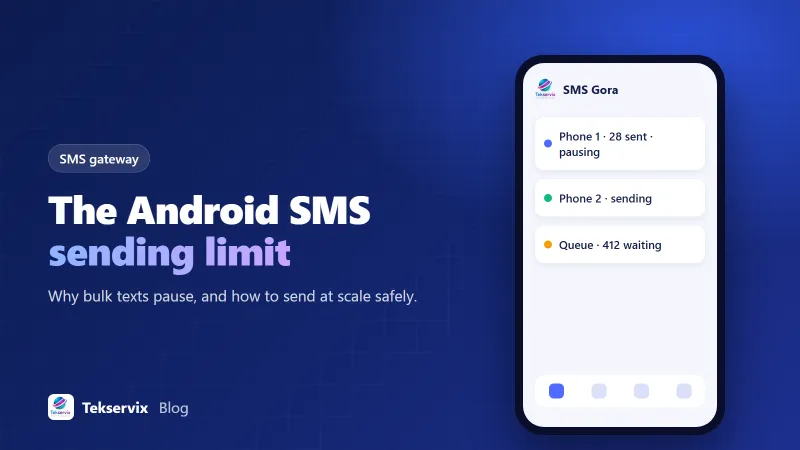
This is the big one. Instead of pushing 2,000 texts through one phone, use four or five phones, each sending a share. Each phone stays within comfortable limits, and if one has a problem, the others keep going. This is why SMS gateway plans often scale by the number of phones.
Use dual-SIM phones#
A dual-SIM phone can alternate between two SIMs, ideally on different networks, doubling capacity per device and spreading load across carriers. Our article on the dual-SIM SMS gateway setup explains how.
Pace your sending#
Rather than firing everything instantly, send at a steady rate with short gaps between messages. It looks more like normal usage to carrier systems and avoids hitting Android's threshold in a burst.
Warm up new SIMs#
A brand-new SIM that suddenly sends 500 texts on day one looks suspicious. Start small. Increase over a week or two, keeping an eye on delivery reports, and if failures suddenly jump on one SIM, slow that SIM down for a day before you push it again, because a SIM that gets flagged is far harder to rescue than one that was simply sent at a gentler pace from the start.
Personalise messages#
Identical messages to hundreds of numbers are a classic spam signal. Including the recipient's name or relevant details makes each message slightly different and more useful.
Keep your list clean#
Remove numbers that fail, people who opt out and anyone who never agreed to hear from you. High failure and complaint rates are what get SIMs blocked.
A worked example#
Say a clinic wants to send 1,200 appointment reminders every evening. Pushed through one phone, that's a long, bursty queue that hits Android's prompt again and again and looks odd to the carrier. Split across three phones, each sends 400 over a couple of hours, roughly one text every 20 seconds. That's a pace a carrier sees from busy personal users all the time, and nobody has to tap "allow" on a dialog late at night.
Now add a dual-SIM card to each phone, one SIM per network. The same 1,200 messages become six streams of 200, and patients on each network get their reminder from a local SIM, which tends to help delivery. None of this needs special hardware. It's ordinary Android phones, sensible pacing and a bit of planning.
The lesson generalises. Work out your peak volume, divide by a comfortable rate per SIM, and that tells you how many phones and SIMs you need. Then leave some headroom for the day a phone is offline.
Keep the phone healthy#
A gateway phone that's asleep can't send. Keep it plugged in, connected to stable Wi-Fi as well as mobile signal, and exclude the gateway app from battery optimisation, which otherwise kills background apps. Our guide to SMS gateway battery settings walks through the settings on common Android brands. Restart the phone occasionally and keep the operating system updated.
Know when a phone gateway isn't the right tool#
Phone-based gateways are excellent for appointment reminders, OTP codes, order updates, two-way conversations and moderate campaigns to opted-in customers. They aren't designed for sending hundreds of thousands of marketing messages a day, and in the US, carriers expect high-volume business texting to use registered routes. If that's your scale, use a carrier-connected SMS provider for bulk campaigns, and perhaps keep a phone gateway for conversational traffic. Our comparison of SMS gateways and SMS APIs helps decide.
How SMS Gora handles volume#
SMS Gora is built around this reality. Plans scale by the number of phones, from 1 on Basic to 30 on Enterprise, with unlimited SMS on every plan. Messages wait in a durable queue, so a pause on one phone doesn't lose anything, and dual-SIM phones let you choose which SIM sends. For larger campaigns, add phones rather than pushing one phone harder. It's the same principle as everything above: several phones at a steady pace beat one phone flat out.
A sensible starting point#
Start with one phone and your normal daily volume. Watch how quickly messages leave, whether Android prompts appear and whether delivery reports come back clean. If you need more capacity, add a second phone or SIM before increasing speed. Steady growth keeps your numbers trusted, and trusted numbers are what actually get your texts delivered.
Frequently asked questions
How many SMS can an Android phone send per hour?
Android itself checks how many messages an app sends in a rolling window; in the Android Open Source Project the default has long been 30 messages per 30 minutes before the user is asked to approve more. Manufacturers and carriers can change or add limits, so real-world throughput varies by phone and network.
Can I remove the Android SMS limit?
The check can be adjusted on some devices through developer tools, and users can allow an app to keep sending when prompted. But carrier limits and spam filters still apply, and sending far beyond normal personal use can get a SIM blocked. Spreading volume across several phones is safer.
Will my carrier block my SIM for sending bulk SMS?
It can, if the volume or pattern looks like spam or breaks your plan's fair-use terms. Many consumer plans aren't intended for commercial bulk sending. Check your plan, warm up gradually, and keep messages relevant and opted-in.

Tekservix Team
The team behind Tekservix
The Tekservix Team builds and supports Tekservix: WhatsApp and SMS APIs, AI tools, invoicing, PDF and SEO tools for growing businesses. We write practical, tested guides based on what we see our customers do every day.
More articles from the Tekservix Team