SMS Order Notifications for Online Shops: What to Send and How to Automate It
SMS order notifications for ecommerce: which updates customers want, templates for each stage, timing, keeping texts to one SMS, automating from your shop system, delivery tracking, replies and consent.
On this page
After someone pays online, the next thing they want is reassurance: did the order go through, and when will it arrive? Email works for some customers, but many never open it, and plenty of shoppers don't check email at all. SMS order notifications land on every phone within seconds and get read. A handful of well-timed texts cut "where's my order?" calls and messages dramatically and make a small shop feel professional.
The updates worth sending#
| Stage | Send when | Why |
|---|---|---|
| Order confirmed | Immediately after checkout | Reassures the customer the order worked |
| Payment received | If payment comes later, such as digital wallets or bank transfer | Confirms their money arrived |
| Shipped or out for delivery | When it leaves | Tells them when to expect it |
| Ready for pickup | For click-and-collect | Brings them to the shop |
| Delivered | On delivery | Closes the loop, invites feedback |
| Delay | As soon as you know | Prevents complaints |
Four or five texts per order is the ceiling. Internal steps, such as "packed" or "awaiting stock", don't need a message unless they change what the customer should do.
Templates#
Confirmed: [Shop name]: Thanks, Aline! Order #1042 confirmed, total £38. We'll text you when it ships.
Payment received: [Shop name]: Payment of £38 for order #1042 received. Thank you!
Out for delivery: [Shop name]: Order #1042 is out for delivery today, 14:00-16:00. Rider: 07700 900000.
Shipped with tracking: [Shop name]: Order #1042 has shipped. Track it: [short link on your domain]
Ready for pickup: [Shop name]: Order #1042 is ready to collect at 11 Deansgate, 09:00-19:00. Bring your order number.
Delivered: [Shop name]: Order #1042 delivered. Anything wrong? Reply to this text and we'll sort it.
Delay: [Shop name]: Sorry, order #1042 is delayed by a day because of stock. New delivery: Thu 20 Nov. Reply with any questions.
Keep each one to a single SMS#
Every template above fits in 160 characters with typical names and numbers. That matters: one emoji or a curly apostrophe can switch the message to a format with 70 characters per part and double or triple the cost. Test templates with your longest customer names and order totals. Our guide to the SMS character limit explains the rules.
Timing#
- Confirmation: within a minute of checkout. A delay here worries customers.
- Delivery updates: when the rider actually leaves, not when the order is packed.
- Quiet hours: hold non-urgent updates overnight and send them in the morning.
- Delays: immediately, before the customer notices.
Automating it#
Sending texts by hand works for a few orders a day. Beyond that, connect your shop to an SMS API so each status change sends the right message automatically.
- Pick the trigger: your shop's order status changes, through a plugin hook, a webhook or an automation tool.
- Build the message from a template with the order number, name, total and time.
- Send it through the API, with the customer's number in international format.
- Record that it was sent, so an order changed twice doesn't text the customer twice.
SMS Gora sends these texts from your own Android phone and SIM through a simple REST API, so customers see a normal local number they can reply to. A minimal send looks like this:
POST https://tekservix.com/smsgora/api/v1/devices/42/send-sms
x-api-key: sgk_your_key

{ "recipients": ["+447700900123"],
  "message": "[Shop name]: Order #1042 confirmed, total £38. We'll text you when it ships." }
For WooCommerce shops, the order-status hooks shown in our guide to WooCommerce WhatsApp notifications work the same way for SMS: only the request changes.
Track whether texts arrived#
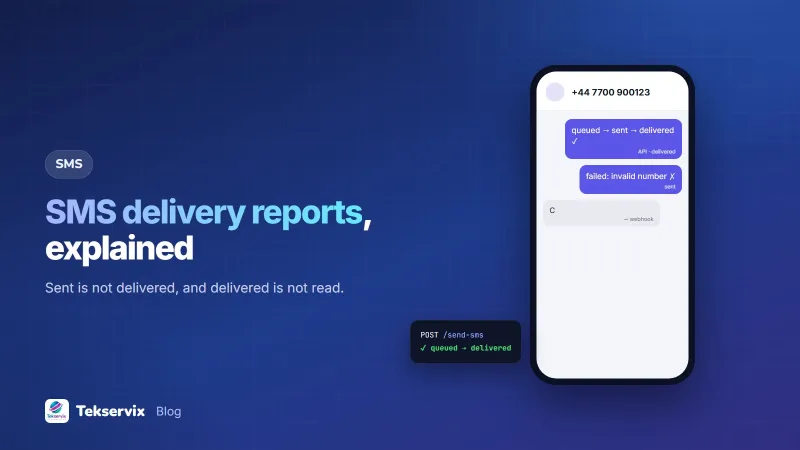
Store the message ID returned by the API with the order, and subscribe to delivery webhooks. If a confirmation fails, often because of a mistyped number, your team can call or email the customer before they start wondering. Our guide to SMS delivery reports explains the statuses.
Replies#
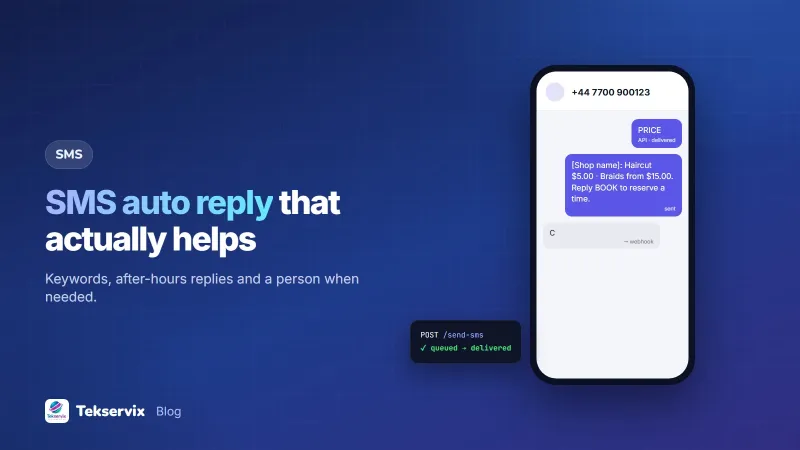
Customers will reply: "Can you deliver after 5?", "Wrong size, can I swap?". If you send from a normal number, replies come back to you, which is a real advantage over sender names that can't be answered. Make sure someone reads them, or forward them into your support system by webhook. With SMS Gora, replies appear in an inbox in the browser, and staff answer from the same number.
Consent and wording#
Order updates are service messages customers expect, but tell them at checkout: "We'll text you order updates." Keep promotions out of order texts; a delivery update with an advert attached feels like spam and can breach marketing rules. If you want to send offers, ask for that permission separately.
SMS or WhatsApp?#
Many shops use both: WhatsApp for customers who have it, with photos and receipts, and SMS as the universal fallback that reaches every phone. WooCommerce's own order status guide is a useful reference for mapping statuses to messages, whichever channel you use.
A worked example#
Imagine an online electronics shop getting a dozen "has my order shipped?" calls a day. It adds SMS for four events: confirmed, payment received, out for delivery and delivered. Messages are built from templates under 160 characters, sent through the SMS API when the order status changes, and each order records the message IDs. Mistyped numbers show up as failed confirmations, and staff call those customers the same day. Within a month, the "where's my order" calls have almost stopped, and customers reply to delivery texts with useful details such as gate codes and landmarks.
Frequently asked questions
What SMS notifications should an online shop send?
Usually four: order confirmed, payment received if paid later, shipped or out for delivery with a time or tracking link, and delivered. Add a pickup-ready message if customers collect orders, and a delay notice when something goes wrong.
Do I need permission to send order notifications by SMS?
Order updates are service messages the customer expects, but it's good practice to tell customers at checkout that you'll text them, and let them choose. Promotions need separate, explicit consent.
How do I send order SMS automatically?
Connect your shop to an SMS API. When an order changes status, your shop or a small plugin sends a request with the customer's number and a message built from a template. Many platforms also work through webhooks or automation tools.

Tekservix Team
The team behind Tekservix
The Tekservix Team builds and supports Tekservix: WhatsApp and SMS APIs, AI tools, invoicing, PDF and SEO tools for growing businesses. We write practical, tested guides based on what we see our customers do every day.
More articles from the Tekservix Team