Are Online PDF Tools Safe? How to Tell a Trustworthy One From a Risky One
Are online PDF tools safe for contracts, IDs and bank statements? What happens to uploaded files, browser-based vs server-based tools, fake converter scams, a safety checklist and when to stay offline.
On this page
You need to merge a contract, compress a bank statement or sign a lease, and the quickest option is a free website. But you're about to hand a stranger's server a document with your ID number, your salary or your client's prices on it. So, are online PDF tools safe? Some are very safe, some are fine with care, and some are traps. The difference is mostly in where your file goes, and you can check that in a minute.
Where your file goes#
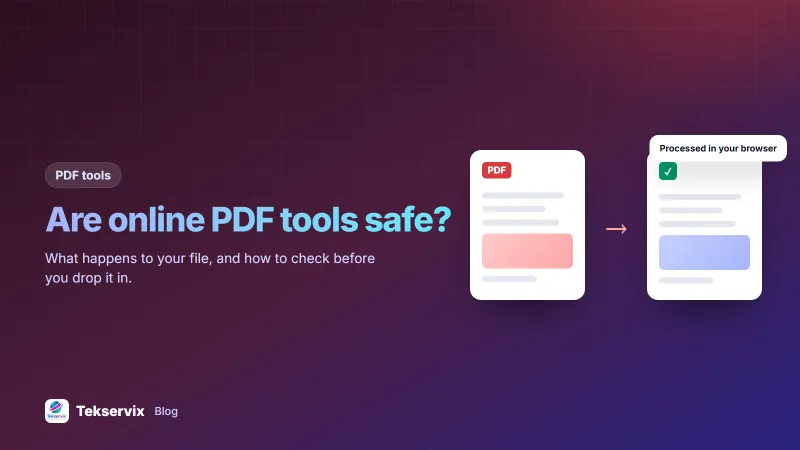
Online PDF tools work in one of two ways, and it's the most important thing to know about any of them:
- Browser-based: the tool's code runs in your browser, and the file is processed on your own device. The document never leaves your computer or phone.
- Upload-based: the file is sent to the company's server, processed there, and the result is sent back. The company holds a copy, at least for a while.
Upload-based tools aren't automatically unsafe. Reputable services use encrypted connections and delete files after a short time. But you're relying on their promises, their security, and every system and employee that can reach their servers. With browser-based tools, there's nothing on a server to leak.
The Tekservix PDF tools, including the PDF editor, merge, split, compress, sign and OCR, run inside your browser, so your documents stay on your device.
A quick test: does it work offline?#
If a tool's privacy statement is vague, try this: load the tool's page, then switch off Wi-Fi and mobile data, and open a file. A browser-based tool keeps working, because everything happens on your device. An upload-based tool fails, because it can't reach its server. It isn't a perfect test, since some tools need the internet for certain features, but it tells you a lot in thirty seconds.
The real risk: fake converter sites#
The bigger danger isn't a reputable tool mishandling files. It's sites built to look like PDF tools that exist to cause harm. The FBI has warned about free online file converters used to spread malware and to scrape personal information from uploaded documents. The converted file may work normally while carrying hidden malware, or the site may push you to download a "converter app" that is itself malicious.
Warning signs:
- The site asks you to download and install software to convert a simple file.
- The result arrives as an .exe, .zip or other unexpected file type instead of a PDF or document.
- Pop-ups, fake virus warnings or redirects to unrelated sites.
- A search ad for a name that looks almost like a well-known tool.
- No company name, contact details or privacy policy anywhere.
A safety checklist#
Before putting a sensitive document into any online tool, check:
- Who runs it? A named company with contact details and a real privacy policy.
- Where is the file processed? In your browser, or uploaded? Look for a clear statement.
- If uploaded, how long is it kept? Good services delete files within hours and say so.
- Is the connection secure? The address should start with https.
- Does the output make sense? A PDF in, a PDF out. Never run an executable file you didn't expect.
- Is an account required? Not necessarily bad, but consider what the service stores with your account.
What's sensitive, and what isn't#
Not every PDF needs the same caution. A restaurant menu or a public brochure carries little risk anywhere. Take more care with:
- IDs, passports and anything with ID numbers.
- Bank statements, payslips and tax documents.
- Contracts, NDAs and pricing sent to clients.
- Medical records and insurance claims.
- Anything containing other people's personal data, such as customer lists or staff records.
For these, use a browser-based tool you trust, or desktop software, and avoid unknown sites entirely.
Other habits that protect you#
- Clean up downloads. Delete converted copies of sensitive files from your Downloads folder once you've saved the final version where it belongs.
- Don't email files to a tool. Some services offer "email your file to convert"; that leaves copies in several mailboxes.
- Remove what you don't need to share. Delete pages or redact details before sending a document anywhere. Our guide to deleting pages from a PDF shows how.
- Remember that whiteout isn't redaction. Covering text with a box may leave it in the file. See our guide to editing PDFs online.
- Keep your browser updated, since browser-based tools depend on it.
For businesses: set a simple rule#
Staff will use whatever tool comes up first in a search unless someone tells them otherwise. Choose approved tools for common PDF jobs, tell the team, and write one line in your policies: "Client and staff documents may only be processed with these tools." It takes five minutes and closes one of the easiest ways for personal data to leak from a business.
When to stay offline#
Some documents shouldn't touch any web tool: highly confidential legal material, documents covered by strict client confidentiality agreements, or files your organisation's policy restricts. Use approved desktop software for these, on a managed computer, and follow the rules you've agreed with your clients.
A worked example#
Imagine an HR officer who needs to merge a new employee's ID, certificates and signed contract into one file. A search shows a site with a name very close to a well-known PDF tool, which offers a free "desktop converter" download. She skips it, opens a browser-based merge tool her company approved, checks its FAQ confirming files aren't uploaded, merges the documents, and saves the result to the HR folder. Then she deletes the separate copies from Downloads. Five minutes, and the employee's ID number never left her computer.
Frequently asked questions
Are online PDF tools safe to use?
Many are, but safety depends on the tool. The safest process files inside your browser so the document never leaves your device. Tools that upload files may be fine if they're reputable and delete files quickly, but you're trusting them with the content.
How can I tell if a PDF tool uploads my file?
Check the tool's privacy page and FAQ for a clear statement. You can also switch off your internet connection after the page loads: a browser-based tool keeps working offline, while an upload-based tool stops.
Can a free online converter give me malware?
Yes. The FBI has warned that criminals run fake converter sites that return files containing malware, or collect personal details from uploaded documents. Use well-known tools, avoid downloading unexpected programs, and scan downloaded files.

Tekservix Team
The team behind Tekservix
The Tekservix Team builds and supports Tekservix: WhatsApp and SMS APIs, AI tools, invoicing, PDF and SEO tools for growing businesses. We write practical, tested guides based on what we see our customers do every day.
More articles from the Tekservix Team

