Using AI for Customer Support Replies Without Sounding Like a Robot
AI can draft support replies in seconds, but customers can smell a canned answer. Here's how to use AI for customer support replies so they're faster and still feel personal, with prompts, tone rules and a sensible review process.
On this page
- Sort your tickets before you automate anything
- What to automate, what to draft, what to keep human
- Give the AI context, not just the question
- Prompts for common tickets
- Late order
- Double charge
- Booking change
- Feature request
- Tone rules that make AI replies sound human
- Translation is an underrated win
- A review process that keeps quality high
- Privacy and accuracy
- Know when to hand over to a person
- Where to start
Support inboxes have a rhythm. Most messages are some version of the same twenty questions: where's my order, how do I reset my password, can I change my booking, why was I charged twice. A few are genuinely hard. And a few are from someone having a terrible day who needs to feel heard.
AI is very good at the first group and risky with the last. The trick to good AI customer support replies is knowing which is which, giving the tool the right context, and keeping a person in the loop where it matters. Here's how teams do it well.
Sort your tickets before you automate anything#
Pull the last 200 support messages and sort them into three piles.
- Factual and repetitive: opening hours, shipping times, how to reset a password, where to find an invoice. These have one correct answer.
- Account-specific: order status, a booking change, a failed payment. The answer depends on data about this customer.
- Sensitive: complaints, refunds, cancellations, anything involving money lost, health, safety or strong emotion.
Most teams find the first pile is the biggest. That's where AI saves the most time with the least risk.
What to automate, what to draft, what to keep human#
A sensible split for most businesses:
- Automate factual answers. A website chatbot or keyword auto-reply trained on your help articles can answer these instantly, at any hour.
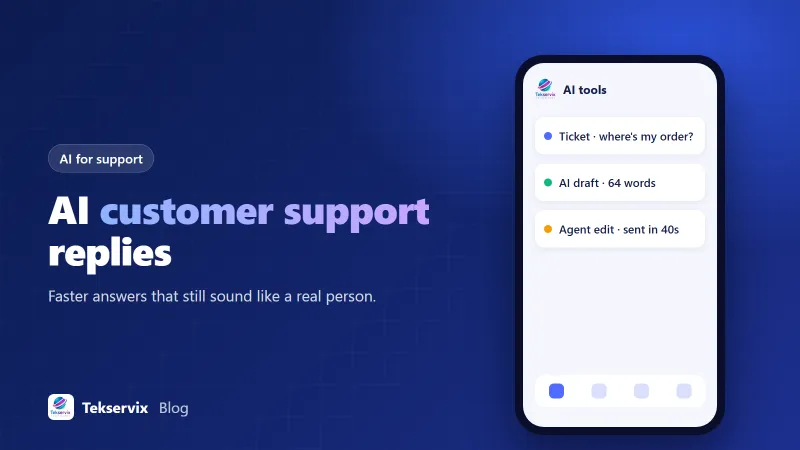
- Draft account-specific replies. AI writes the reply using the order details your agent pastes in or your system provides; the agent checks and sends.
- Keep sensitive replies human. AI can suggest a structure or translate, but a person should write and own the reply.
If you're building a website assistant for the first pile, our guide to training a chatbot on your FAQ walks through it.
Give the AI context, not just the question#
The difference between a generic draft and a useful one is almost entirely context. For each reply, the tool should know:
- The customer's message, ideally summarised if it includes private data you don't need to share.
- The relevant facts: order number, status, dates, what's already been tried.
- Your policy on this issue, in your own words: "Refunds within 14 days of delivery if unused; we cover return shipping only if the item was faulty."
- What you want to happen: resolve, ask for information, escalate, offer a goodwill gesture.
- Tone: "warm, direct, no corporate phrasing, under 100 words."
Many teams keep a short "support style guide" they paste in with every request, or set it once as standing instructions in their tool.
Prompts for common tickets#
Late order#
"Customer asks where their order is. Order 8812 shipped 3 days ago with tracking number X, carrier says delivery tomorrow. Write a short reply with the tracking link, the expected date, and an offer to help if it hasn't arrived by Friday. Friendly, under 70 words."
Double charge#
"Customer says they were charged twice. One charge is a pending authorisation that will drop off within 5 business days; the other is the real payment. Explain this clearly without jargon, apologise for the worry, and say we'll check again if it hasn't disappeared by next Wednesday."
Booking change#
"Customer wants to move their appointment from Thursday 10:00 to Friday. Friday 10:00 and 14:00 are free. Offer both, ask them to reply with their choice. Under 50 words."
Feature request#
"Customer asks if our app can export reports to Excel. It can't yet; it exports CSV, which opens in Excel. Explain how, and thank them for the suggestion. Don't promise a date for Excel export."
Tone rules that make AI replies sound human#
- Start with the answer, not with "Thank you for reaching out".
- Use the customer's name once, not three times.
- Say what you'll do and when: "I've asked the warehouse to check today. I'll update you by 5pm."
- Avoid apology inflation. One sincere sorry beats "We deeply apologise for any inconvenience this may have caused."
- Cut phrases nobody says out loud: "please be advised", "kindly note", "rest assured".
- Match the customer's language and formality. A casual message gets a relaxed reply.
Translation is an underrated win#
If your customers write in several languages, AI translation lets one support team answer everyone. An agent reads the message translated into their language, writes the reply, and sends it back translated into the customer's. Have a native speaker check your standard phrases once, and keep the original text alongside the translation in your records. We wrote about this in translating customer messages with AI.
A review process that keeps quality high#
Speed is pointless if replies are wrong. A few habits keep standards up:
- Agents always read and edit drafts before sending, at least until you trust a category fully.
- Once a week, a team lead reads 20 random AI-assisted replies and notes mistakes.
- Recurring mistakes get fixed in the instructions or the help articles, not just corrected one by one.
- Track first-response time, resolution time and customer satisfaction before and after, so you know whether it's working.
Privacy and accuracy#
Only share the customer data the reply actually needs. Use tools your company has approved, and check how they handle data. And never let AI invent policy: if the model says "we'll refund you in full" and that isn't your policy, you've made a promise you'll have to keep or break. Tell the tool explicitly not to offer anything outside the rules you gave it.
Know when to hand over to a person#
If you run an automated assistant, the handover matters as much as the answers. Customers forgive a bot that says "I'll get a colleague" much faster than one that loops them through the same three options. Set clear triggers for handing over: the customer asks for a person, uses words like "complaint", "refund" or "cancel", mentions a safety issue, or the bot hasn't resolved the question after two attempts.
When a person takes over, they should see the whole conversation so the customer doesn't have to repeat themselves. That one detail does more for satisfaction scores than any clever wording.
Where to start#
Pick the five most common questions in your inbox. Write a short, approved answer for each and a style guide paragraph. Use AI to draft replies to those five for two weeks, with agents editing before sending. Measure the time saved. The Tekservix AI tools include copywriting, translation and a chatbot builder for this kind of work, and the free plan is enough to test the approach before committing.
Frequently asked questions
Should AI send support replies automatically?
For simple, factual questions with clear answers, like opening hours or order status, automatic replies can work well. For complaints, refunds, billing problems or anything emotional, have AI draft and a person review before sending.
How do I keep AI replies consistent with our policies?
Give the tool your actual policies, help articles and approved phrasing as context, and tell it not to promise anything outside them. Review a sample of replies every week and update the instructions when you find mistakes.
Will customers be upset if they find out AI helped write a reply?
Most care far more about a fast, correct, human-sounding answer than how it was drafted. Problems arise when replies are generic, wrong or dodge the question. If a fully automated assistant is answering, say so and make reaching a person easy.

Tekservix Team
The team behind Tekservix
The Tekservix Team builds and supports Tekservix: WhatsApp and SMS APIs, AI tools, invoicing, PDF and SEO tools for growing businesses. We write practical, tested guides based on what we see our customers do every day.
More articles from the Tekservix Team