Duplicate Content and SEO: What Really Happens and How to Fix It
What duplicate content means for SEO, the common technical causes on small sites, why there is usually no penalty, how canonical tags, redirects and noindex fix it, and handling copied or syndicated content.
On this page
- What counts as duplicate content
- Is there a penalty?
- Common technical causes
- How to fix technical duplicates
- 301 redirects
- Canonical tags
- Noindex
- Consistent internal links
- Copied product descriptions
- Similar pages on your own site
- Syndicated and republished content
- When someone copies you
- Checking your own site
- A worked example
"Duplicate content" sounds like something that gets you punished. For most small sites, it's something much more ordinary: the same page reachable at several addresses, or product descriptions copied from the manufacturer. Google rarely penalises it, but it can still hurt, by splitting your signals across several URLs or showing the wrong page in search. This guide explains how duplicate content happens, when it matters, and how to fix it.
What counts as duplicate content#
Duplicate content is substantial blocks of text that are identical or very similar across more than one URL, either within your site or across different sites. It covers two quite different situations:
- Technical duplicates: one page available at several addresses, usually by accident.
- Copied content: the same text on different pages or sites, such as manufacturer descriptions, syndicated articles or scraped copies.
Is there a penalty?#
For normal duplication, no. Google picks one version, called the canonical, to show in results and filters out the others. Google's guide to consolidating duplicate URLs explains how it chooses and how you can influence the choice.
The real costs are quieter:
- The wrong URL shows in search, such as a version with tracking parameters.
- Links are split between versions, so no single page gets their full value.
- Crawling is wasted on copies instead of your new pages.
- Thin, copied pages across a site make the whole site look less useful.
Deliberately copying other sites' content in bulk to rank is different; that can be treated as spam.
Common technical causes#
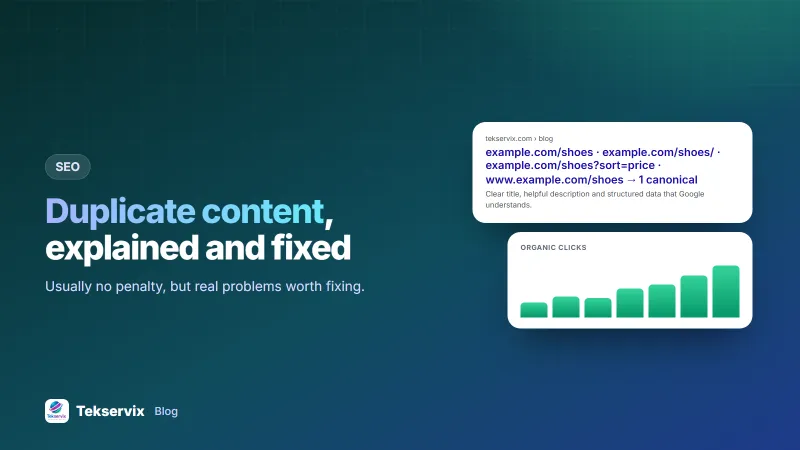
- www and non-www: example.com and www.example.com both working.
- http and https: both versions accessible.
- Trailing slashes: /shoes and /shoes/ both loading.
- Parameters: /shoes?sort=price, /shoes?color=red, tracking tags such as ?utm_source=.
- Printer versions or AMP pages of the same article.
- Category and tag archives that repeat the same posts.
- Products in several categories, each with its own URL.
- Staging or test sites left open to search engines.
How to fix technical duplicates#
301 redirects#
For versions that should never be used, redirect them permanently to the main one: http to https, non-www to www (or the reverse), and old URLs to new ones. Redirects are the strongest fix, because visitors and search engines both end up in the same place.
Canonical tags#
When both versions need to exist, such as a product reachable through two categories, add a canonical tag to each version pointing at the main URL:
<link rel="canonical" href="https://example.com/products/linen-shirt-blue">Give every page a self-referencing canonical too, so parameter versions automatically point back to the clean URL.
Noindex#
For pages that shouldn't appear in search at all, such as internal search results or thin tag archives, add a noindex tag. Don't block them in robots.txt as well; Google needs to crawl the page to see the noindex. Our robots.txt guide explains the difference.
Consistent internal links#
Link to the canonical version everywhere: menus, sitemaps, and links inside content. Mixed signals, such as a canonical to one URL but internal links to another, confuse the choice. List only canonical URLs in your sitemap; see our XML sitemap guide.
Copied product descriptions#
Shops often use the manufacturer's description, word for word, like every other shop selling the same product. Search engines then have many near-identical pages to choose between, and there's little reason to pick yours. Rewrite descriptions for your best-selling products first: add your own details, photos, sizing notes, answers to questions customers ask you, and local delivery information. Our guide to writing product descriptions shows how.
Similar pages on your own site#
Service businesses sometimes create near-identical pages for every town they serve, changing only the town name. These add little value and can look like doorway pages. If you create location pages, make each genuinely different: local projects, local team members, local prices or directions. If you can't, one strong page listing all the areas is better.
Syndicated and republished content#
If you publish your article on another site too, such as an industry magazine, ask them to link back to the original and, ideally, add a canonical tag to your version. Alternatively, publish an excerpt on the other site with a link to the full article on yours. That way the original keeps its standing.
When someone copies you#
Scrapers copy content constantly, and Google usually recognises the original, especially if your site is established and publishes first. If a copy outranks you or causes real harm, ask the site to remove it, and if that fails, use the search engine's copyright removal process. A plagiarism checker, such as the one in the Tekservix SEO tools, helps you find copies of your pages on the web.
Checking your own site#
- Try all four versions of your home page (http, https, www and non-www). All should end at the same URL.
- Search Google for a distinctive sentence from one of your pages in quotes. How many URLs appear?
- Check Search Console's page indexing report for "Duplicate without user-selected canonical" and "Alternate page with proper canonical tag".
- Run a site audit to find missing or conflicting canonical tags. Our SEO audit checklist includes these checks.
A worked example#
Imagine an online homeware shop whose product pages rank poorly. An audit finds each product at up to six URLs: with and without www, through two category paths, and with sort parameters. Most descriptions are copied from suppliers. The owner redirects all non-www traffic to www, adds self-referencing canonicals to every product page, points category-path versions at one clean product URL, and removes parameter URLs from the sitemap. Then they rewrite descriptions for the top 30 products with their own photos and notes. Over the next two months, Search Console shows far fewer duplicate URLs, and several rewritten product pages start ranking for the first time.
Frequently asked questions
Is there a Google penalty for duplicate content?
Not for ordinary duplication, such as the same page reachable at two URLs. Google picks one version to show and ignores the rest. Problems arise when the wrong version is chosen, or when a site deliberately copies content from others to manipulate rankings.
What is a canonical tag?
A canonical tag is a line in a page's HTML head that tells search engines which URL is the main version of the content. Duplicate versions point to it with , so signals are consolidated on one URL.
What should I do if another site copies my content?
Usually nothing, because Google generally recognises the original. If a copy outranks you or harms your business, contact the site owner, then use the search engine's copyright removal process if needed.

Tekservix Team
The team behind Tekservix
The Tekservix Team builds and supports Tekservix: WhatsApp and SMS APIs, AI tools, invoicing, PDF and SEO tools for growing businesses. We write practical, tested guides based on what we see our customers do every day.
More articles from the Tekservix Team
