Event Reminder Text Messages: A Sequence and Templates That Boost Attendance
People register for events with good intentions and then forget. A short sequence of text reminders fixes much of that. Here's when to send each event reminder text message, templates you can adapt, and how to handle last-minute changes.
On this page
- Why text reminders work for events
- The basic sequence
- Templates for online events and webinars
- Templates for workshops and classes
- Templates for conferences and larger events
- Templates for community, church and charity events
- What every reminder should include
- Handling changes and cancellations
- Time zones for online events
- Paid vs free events
- Waitlists and no-shows
- Consent and frequency
- Setting it up
Anyone who has run an event knows the feeling. 200 people registered. 90 showed up. The registrations were real; people just forgot, double-booked or lost the link. For free events, the drop-off can be brutal.
A well-timed event reminder text message is one of the most reliable ways to close that gap. Texts are read quickly and land where people manage their day. Here's a simple sequence, templates for different kinds of events, and what to do when plans change.
Why text reminders work for events#
Email reminders compete with dozens of other messages and often arrive in a promotions tab. Calendar invites help, but many people never accept them. A text arrives on a phone, usually gets opened within minutes, and can carry the one thing people actually need on the day: the time, the place or the link.
The basic sequence#
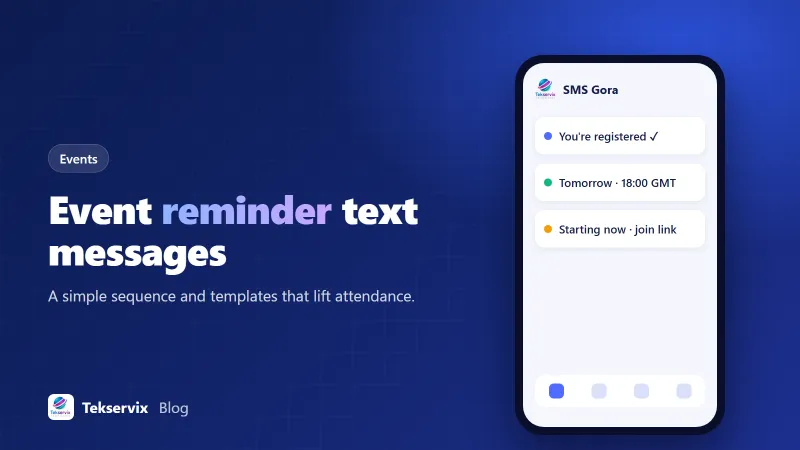
For most events, three messages are plenty:
- Confirmation, right after registration.
- A reminder a few days before (a week before for big in-person events).
- A same-day reminder: the morning of an in-person event, or 15 to 60 minutes before an online one.
For online events, add a "we're live" text at the start time. For in-person events, a follow-up text afterwards can collect feedback or share recordings and slides.
Templates for online events and webinars#
- Confirmation: "You're registered for 'Pricing Your Services' on Tue 18 Nov, 18:00 GMT. We'll text you the link on the day. Northside Business Hub"
- Day before: "Tomorrow at 18:00 GMT: 'Pricing Your Services'. Add it to your calendar: [link]"
- One hour before: "We start in 1 hour! Join here: [link]. Grab a notepad, there'll be worksheets."
- Live now: "We're live! Join: [link]"
- After: "Thanks for joining! The recording and slides are here: [link]. 2-question feedback: [link]"
Templates for workshops and classes#
- Confirmation: "Booked: Sourdough Basics, Sat 22 Nov, 10:00 to 13:00, The Flour Room, 4 Park Lane. Bring an apron!"
- 3 days before: "See you Saturday at 10:00 for Sourdough Basics. Parking is free on Park Lane after 9am."
- Morning of: "Today's the day! Doors open 9:45. If you're running late, just reply here."
Templates for conferences and larger events#
- One week before: "One week until Retail Futures 2026! Your ticket and the agenda: [link]. Badge pickup opens 8:00."
- Day before: "Tomorrow: Retail Futures, ExCeL Hall 3. Your QR ticket: [link]. Nearest station: Custom House."
- Session reminder: "Starting in 15 mins in Room B: 'Omnichannel on a budget'."
- Change alert: "Update: the 14:00 keynote has moved to the Main Stage. Same time."
Templates for community, church and charity events#
- "Reminder: Community clean-up this Saturday, 9am, meeting at the library. Gloves provided!"
- "See you tonight at 7pm for the youth concert. Doors open at 6:30. Free entry."
- "Thank you to everyone who came to the charity run! Photos are here: [link]"
Our guide to church SMS messaging has more ideas for congregations and community groups.
What every reminder should include#
- Who it's from: your organisation's name, especially in the first text.
- What and when: event name, day, date and time, with a time zone for online events.
- Where: venue and address, or the joining link.
- One useful extra: parking, what to bring, dress code, or the agenda link.
Keep each text short. If you need to share a lot, link to a page instead of cramming it into the message.
Handling changes and cancellations#
Changes are where text messages really prove their worth. If a venue changes, a speaker drops out or an event is cancelled because of weather, a text reaches people faster than anything else. Send it as soon as you know, state the change in the first line, and say what people should do. "CANCELLED: Saturday's clean-up is postponed due to storms. New date: 6 Dec. Reply with questions."
Then follow up by email with the details. The text gets attention; the email carries the full story.
Time zones for online events#
Few things undermine an online event like people joining an hour late. If attendees come from several countries, collect their time zone at registration and show the time in their zone. If that's not possible, always state the zone ("18:00 UK time") and include a link to a page that shows the time in the visitor's local zone.
Paid vs free events#
Drop-off is very different depending on whether people paid. For paid tickets, most people come; reminders are mainly about logistics, like doors, parking and what to bring. For free events, a large share of registrants may never show, so reminders do more of the work. Make the free-event reminder sell the event a little: mention the speaker, the one thing attendees will learn, or the limited seats. "Tomorrow: learn how to price your services with Sarah Okafor. 40 seats left for in-person" gives people a reason to keep the date.
Waitlists and no-shows#
If your event fills up, keep a waitlist, and use texts to release spots. A day before, ask registrants to reply NO if they can't come. Offer each freed seat to the waitlist by text. It's simple, and it means the room is full of people who actually wanted to be there.
Consent and frequency#
Ask for the phone number at registration and explain that you'll use it for event reminders. Don't add event registrants to your marketing list without their consent. And don't over-message: three reminders feel helpful, seven feel like spam.
Setting it up#
Many event and registration platforms can trigger SMS through an API or an automation tool. With SMS Gora, reminders go out from your own number through an Android phone and SIM, attendees can reply with questions, and replies land in a shared inbox. You can schedule a reminder campaign from the dashboard or trigger texts from your registration system through the API. Plans start at $3.99 a month with unlimited SMS.
If you'd rather start small, text your registrants manually from a spreadsheet using the steps in our guide to sending bulk SMS from Excel. Measure attendance with and without reminders. The difference usually settles the question for good.
Frequently asked questions
How many reminder texts should I send before an event?
Two or three is usually right: one a few days before, one the day before or the morning of, and one shortly before it starts for online events. More than that starts to feel like nagging.
Should event reminder texts include a link?
Yes, when it helps: the joining link for an online event, a map link for a venue, or a ticket link. Use a short, recognisable link and avoid long URLs full of tracking codes, which look like spam.
How do I handle time zones for online events?
Store each attendee's time zone at registration if you can, and show the time in their zone. Otherwise, state the time zone clearly, for example '18:00 UK time (GMT)', and include a link that converts it.

Tekservix Team
The team behind Tekservix
The Tekservix Team builds and supports Tekservix: WhatsApp and SMS APIs, AI tools, invoicing, PDF and SEO tools for growing businesses. We write practical, tested guides based on what we see our customers do every day.
More articles from the Tekservix Team