SMS Delivery Reports: What Sent, Delivered and Failed Really Mean
How SMS delivery reports work: the difference between sent and delivered, why some messages never report, common failure reasons, reading reports by API or webhook, and using them to clean lists and fix problems.
On this page
You send 1,000 reminders and the dashboard says 1,000 sent. How many actually reached a phone? That's what an SMS delivery report tells you. Understanding the difference between queued, sent, delivered and failed turns a vague "we sent it" into real answers, and shows you which numbers, messages or routes need fixing.
The journey of a text message#
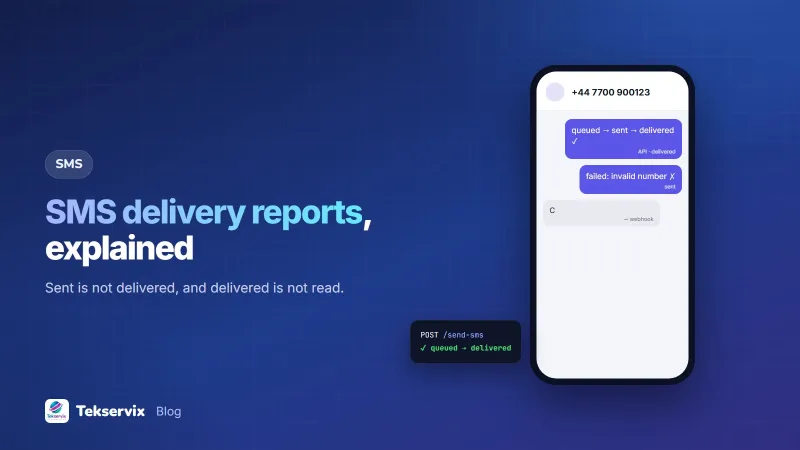
- Queued: your system or gateway has the message and is waiting to send it.
- Sent: the message was handed to the mobile network. It has left your hands, but hasn't necessarily arrived.
- Delivered: the network confirmed the message reached the recipient's phone.
- Failed: the message couldn't be sent or delivered, usually with a reason.
The delivery confirmation is a status report defined in the GSM standards for SMS (3GPP TS 23.040). It comes back from the network to the sender after the message reaches the handset.
Sent is not delivered#
"Sent" only proves the network accepted the message. It may be delivered seconds later, hours later when the phone is switched on, or never. When you need to know whether customers received something, such as a verification code or an appointment change, look at delivered, not sent.
Delivered is not read#
SMS has no read receipts. A delivered message sits on the phone, but you can't know whether it was opened. The only evidence someone read it is what they did: a reply, a click, a booking, a payment. If you need read status, WhatsApp offers it; our guide to WhatsApp read receipts explains how.
Why some messages never report#
A message can stay at "sent" without ever showing delivered or failed:
- Phone off or out of coverage. The network keeps trying for a while; the message may be delivered later.
- Delivery reports not supported on that network, route or roaming arrangement.
- A report lost or delayed on the way back.
So "no report" isn't the same as "not received". Treat it as unknown, and look at the pattern across many messages rather than one.
Common failure reasons#
| Reason | What it usually means | What to do |
|---|---|---|
| Invalid number | Wrong format or doesn't exist | Fix or remove the number |
| Inactive number | SIM no longer in use | Mark the contact, ask for a new number |
| No credit or bundle | The sending SIM or account has run out | Top up; retry the failed messages |
| No signal on the sending phone | Phone-based gateway lost coverage | Move or check the phone |
| SIM blocked | The sending SIM was restricted | Contact the operator; review what was sent |
| Rejected or filtered | The network blocked the content or sender | Review wording, links and consent |
Reading delivery reports#
By webhook#
The most efficient way: your server receives an event as each status changes. With SMS Gora, subscribe to sms.sent, sms.delivered and sms.failed; each event carries the message with its status, and failures include an error. Our guide to receiving SMS by webhook shows how to verify and handle them.
By API#
For reports and checks, query messages directly:
GET https://tekservix.com/smsgora/api/v1/messages?status=failed&since=2026-11-01
GET https://tekservix.com/smsgora/api/v1/messages/1874
GET https://tekservix.com/smsgora/api/v1/batches/311
A batch lookup returns counts by status for a whole send, which is useful after a campaign. SMS Gora's statuses run from scheduled and queued through dispatched and sent to delivered, with failed and cancelled for the other outcomes; delivered appears when the network supports delivery reports.
Using reports to improve#
- Clean your list. Numbers that fail as invalid or inactive on two sends should be flagged and removed from campaigns.
- Watch delivery rate by campaign. A sudden drop may mean a content filter, a blocked SIM or a problem with one network.
- Compare by network. If one operator's numbers deliver much worse, investigate that route, or use a SIM on that network.
- Retry the right failures. "No credit" and "no signal" are worth retrying once fixed; "invalid number" isn't.
- Fall back for important messages. If a verification code or urgent notice isn't delivered within a few minutes, offer another channel.
What a healthy report looks like#
For an opted-in list with numbers in the right format, most messages should reach delivered, with a small share of failures and unknowns. If failures are high, check the list first: formatting problems and old numbers are the usual cause. Our guide to the SMS API covers setting up sending so reports are easy to track.
Delivery reports on a phone-based gateway#
With a gateway that sends through an Android phone, the phone itself reports each stage. It marks a message dispatched when it picks it up, sent when the SIM hands it to the operator, and delivered when the operator's status report comes back to the phone. That makes the reports as reliable as the operator's own. It also means the sending phone's health shows up in your numbers: if many messages sit at dispatched and never reach sent, the phone may have lost signal or run out of airtime, not the recipients.
A quick daily look at the counts by status, split by sending phone and SIM, catches these problems early. A phone that suddenly reports far more failures than usual is usually the first sign of an expired bundle or a blocked SIM.
A worked example#
Imagine a microfinance institution sending 2,500 repayment reminders a month. The first month's batch report shows most delivered, but about 6% failed as invalid numbers and a larger share stayed at sent. The team flags the invalid numbers for branch staff to update at the next visit. They notice that most "sent but not delivered" numbers belong to one rural area with weak coverage, where messages are delivered hours later, so they move reminders for that area a day earlier. The next month, failures fall by half, and repayments in the rural area arrive on time more often.
Frequently asked questions
What is an SMS delivery report?
An SMS delivery report is a confirmation from the mobile network that a text reached the recipient's phone. It's separate from 'sent', which only means the message was handed to the network.
Why does my SMS say sent but not delivered?
The recipient's phone may be off or out of coverage, their inbox may be full, the number may no longer be active, or the network may not return delivery reports for that route. Many messages are delivered later when the phone comes back online.
Does 'delivered' mean the person read my SMS?
No. Delivered means the message reached the phone. SMS has no read receipts, so you can't know whether it was opened. Replies, clicks and actions are the only evidence it was read.

Tekservix Team
The team behind Tekservix
The Tekservix Team builds and supports Tekservix: WhatsApp and SMS APIs, AI tools, invoicing, PDF and SEO tools for growing businesses. We write practical, tested guides based on what we see our customers do every day.
More articles from the Tekservix Team
