SQL Query Builder: Write SELECT, JOIN and UPDATE Queries Without Mistakes
How to use a SQL query builder to write correct queries faster: SELECT, WHERE, JOIN, ORDER BY and LIMIT, safe UPDATE and DELETE, differences between MySQL, PostgreSQL and SQLite, and avoiding SQL injection.
On this page
SQL is simple until it isn't. A missing comma, a JOIN on the wrong column, or an UPDATE without a WHERE clause can waste an afternoon or, worse, change every row in a table. A SQL query builder takes the routine parts off your hands: you choose the table, columns, conditions and order, and it writes the statement. You still need to understand what the query does, but the typos and forgotten clauses mostly disappear.
What a SQL query builder does#
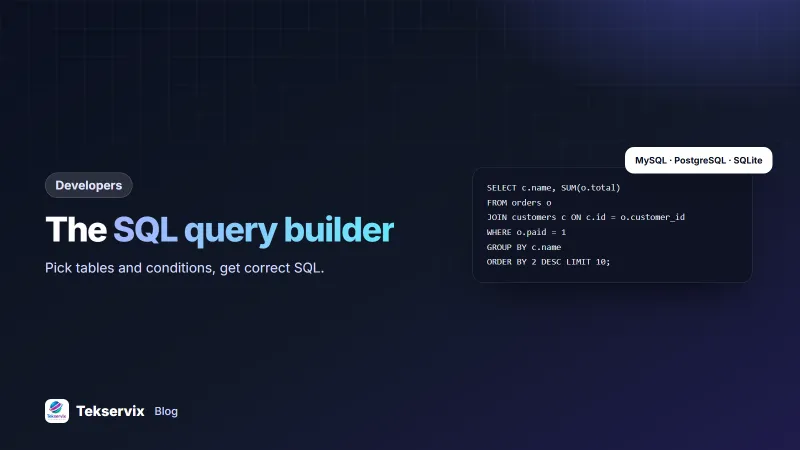
A SQL query builder turns choices made in a form, such as tables, columns, filters, joins, sorting and limits, into a correctly formatted SQL statement for your database. Good builders also show the query as you build it, so you learn the syntax instead of hiding from it.
The SQL builder in the Tekservix developer tools writes SELECT, INSERT, UPDATE and DELETE statements with WHERE conditions, JOINs, ORDER BY and LIMIT, for MySQL and MariaDB, PostgreSQL or SQLite.
SELECT: getting data out#
Most queries you write are SELECTs. Build them in the same order every time:
- Table: where the data lives, such as
orders. - Columns: only the ones you need. Avoid
SELECT *in application code; it fetches more data than necessary and breaks when columns change. - Conditions (WHERE): which rows, such as paid orders from this month.
- Order (ORDER BY): newest first, largest first, alphabetical.
- Limit: how many rows, so a test query doesn't return a million.
SELECT id, customer_id, total, created_at
FROM orders
WHERE paid = 1
  AND created_at >= '2026-11-01'
ORDER BY created_at DESC
LIMIT 50;WHERE: filtering correctly#
Most wrong results come from the WHERE clause. Watch for these:
- AND vs OR: mixing them without brackets changes the meaning.
status = 'new' OR status = 'paid' AND total > 100isn't what most people mean; write(status = 'new' OR status = 'paid') AND total > 100. - NULL:
= NULLnever matches. UseIS NULLorIS NOT NULL. - Dates:
created_at <= '2026-11-30'can miss orders later that day if the column includes a time. Usecreated_at < '2026-12-01'instead. - Text matching:
LIKE '%manchester%'finds partial matches but can't use a normal index, so it's slow on big tables.
JOIN: combining tables#
A JOIN connects rows in one table to rows in another through a shared column, usually an ID:
SELECT c.name, o.id, o.total
FROM orders o
JOIN customers c ON c.id = o.customer_id
WHERE o.paid = 1;- JOIN (inner join) returns only rows with a match in both tables: orders that have a customer.
- LEFT JOIN returns every row from the first table, with empty values where there's no match: all customers, including those without orders.
The classic mistake is joining on the wrong column, or forgetting the join condition, which multiplies rows and inflates totals. If a report's numbers look too big, check the joins first. Designing tables with clear keys makes joins much easier; our guide to database design covers the basics.
UPDATE and DELETE: carefully#
These change data, so a mistake isn't just a wrong result. A safe routine:
- Write the WHERE first and run it as a SELECT to see exactly which rows match.
- Count them: is it the number you expected?
- Back up the table, or run inside a transaction you can roll back.
- Change SELECT to UPDATE or DELETE, keeping the WHERE identical.
- Check the affected row count the database reports.
-- 1. check
SELECT id, status FROM orders WHERE status = 'pending' AND created_at < '2026-10-01';
-- 2. change, in a transaction
BEGIN;
UPDATE orders SET status = 'expired' WHERE status = 'pending' AND created_at < '2026-10-01';
-- check the count, then:
COMMIT;
A builder makes it hard to forget the WHERE clause, which is the single most expensive SQL mistake there is.
Differences between databases#
| MySQL / MariaDB | PostgreSQL | SQLite | |
|---|---|---|---|
| Quoting names | `backticks` | "double quotes" | "double quotes" |
| Join text | CONCAT(a, b) | a || b | a || b |
| Current time | NOW() | NOW() | datetime('now') |
| Case-insensitive match | Often by default | ILIKE | LIKE (ASCII only) |
Pick your database in the builder so the output fits, and test on the same database engine you use in production.
Make slow queries faster#
A correct query can still be painfully slow on a big table. The usual cause is a missing index on the columns you filter or join on. If you often search orders by customer and date, an index on those columns lets the database jump straight to the matching rows instead of reading the whole table. Ask your database how it plans to run a query by putting EXPLAIN in front of it; a plan that scans every row is a hint that an index is missing.
Two other habits help. Fetch only the columns and rows you need, and avoid wrapping an indexed column in a function inside WHERE, such as YEAR(created_at) = 2026, which stops the index being used. Write a date range instead.
From builder to code: prevent SQL injection#
A query built in a tool uses fixed values. In your application, values come from users, and pasting them into a SQL string is how SQL injection happens. Always use parameters (prepared statements):
# Python
cur.execute("SELECT id, total FROM orders WHERE customer_id = %s AND paid = %s", (customer_id, 1))

// PHP (PDO)
$stmt = $pdo->prepare('SELECT id, total FROM orders WHERE customer_id = ? AND paid = 1');
$stmt->execute([$customerId]);
The OWASP SQL Injection Prevention Cheat Sheet covers this in depth. It's the rule to follow whether the query came from a builder, an AI tool or your own head.
A worked example#
Imagine a shop owner who wants a list of their ten best customers this year, by total spent. In the builder, they choose the orders and customers tables, join on the customer ID and filter for paid orders since 1 January. The builder produces the query, and they add two things by hand: SUM(o.total) in the column list and GROUP BY c.name, then sort by the sum in descending order with a limit of 10. They run it, and one customer appears twice. It turns out two customer records share a name, so they group by customer ID and name instead, and the list is right. Ten minutes, one lesson about grouping, and a list the owner uses to send a thank-you offer. For checking other data formats along the way, see our JSON formatter guide and the API testing guide.
Frequently asked questions
What is a SQL query builder?
A SQL query builder is a tool that lets you choose tables, columns, conditions and sorting through a form, and generates the SQL statement for you. It speeds up routine queries and helps avoid syntax mistakes.
Is a query builder safe for UPDATE and DELETE?
It helps, because it makes the WHERE condition visible and hard to forget. Still run the same WHERE as a SELECT first to see which rows will change, work on a backup or inside a transaction, and double-check before running on production data.
Do SQL queries work the same in MySQL, PostgreSQL and SQLite?
The core of SELECT, INSERT, UPDATE and DELETE is shared, but details differ: quoting of names, date functions, string concatenation, LIMIT syntax in some cases, and data types. Choose your database in the builder so the output matches.

Tekservix Team
The team behind Tekservix
The Tekservix Team builds and supports Tekservix: WhatsApp and SMS APIs, AI tools, invoicing, PDF and SEO tools for growing businesses. We write practical, tested guides based on what we see our customers do every day.
More articles from the Tekservix Team