Telegram Bot Notifications: Get Business Alerts on Your Phone for Free
How to send Telegram bot notifications: creating a bot with BotFather, finding your chat ID, sending messages from code, alerts to groups, formatting, keeping the token safe, and useful alerts for a business.
On this page
You want to know the moment a big order comes in, a payment fails, or your SMS gateway phone goes offline, without watching a dashboard all day. Telegram bot notifications are one of the simplest ways to get those alerts: they're free to send, arrive instantly on your phone and computer, and take about ten minutes to set up. Here's how.
How it works#
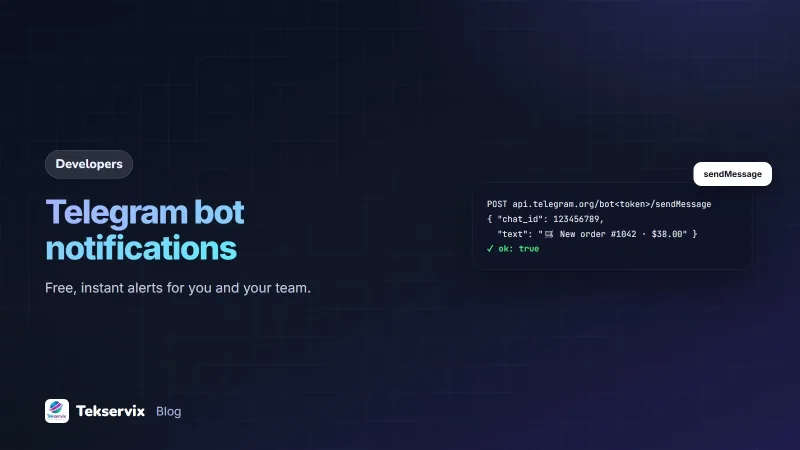
A Telegram bot is an account controlled by software. Your system sends an HTTPS request to Telegram's Bot API with a chat ID and a message, and the bot posts that message to you or to a group. The method is called sendMessage, documented in the Telegram Bot API reference.
Step 1: Create the bot#
- In Telegram, open a chat with @BotFather, Telegram's official bot for creating bots.
- Send
/newbot, choose a display name (such as "Shop Alerts") and a username ending in "bot". - BotFather replies with a token. Treat it like a password: anyone with it controls your bot.
Step 2: Find your chat ID#
A bot can only message chats that have contacted it first.
- Open a chat with your new bot and press Start, or add the bot to a team group and send a message there.
- In a browser, open
https://api.telegram.org/bot<token>/getUpdateswith your token. - Find
"chat":{"id": ...}in the response. Personal chats have positive IDs; groups have negative ones.
Store the token and chat ID as environment variables in the system that will send alerts.
Step 3: Send a message#
curl -X POST "https://api.telegram.org/bot$TELEGRAM_TOKEN/sendMessage" \
  -H "Content-Type: application/json" \
  -d '{"chat_id": '"$TELEGRAM_CHAT_ID"', "text": "New order #1042: $38 from Aline"}'
# Python
import os, requests
requests.post(f"https://api.telegram.org/bot{os.environ['TELEGRAM_TOKEN']}/sendMessage",
json={"chat_id": os.environ["TELEGRAM_CHAT_ID"],
"text": "New order #1042: $38 from Aline"},
timeout=10)A successful call returns "ok": true, and the message appears in the chat within a second or two.
Formatting#
Add "parse_mode": "HTML" to use simple tags such as <b> for bold and <a href="..."> for links. Keep alerts short and scannable: what happened first, then the two or three details needed to act, then a link to the record. Escape any customer-provided text before including it with HTML formatting, so an unusual name doesn't break the message.
Alerts worth sending#
- New orders above a certain value.
- Failed payments or failed message sends.
- A customer reply that needs a person.
- Your SMS gateway phone or WhatsApp number disconnecting.
- Website errors or downtime.
- A daily summary: orders, revenue, messages sent.
For example, when SMS Gora sends a device.offline webhook, your server can forward it to Telegram so someone plugs the phone back in quickly. Verify the webhook first; see our guide to webhook signature verification.
Team alerts in a group#
Add the bot to a Telegram group with your team, and use the group's chat ID. Everyone sees the same alerts, and people can discuss them in the thread. Make separate groups for urgent alerts and routine activity, so the urgent group stays quiet enough that nobody mutes it.
No code? Use a ready-made connection#
The Tekservix developer platform's app marketplace includes a Telegram app that sends the account events you choose, such as orders, payments and messages, to your phone through a Telegram bot. See the developer platform for setup. For other chat tools, our guide to Slack webhook notifications covers Slack.
Telegram or other channels?#
Telegram bots are ideal for internal alerts: they're free, instant and easy to set up, and your team can have alerts on both phone and computer. They're less suited to messaging customers, because a bot can only reach people who start a chat with it first, and many customers don't use Telegram. For customer messages, WhatsApp or SMS usually reach more people; for team alerts, Telegram, Slack or email all work, so pick the one your team already checks.
Keep the token safe#
- Store it in environment variables or a secret manager, never in code or screenshots.
- If it leaks, open @BotFather and revoke it to generate a new one.
- Don't put customer personal data in alerts unless the chat is private and secure.
- Remove the bot from groups it no longer needs to be in.
Reliability tips#
- Send alerts from a background job, with a short timeout, so a slow request never blocks your main work.
- Respect Telegram's rate limits; if you get a "Too Many Requests" error, wait the time it gives before retrying.
- Group bursts of events into one message rather than fifty.
- Never let a failed alert stop the real task, such as saving an order.
A worked example#
Imagine a pharmacy owner who wants to know when the SMS reminder phone goes offline and when orders over $100 arrive. She creates a bot called "Pharmacy Alerts", adds it to a group with her manager, and saves the token and group ID on the server. The server forwards verified device.offline events and large orders to the group, and sends a summary of the day's orders at 20:00. The first week, an alert at 06:10 shows the phone went offline after a power cut; the manager plugs it in before the 07:00 reminders are due.
Frequently asked questions
How do I send notifications with a Telegram bot?
Create a bot with @BotFather to get a token, start a chat with the bot or add it to a group, find the chat ID, then send an HTTPS request to the Bot API's sendMessage method with the chat ID and text.
Is sending Telegram bot messages free?
Yes. The Telegram Bot API doesn't charge for sending messages, which makes bots a popular way to send internal alerts to yourself or your team. Telegram applies rate limits to prevent abuse.
Can a Telegram bot message customers?
Only people who have started a chat with the bot or groups it has been added to. Bots can't message someone first, which makes them best for internal alerts or for customers who choose to subscribe.

Tekservix Team
The team behind Tekservix
The Tekservix Team builds and supports Tekservix: WhatsApp and SMS APIs, AI tools, invoicing, PDF and SEO tools for growing businesses. We write practical, tested guides based on what we see our customers do every day.
More articles from the Tekservix Team