API Rate Limiting: How to Handle 429 Errors and Design Your Own Limits
API rate limiting explained for developers: why APIs limit requests, reading limit headers, handling 429 Too Many Requests with backoff and Retry-After, queues and batching, and how to rate-limit your own API.
On this page
Your integration works perfectly in testing. Then a busy Monday comes, your code sends 800 requests in a minute, and the API starts answering "429 Too Many Requests". Some messages go out, some don't, and your retry logic makes it worse by hammering the API again immediately. API rate limiting is predictable once you understand it, and handling it well is a small amount of code.
Why APIs limit requests#
- Fairness: one busy client shouldn't slow the service down for everyone else.
- Stability: sudden floods of requests can overload servers and databases.
- Protection: limits slow down abuse, such as stolen keys or scripts guessing passwords.
- Downstream limits: some services depend on slower systems, such as a phone sending SMS or a messaging network, which can only go so fast.
How limits are expressed#
Most APIs limit requests per key, user or IP address over a time window, such as 300 requests per minute. Many also report the state of your limit in response headers:
- A limit: how many requests the window allows.
- Remaining: how many you have left, often as
X-RateLimit-Remaining. - Reset: when the window resets.
- Retry-After: on a 429 response, how many seconds to wait.
The 429 status code itself is defined in RFC 6585. For example, the SMS Gora and WAservix APIs allow 300 requests a minute per key, report X-RateLimit-Remaining, and answer 429 with Retry-After when you go over.
Handling 429 in your code#
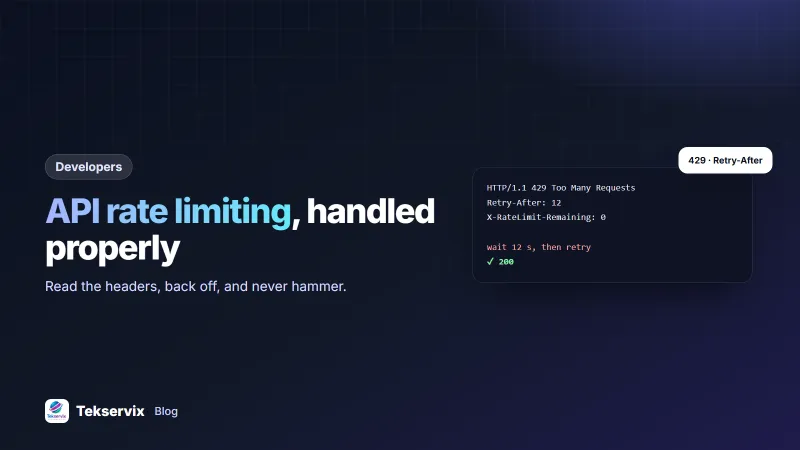
The rule: when told to wait, wait. Respect Retry-After if it's there; otherwise back off with increasing delays and a little randomness, so many clients don't all retry at the same moment.
import random, time, requests

def call_with_backoff(method, url, attempts=5, **kw):
    for i in range(attempts):
        r = requests.request(method, url, timeout=15, **kw)
        if r.status_code != 429 and r.status_code < 500:
            return r
        wait = r.headers.get("Retry-After")
        delay = float(wait) if wait else (2 ** i) + random.random()
        time.sleep(min(delay, 60))
    return r
Retry only errors that can recover: 429 and temporary server errors. A 400, 401 or 422 won't change with waiting, so log it and move on. Our guide to sending SMS with Python uses the same pattern.
Better: stay under the limit#
Handling 429s is the safety net. The better approach is not hitting the limit at all:
- Use a queue. Put outgoing requests in a job queue and let workers send them at a controlled rate, instead of firing them all from a loop or a web request.
- Watch the remaining count. When
X-RateLimit-Remaininggets low, slow down before you hit zero. - Batch where the API allows it. One request with 500 recipients is better than 500 requests. SMS Gora, for example, accepts up to 1,000 recipients in one send and 5,000 in a bulk call.
- Cache what doesn't change. Don't ask for the same account details or lists on every request.
- Spread scheduled jobs. A nightly job that runs at exactly midnight on every server competes with itself; add a small random delay.
Rate limits aren't the same as sending pace#
With messaging APIs, the request limit and the delivery speed are different things. An API may accept your 300 requests in a minute and queue the messages, then deliver them at a slower, safer pace. WAservix, for example, answers send requests immediately with in_progress and sends messages one at a time per number, with gaps that protect the account. Your code shouldn't try to force faster delivery; queue the messages and let the service pace them.
Adding rate limits to your own API#
If you run an API, even a small internal one, add limits before someone needs them:
- Choose what to count: per API key for authenticated clients, per IP address for public endpoints such as login and sign-up.
- Choose a window: a fixed window (per minute) is simplest; a sliding window or token bucket is smoother.
- Store counters somewhere fast and shared, such as Redis, if you have several servers.
- Reject with 429 and a
Retry-Afterheader when a client is over the limit. - Send limit headers on every response so clients can pace themselves.
- Publish your limits in your documentation.
Set stricter limits on sensitive endpoints: login, password reset, verification codes and anything that sends SMS or email costs money or can be abused. Our guide to API key security covers protecting the keys those limits are tied to.
Testing#
Test your handling before production does it for you. In a test environment, send requests until you get a 429, and check that your code waits and recovers without losing work or sending duplicates. Our API testing guide describes testing limits gently, without hammering a live service.
Common mistakes#
- Retrying immediately in a tight loop after a 429.
- Sending every request from inside a web page request instead of a queue.
- Ignoring
Retry-After. - Many workers each respecting the limit individually but exceeding it together.
- Treating a 429 as a permanent failure and dropping the message.
A worked example#
Imagine a delivery company whose system sends a WhatsApp update each time a parcel changes status. On busy days, updates arrive in bursts of several hundred a minute, and some fail with 429s. The developer moves sending into a queue with two workers, has them check X-RateLimit-Remaining and pause briefly when it drops low, and adds backoff that respects Retry-After. The next busy day, every update goes out, a few minutes later than the burst at most, and not one is lost.
Frequently asked questions
What does a 429 error mean?
HTTP 429 Too Many Requests means you've sent more requests than the API allows in a period. The response often includes a Retry-After header saying how long to wait before trying again.
How should my code handle rate limits?
Read the rate limit headers, slow down before you hit the limit, and when you get a 429, wait for the Retry-After time or back off with increasing delays before retrying. Don't retry immediately in a tight loop.
How do I add rate limiting to my own API?
Count requests per API key, user or IP address in a fixed or sliding time window, reject requests over the limit with a 429 and a Retry-After header, and publish the limits so clients can plan around them.

Tekservix Team
The team behind Tekservix
The Tekservix Team builds and supports Tekservix: WhatsApp and SMS APIs, AI tools, invoicing, PDF and SEO tools for growing businesses. We write practical, tested guides based on what we see our customers do every day.
More articles from the Tekservix Team