Top 10 Bulk WhatsApp Sender Tools in 2026, Ranked on Limits and Cost
Most bulk WhatsApp sender tools cap your campaigns or charge per message. We ranked ten on limits and cost, with WAservix first, and explain how to send in bulk without putting your number at risk.
On this page
- How we ranked each bulk WhatsApp sender
- The ranking
- 1. WAservix: bulk sending with no caps
- 2 to 5: developer APIs
- 6 to 10: official platforms
- A warning about browser extensions
- How to send in bulk without losing your number
- Writing a bulk message people actually want
- What 10,000 messages cost on each route
- Our pick
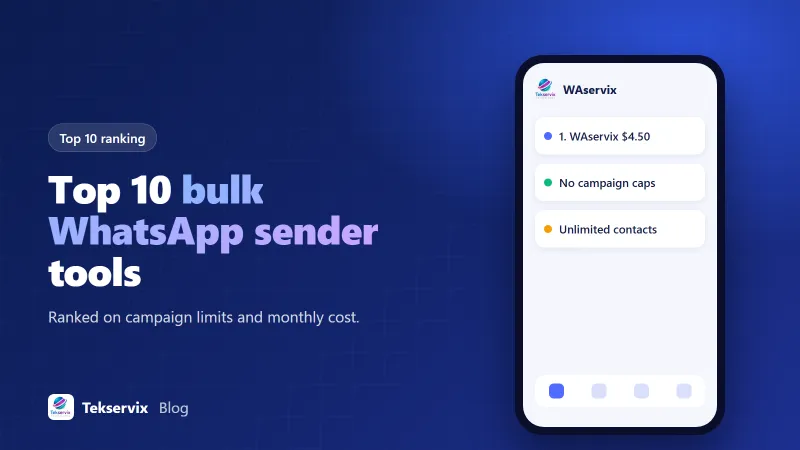
A bulk WhatsApp sender does one job: it gets a message to a long list of people without someone copying and pasting all day. The tools differ most in two places, what they limit and what they charge per message. We ranked ten on exactly those points. WAservix, our own product, takes first place because it has no campaign caps, no recipient caps and no message fees, all from $4.50 a month. Since it's ours, we'll show our working.
Bulk sending is also the fastest way to lose a number if it's done badly, so stay with us for the second half of this piece, which covers how to do it safely on any tool.
How we ranked each bulk WhatsApp sender#
- Limits: campaigns a month, recipients per campaign and contacts.
- Cost to send 10,000 messages a month from one number.
- Whether someone without technical skills can run a campaign.
Prices were checked on 30 October 2026 on vendors' own pages. Official tools add Meta's fees, which vary by country, so we've shown them as "plus Meta".
The ranking#
| Rank | Tool | Campaign limits | Monthly cost | Message fees |
|---|---|---|---|---|
| 1 | WAservix | None | $4.50 | None |
| 2 | Green API | Build your own sender | $12 | None listed |
| 3 | Maytapi | Build your own sender | $29 | None |
| 4 | Whapi.Cloud | Build your own sender | $29 | None |
| 5 | UltraMsg | Check plan | $39 | None |
| 6 | WATI | 15,000 broadcasts on Growth, unlimited on Pro | $39 to $79, billed yearly | Rate card |
| 7 | AiSensy | Pay per message | Free plan, then paid plans | Plus Meta |
| 8 | Wassenger | 10 campaigns, 500 recipients on Professional | $39.90 | Plus Meta |
| 9 | Interakt | Check plan | $55 | Plus Meta |
| 10 | respond.io | Based on active contacts | $79, billed yearly | Plus Meta |
1. WAservix: bulk sending with no caps#
WAservix is the only tool on this list that we could confirm combines a ready-made campaign screen, no recipient cap and no per-message fee. Upload your contacts, write your message, add media if you like, and start. Campaigns can include images, video, documents and more, so a shop can send a price list as a PDF or a restaurant can send a photo of a new dish.
It gets better as your list grows. A Bangkok retailer with 50,000 opted-in customers pays the same $4.50 as one with 500. If you want to split traffic across several numbers, which is good practice for big lists, Pro gives you three for $12 and Business gives you ten for $35.
Because campaigns sit alongside a REST API, a developer can also trigger sends from your own systems. Add SMS Gora and you can follow up by text with people who don't have WhatsApp, on the same wallet.
It's a linked-device service, so it isn't approved by Meta, and you need to follow the safety advice below.
2 to 5: developer APIs#
Green API, Maytapi and Whapi.Cloud give you the same unlimited, flat-fee model at a higher price, but they're mostly APIs. To send in bulk, a developer has to write the list handling, pacing and reporting. UltraMsg is similar at $39. They're strong tools for technical teams, but none of them beats WAservix on price for one number.
6 to 10: official platforms#
WATI, AiSensy, Wassenger, Interakt and respond.io run on Meta's official platform. That's the safe route for a brand, and they've got proper inboxes and approved templates. But every marketing template carries a Meta fee, and that's the most expensive category. Meta's pricing varies by country, and for big lists it's often the largest part of the bill.
Wassenger's limits show the other trade-off. On Professional, ten campaigns of 500 recipients means a maximum of 5,000 people a month. That's a tight fit for a growing list. We've compared these one by one, for instance WAservix and Wassenger and WAservix and WATI.
A warning about browser extensions#
You'll find plenty of free Chrome extensions that promise bulk sending by automating WhatsApp Web. We've left them off this list. They run inside your browser, they can break whenever WhatsApp changes its page, and you're giving an unknown developer access to your chats. Some are fine, and others aren't, and it's hard to tell which. A named service with terms and support is a safer base for a business.
How to send in bulk without losing your number#
These rules matter more than which tool you pick. They're based on our experience, since WhatsApp doesn't publish exact thresholds.
Warm up first. Use a new number for normal chats for at least a week or two. Then send to small groups, perhaps fifty people, and add more each day.
Message people who want to hear from you. Customers, members, people who signed up. Never bought lists. Reports from strangers are what really hurt a number.
Make every message different. Use the person's name, their last order or their city. Identical text across thousands of chats looks like spam, because it often is.
Slow down. Leave several seconds between messages, with some variation. A campaign that takes a whole morning is better than one that's over in five minutes.
Invite replies. A question at the end of a message encourages two-way conversations, and those are good for a number's standing.
Give a way out. Say something like "Reply STOP to leave this list", and act on it straight away.
Split big lists across numbers. It's safer and quicker, and with WAservix's bundles it barely costs more.
Our opt-in guide has examples of consent wording that works.
Writing a bulk message people actually want#
Delivery isn't the finish line. A good WhatsApp campaign reads like a note from someone who knows you, not like an advert. Open with the person's name and a reason you're writing. Keep it short enough to read without scrolling. Use one image at most, and one clear next step, such as "Reply YES to reserve yours."
That last idea matters more than it seems. A message that gets replies does two jobs. It starts a sale, and it also tells WhatsApp that people want to hear from you. Compare "Sale now on, 20% off everything" with "Hi Amara, the blue sofa you asked about is back. Shall I hold one for you?" One of these looks like a broadcast. The other looks like good customer service.
You can do this at scale on WAservix by adding columns to your contact list, such as first name or last product. It takes a bit more preparation than a blanket message, and results are usually worth it.
What 10,000 messages cost on each route#
| Route | Monthly cost | Good for |
|---|---|---|
| WAservix | $4.50 | Opted-in lists on a set budget |
| Developer API | $12 to $39, plus build time | Teams with their own software |
| Official platform | Plan fee, plus Meta's fee on every template | Brands that need the official route |
Our pick#
For a business with its own opted-in list, WAservix is the strongest bulk WhatsApp sender here: no caps, no fees and a campaign screen anyone can use. Start with the $1 trial, send to a small group and build from there. If you need a green badge or you work in a regulated industry, take one of the official platforms and budget for Meta's fees. For the broader picture, see our top 10 cheap WhatsApp API providers.
Frequently asked questions
What is the best bulk WhatsApp sender?
For sending to opted-in customers at a flat cost, we rank WAservix first: it has no campaign or recipient caps and starts at $4.50 a month. If you need the official route, WATI and 360dialog-based tools are good, with Meta's message fees on top.
Can I send bulk WhatsApp messages without getting banned?
You reduce the risk by messaging only people who opted in, warming up new numbers, personalising each message and pacing your sends. No tool can guarantee safety, and browser extensions that automate WhatsApp Web can be riskier.
How many WhatsApp messages can I send a day?
The official platform has messaging tiers set by Meta. Linked-device tools have no published limit, but sending too quickly raises risk. Start with a few dozen a day on a new number and increase gradually over weeks.

Tekservix Team
The team behind Tekservix
The Tekservix Team builds and supports Tekservix: WhatsApp and SMS APIs, AI tools, invoicing, PDF and SEO tools for growing businesses. We write practical, tested guides based on what we see our customers do every day.
More articles from the Tekservix Team