User-Generated Content: How to Get Customers Creating Content for You
Photos, videos and reviews from real customers often persuade better than anything your brand posts. Here's how to encourage user generated content, get permission to reuse it, and put it to work on social media, ads and your website.
On this page
- What counts as user-generated content
- Why it works
- How to encourage more of it
- Make it easy and ask directly
- Give people something worth photographing
- Use a branded hashtag
- Run a theme or challenge
- Ask for reviews systematically
- Reward fairly
- Always ask permission
- Where to use UGC
- Ideas by type of business
- Respond to the not-so-good content too
- Organise it so you actually use it
- Start small this week
When someone is deciding whether to buy, they trust other customers more than they trust the business. A shaky phone video of a real person using your product can do more than a polished advert, because it answers the question every buyer has: what is it actually like?
That's the case for user generated content, usually shortened to UGC. Here's what counts as UGC, how to encourage more of it, how to reuse it properly, and where it works best.
What counts as user-generated content#
- Customer photos and videos of your product or service.
- Reviews and star ratings on Google, marketplaces or your site.
- Social posts that mention or tag you.
- Unboxing, "first impressions" and tutorial videos.
- Testimonials and case stories from clients.
- Comments, questions and answers in communities.
There's also "UGC-style" content: videos made by paid creators in a casual, customer-like format. It can work well for ads, but it isn't the same as genuine customer content, and it should be disclosed as sponsored when required.
Why it works#
UGC does three things your own content struggles to do. It provides social proof, showing that real people buy and like the product. It shows the product in real settings, answering practical questions about size, quality and use. And it gives you a steady supply of fresh content without a photo shoot every week.
It builds community, too, and that matters more than it sounds, because a customer who sees a brand they like share their photo, credit them by name and thank them publicly tends to remember that and come back. Customers who see their photo reposted by a brand they like often become more loyal, and tell their friends.
How to encourage more of it#
Make it easy and ask directly#
Most happy customers never think to post. Ask. A simple ask at the right moment works: a card in the package ("Share your setup and tag us"), a line in the delivery email, or a message after a great appointment.
Give people something worth photographing#
Attractive packaging, a striking shop corner, a signature dish or a satisfying "after" photo naturally get shared. Think about the moment in your customer journey where someone would want to take a picture.
Use a branded hashtag#
A short, unique hashtag helps you find posts and gives customers a way to join in. Put it on packaging, receipts and your social bios.
Run a theme or challenge#
"Show us how you use it", "Your workspace", or "Before and after" prompts give people a reason to post. Feature the best entries each week.
Ask for reviews systematically#
Reviews are UGC too, and they help search visibility. Send a short request with a direct link to your review page a day or two after purchase, when the experience is still fresh. One polite reminder a few days later is fine; more than that starts to feel like pressure.
Reward fairly#
A monthly prize draw, a small discount for featured posts or early access to new products can encourage participation. Reward content, not positivity: incentivising only good reviews breaks most platforms' rules and consumer protection laws in many countries.
Always ask permission#
A customer tagging you doesn't give you the right to use their photo in your marketing. Before reposting:
- Comment or message: "We love this! Can we share it on our page and website? We'll credit you."
- Wait for a clear yes and keep a screenshot.
- Credit the creator in your post.
- For paid ads, get more explicit permission that covers advertising use, since that's a bigger ask.
If photos include other people, especially children, be extra cautious. When in doubt, leave it out.
Where to use UGC#
- Social media: regular "customer of the week" posts, story reposts, carousels of real setups.
- Product pages: customer photos next to your own images help people judge size and quality.
- Ads: customer videos and testimonials often feel more trustworthy than studio content. Test them against your usual creative.
- Email: "Here's how others are using it" sections in newsletters.
- Your website: a reviews section or gallery on the homepage or service pages.
- In-store: printed customer photos on a wall or screen.
Ideas by type of business#
- Cafe or restaurant: ask regulars to share their favourite dish, and repost one each week with a thank-you.
- Clothing shop: a monthly "how you styled it" round-up of customer outfits.
- Salon or barber: before-and-after photos, with the client's permission, tagged with the stylist's name.
- Software or online service: screenshots or short screen recordings of what customers built, plus a quote about why.
- Trades and home services: finished-job photos from happy homeowners, with the area named rather than the address.
- Gym or studio: milestone posts members are proud to share, like a first class or a hundredth visit.
Notice that none of these need a big budget. They need a habit of asking, and a person who checks tags and messages every week.
Respond to the not-so-good content too#
Not all UGC is flattering. A critical review or a video of a problem is still content about you, and how you respond is public. Reply calmly, take the details into a private conversation, fix what you can, and come back to say it's resolved. Prospective customers read those replies and often judge a business more by how it handles problems than by the problem itself.
Organise it so you actually use it#
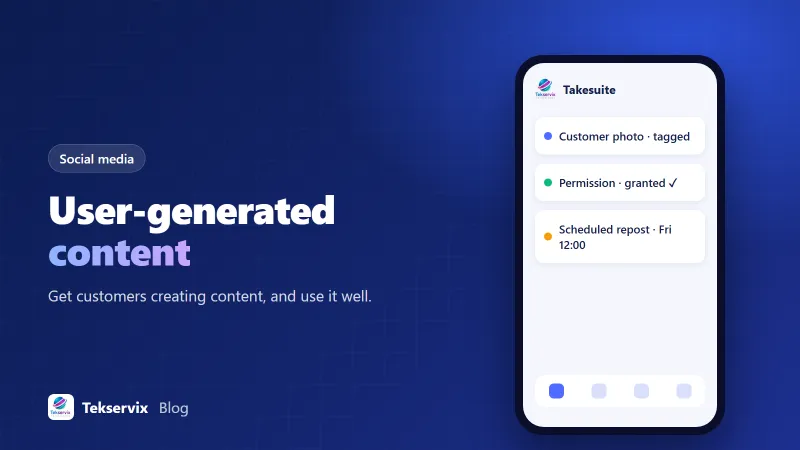
The biggest UGC problem isn't getting content, it's losing track of it. Keep a simple library: a folder or spreadsheet with the content, the creator's handle, the date permission was given and where you've used it. Then plan reposts in your content calendar, so customer content appears regularly rather than whenever someone remembers.
Takesuite helps with the scheduling side. You can plan customer reposts alongside your own posts in one calendar across your connected accounts, and the free plan covers 1 brand, 3 accounts and 30 posts a month. Our guide to building a social media content calendar shows how to slot UGC into a weekly rhythm.
Start small this week#
Pick one place to ask for content: your order confirmation email, a card in the box, or a message after appointments. Add one sentence and your hashtag. Then check your tags every Friday, ask permission for the best post and share it. Do that for a month and you'll have a steady stream of the most persuasive content there is: your own customers, in their own words.
Frequently asked questions
What is user-generated content?
Any content created by customers or fans rather than the brand itself: photos, videos, reviews, social posts, testimonials, unboxing clips and comments about a product or service.
Do I need permission to repost a customer's photo?
Yes. Being tagged isn't the same as permission to use content in your marketing. Ask the creator, credit them, and get written permission (a reply or message is often enough for organic posts; ads usually need clearer consent).
Is it okay to pay or reward customers for content?
Yes, but if you give something of value, such as a discount or free product, many countries require the creator to disclose it, and platforms have rules about it. Rewarding honest content is fine; rewarding only positive reviews is not.

Tekservix Team
The team behind Tekservix
The Tekservix Team builds and supports Tekservix: WhatsApp and SMS APIs, AI tools, invoicing, PDF and SEO tools for growing businesses. We write practical, tested guides based on what we see our customers do every day.
More articles from the Tekservix Team