How to Schedule Social Media Posts (and What You Shouldn't Schedule)
Scheduling posts in advance is how small teams stay consistent on social media without living on their phones. Here's how to schedule social media posts properly: tools, a batching workflow, approvals, and what never to put on autopilot.
On this page
- Why scheduling helps
- Native schedulers vs scheduling tools
- A weekly batching workflow
- Plan with a content calendar
- Choose times based on your data
- Tailor posts to each network
- What you should never schedule
- Build a small library of evergreen posts
- Check your schedule every week
- Give everyone the right access
- Measure and adjust
The businesses that post consistently on social media rarely do it by posting every day. They sit down once a week, sometimes once a month, create a batch of posts and schedule them. The rest of the time they reply to comments and get on with running the business.
If you've ever found yourself at 9 pm thinking "we haven't posted anything this week", scheduling is the fix. Here's how to schedule social media posts properly: the tools, a workflow that takes a couple of hours a week, and the posts you should never put on autopilot.
Why scheduling helps#
- Consistency: posts go out at a steady rhythm, even on busy weeks.
- Better quality: writing ten captions in one sitting is faster and more coherent than writing one at a time in a rush.
- Timing: you can publish at your audience's best times, even when you're asleep or in another time zone.
- Teamwork: drafts can be reviewed and approved before they go live, instead of someone posting straight from their phone.
Native schedulers vs scheduling tools#
Most platforms let you schedule natively for free. Meta Business Suite schedules Facebook and Instagram posts, including Reels and Stories. LinkedIn lets you schedule posts on personal profiles and company pages. TikTok has a scheduler for business accounts, and YouTube lets you schedule uploads.
Native tools work fine if you only use one or two platforms and post alone. They get awkward when you manage several networks, several brands or a team, because each platform has its own calendar, and approvals happen in email threads.
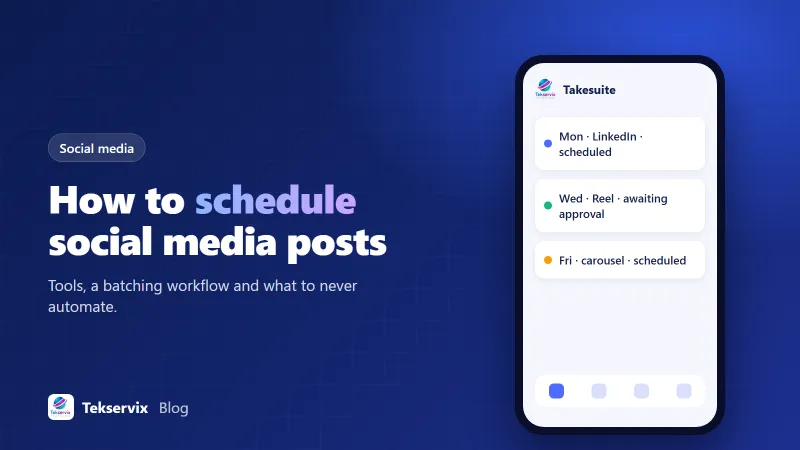
Scheduling tools bring everything into one calendar. You see the whole week across networks, drag posts around, collect approvals and publish automatically. Takesuite is ours: a visual calendar, AI help with captions and hooks, approval links clients can use without logging in, and a free plan with unlimited team members.
A weekly batching workflow#
Here's a rhythm that works for most small teams posting three to ten times a week.
- Monday, 30 minutes: review last week's results and decide this week's themes. One product, one tip, one story, one piece of social proof is a good mix.
- Monday, 60 minutes: write captions and gather or create images and videos for the next week.
- Tuesday: send the batch for approval if anyone else needs to sign off.
- Wednesday: make changes and schedule everything for the following week.
- Daily, 10 minutes: reply to comments and messages, and react to anything timely.
The daily ten minutes is not optional. Scheduling the posts gives you time to do the part that actually builds relationships: talking to people.
Plan with a content calendar#
Before scheduling individual posts, map out the month. Mark product launches, events, holidays relevant to your audience and any campaigns. Then fill the gaps with your regular content themes. Our guide to building a social media content calendar has a simple template, and our article on approval workflows covers how to get sign-off without delays.
Choose times based on your data#
Schedule posts for when your audience is active. Each platform's insights show when your followers are online. Start there, then test a few time slots over several weeks and compare results. We explained the method in our guide to finding the best time to post on Instagram, and it applies to other networks too.
Tailor posts to each network#
Scheduling makes it tempting to post the same thing everywhere at once. Resist a little. The same idea can work across platforms, but adjust the format: a professional angle and more text on LinkedIn, a short vertical video on Instagram and TikTok, a link and a question on Facebook. Image sizes differ too; our guide to social media image sizes lists them.
What you should never schedule#
- Replies to comments and messages. Automated replies to public comments feel cold and can go badly wrong.
- Reactions to news or trends. By the time a scheduled post goes out, the moment may have passed, or the context may have changed.
- Anything during a crisis. If something serious happens, in your business or in the world, pause your scheduled posts. A cheerful promotion published during a tragedy damages trust.
- Posts that depend on availability, like "only 3 left", unless someone checks before they go out.
- Live content and real-time events.
Know where the "pause all" button is in your tool before you need it.
Build a small library of evergreen posts#
Some posts stay useful for months: how-to tips, answers to common questions, customer stories, introductions to your team. Keep a folder or tag of these evergreen posts in your scheduling tool. When a busy week leaves gaps in the calendar, drop one in. Over a year, a library of 30 or 40 good evergreen posts means you never have an empty week, and your best content gets seen by new followers who missed it the first time.
Refresh them before reusing: update dates, swap the image, and rewrite the opening line so it doesn't feel like a repeat to long-time followers.
Check your schedule every week#
A quick weekly check prevents most scheduling mistakes. Look at next week's posts and ask: are the dates and prices still right? Has anything changed, like a sold-out product, a moved event or a new announcement? Do any posts clash with what's happening in the news? Five minutes here avoids the embarrassing correction later.
Give everyone the right access#
When several people touch your social accounts, set roles carefully. The person who drafts doesn't always need permission to publish. Clients may only need to approve, not edit. Freelancers should have their own logins rather than your password, so you can remove access cleanly when a project ends. Most scheduling tools, and the platforms' own business managers, support roles like these. Shared passwords on a sticky note are how accounts get locked or hijacked.
Measure and adjust#
Once a month, look at which scheduled posts did best: reach, engagement, link clicks, enquiries. Make more of those. If a time slot consistently underperforms, move it. Scheduling isn't set-and-forget; it's a system that gets better as you feed it what you've learned.
Start with one week. Batch it, schedule it, and spend the time you saved replying to people. Most teams don't go back.
Frequently asked questions
Does scheduling posts hurt reach?
There's no reliable evidence that posts published through approved scheduling tools reach fewer people than posts made manually. What matters more is the content, timing and early engagement. Use tools that publish through the platforms' official integrations.
How far ahead should I schedule social media posts?
A week or two ahead works well for most businesses: far enough to batch the work, close enough to stay relevant. Evergreen posts can be scheduled a month or more ahead; timely posts should stay flexible.
Can I schedule Instagram posts without a third-party tool?
Yes. Meta Business Suite lets you schedule Facebook and Instagram posts for free, and LinkedIn and TikTok offer native scheduling too. Third-party tools add a single calendar across networks, approvals and team features.

Tekservix Team
The team behind Tekservix
The Tekservix Team builds and supports Tekservix: WhatsApp and SMS APIs, AI tools, invoicing, PDF and SEO tools for growing businesses. We write practical, tested guides based on what we see our customers do every day.
More articles from the Tekservix Team