WhatsApp Business Message Examples: 30 Ready-to-Use Messages for Every Situation
Thirty WhatsApp Business message examples you can copy: greetings, away messages, quick replies, orders, payments, delivery, appointments, feedback, apologies, holidays and win-back messages.
On this page
Most WhatsApp business messages are written in a hurry, between serving customers, and it shows: missing details, inconsistent tone, and questions that lead to three more questions. A small library of good messages fixes that. Below are 30 WhatsApp Business message examples for the situations you face every week. Copy them into your quick replies, change the details, and your team answers faster and more consistently.
How to use these examples#
- Replace everything in brackets with your own details.
- Save the ones you use often as quick replies, so staff can insert them with a shortcut.
- Adjust the tone to your business: a law firm and a juice bar shouldn't sound the same.
- Keep one topic per message and the key fact in the first line.
Greetings and away messages#
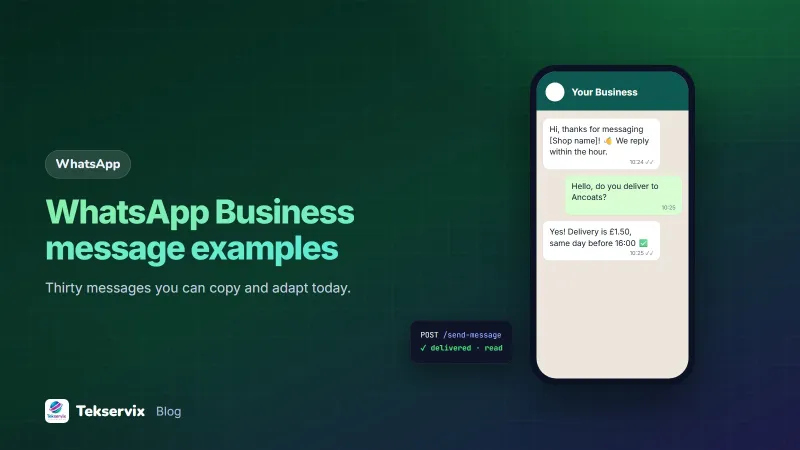
1. Greeting: Hi, thanks for messaging [Business name]! 👋 We reply within an hour, Monday to Saturday, 08:00-19:00. Type MENU for our price list.
2. Away (after hours): Thanks for your message! We're closed right now and open again at 08:00. We'll reply first thing in the morning. For urgent orders, call [number].
3. Away (busy): Thanks for your patience! We're serving a lot of customers right now and will reply within 30 minutes.
4. Holiday hours: Happy holidays from [Business name]! We're closed on 25 and 26 December and open again on the 27th from 09:00. Orders placed now will be delivered on the 27th.
Quick replies for common questions#
5. Prices: Here's our current price list 👇 [image or link]. Prices include VAT. Let me know which items you're interested in.
6. Location: We're at [address], opposite [landmark]. Here's the map pin: [location]. Parking is available at the back.
7. Opening hours: We're open Monday to Friday 08:00-19:00 and Saturday 09:00-17:00. Closed on Sundays.
8. Delivery: We deliver across [City] for $[amount], free on orders over $[amount]. Orders before 14:00 arrive the same day.
9. Payment methods: You can pay by digital wallet to [number] ([name on account]), by card in store, or cash on delivery for regular customers.
10. Out of stock: Sorry, that item is out of stock right now. We expect more on [date]. Would you like us to reserve one, or can I suggest a similar item?
Orders#
11. Order received: Thanks, Aline! We've received your order: 2 x [item], 1 x [item]. Total $[amount] including delivery. Please confirm and we'll prepare it.
12. Order confirmed: Order #[number] confirmed ✅ It will be ready by [time]. We'll message you when it leaves.
13. Custom order: Great choice! For a custom cake for 20 people, we need 3 days' notice and a 50% deposit. Would Saturday afternoon work for collection?
For more order-stage templates, see WhatsApp order confirmation messages.
Payments#
14. Payment request: Your total is $[amount]. Please pay by digital wallet to [number] ([name]) and use order #[number] as the reference. Send the transaction ID once done.
15. Payment received: Payment received, thank you! 🙏 Your receipt is attached.
16. Friendly reminder: Hi Eric, a quick reminder that invoice [number] for $[amount] is due on [date]. The invoice is attached again for convenience. Thank you!
Delivery#
17. Out for delivery: Your order is on its way 🛵 Our rider, Jean, will arrive between 14:00 and 15:00. Rider's number: [number].
18. Arrived: Your rider is outside. Please come to the gate or call [number] if you need a minute.
19. Delay: We're sorry, your delivery is running about 30 minutes late because of heavy traffic. New arrival time: around 15:30.
Appointments and bookings#
20. Booking confirmed: Your appointment is confirmed for Thursday 10:00 with [name]. Reply here if you need to change it.
21. Reminder: Reminder: your appointment at [Business name] is tomorrow at 10:00. Reply 1 to confirm or 2 to reschedule.
Our guide to WhatsApp appointment reminders covers timing and no-show follow-up.
Feedback and reviews#
22. How was it: Hi Aline, we hope you're enjoying your order! Was everything as expected? Just reply here, good or bad; it helps us improve.
23. Review request: Thank you for the kind words! If you have a minute, a short Google review would mean a lot to us: [link].
Problems and apologies#
24. Complaint received: I'm sorry about this, and thank you for telling us. Could you send a photo of the problem? We'll sort it out today.
25. Resolution: We'll replace the item free of charge and deliver it tomorrow before 12:00. Sorry again for the trouble.
26. Can't help: Unfortunately we don't offer that service, but [other business] may be able to help. Thanks for thinking of us!
Marketing and win-back (opted-in customers only)#
27. New arrivals: New this week at [Business name]: [product], [price]. Reply with your size to reserve one until Saturday.
28. Special offer: This weekend only: 15% off all [category] for our WhatsApp customers. Show this message in store or mention it when you order.
29. We miss you: Hi Grace, it's been a while! We've added some new [products] since your last visit. Here's 10% off your next order this month. Reply STOP to stop these messages.
30. Opt-in invite: Would you like to hear about new arrivals and offers on WhatsApp, about once a week? Reply YES to join. You can stop any time.
Only send marketing messages to customers who agreed to receive them, and honour every stop request. WhatsApp's Business Messaging Policy sets out the rules.
Save time with automation#
Greetings, away messages and quick replies are built into the WhatsApp Business app. When you want order confirmations, payment receipts and reminders to go out automatically from your shop or booking system, WAservix links your number and sends them through an API, and keyword auto-replies can answer "menu", "hours" or "location" instantly. Our guide to WhatsApp auto replies shows how to keep automated messages sounding human.
A worked example#
Imagine a small bakery whose two staff answer WhatsApp between serving customers. They save ten of these messages as quick replies with shortcuts: /menu, /hours, /delivery, /pay, /confirm and so on. Answering a typical enquiry drops from several minutes of typing to a few taps, every customer gets the same accurate details, and nobody forgets to mention the delivery cut-off time. Over the next month, fewer customers ask follow-up questions, because the first answer already covered them.
Frequently asked questions
What is a good WhatsApp Business greeting message?
A short welcome that names the business, says when someone will reply, and offers a quick option, such as a menu or price list. For example: 'Hi, thanks for messaging [Shop name]! We reply within an hour, 08:00-19:00. Type MENU to see today's items.'
How do I write a professional WhatsApp business message?
Start with who you are if needed, keep to one topic, give the key facts first, end with a clear next step, and keep it friendly but brief. Read it once as the customer would before sending.
Can I use emoji in business WhatsApp messages?
Yes, sparingly. One or two emoji can make messages friendlier and easier to scan, such as a tick for a confirmed order. Too many look unprofessional, and some customers find them hard to read.

Tekservix Team
The team behind Tekservix
The Tekservix Team builds and supports Tekservix: WhatsApp and SMS APIs, AI tools, invoicing, PDF and SEO tools for growing businesses. We write practical, tested guides based on what we see our customers do every day.
More articles from the Tekservix Team