How to Name an App: A Practical Process (and the Store Rules That Limit You)
A good app name is short, easy to say, available on both stores and doesn't get you a trademark letter. Here's a practical process for how to name an app, the character limits each store enforces and the mistakes to avoid.
On this page
- Start with what the name needs to do
- Know the store limits first
- Five naming approaches
- Your brand name
- Brand plus purpose
- Descriptive
- Invented or compound words
- Metaphor
- A simple process that works
- The trademark check people skip
- Names, icons and screenshots work together
- Mistakes to avoid
- The home-screen name is shorter still
- Can you rename an app later?
- Once you have a name
Naming an app feels like it should be the fun part. Then you spend a week shortlisting, find every good name taken, discover a trademark you'd never heard of, and settle on something you don't love. It happens to almost everyone.
A bit of process helps. Here's how to name an app that customers can find, remember and say out loud, along with the store rules that will shape your choice whether you like it or not.
Start with what the name needs to do#
Before brainstorming, decide what matters most. For most business apps, it's one of these:
- Recognition: customers already know your brand and will search for it. The name should be your brand.
- Discovery: people don't know you yet and will search for what the app does. A descriptive element helps.
- Memorability: you're building a new brand, and word of mouth matters. A short, distinctive name is worth more.
An app for an existing restaurant, clinic or shop almost always falls in the first group. A new consumer app usually falls in the third.
Know the store limits first#
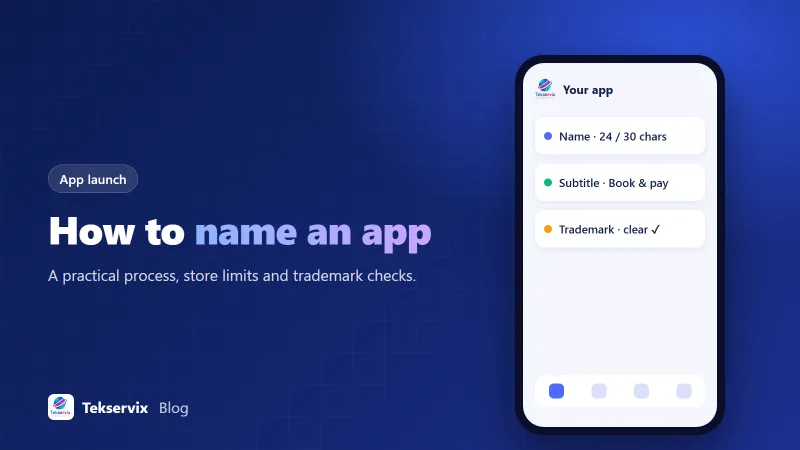
Both major stores currently cap app names at 30 characters. That includes spaces and punctuation. Apple gives you a separate subtitle of up to 30 characters that shows under the name; Google Play gives you a short description of up to 80 characters. Stores occasionally change these limits, so check the current numbers in App Store Connect and the Play Console when you submit.
Both stores also reject names that include misleading claims, other companies' trademarks, or keyword stuffing like "Best Free Photo Editor Camera Filters App". Apple's review guidelines are explicit that names and metadata shouldn't be used to game search.
Five naming approaches#
Your brand name#
"Greenway Dental". The safest choice for existing businesses. Customers find you, trust you, and recognise the icon.
Brand plus purpose#
"Greenway Dental: Book & Pay". Adds a hint of what the app does, useful if your brand name alone doesn't explain it. Use the subtitle for this if the name gets too long.
Descriptive#
"Invoice Maker". Clear, good for discovery, but hard to stand out with and often impossible to trademark.
Invented or compound words#
Words that didn't exist before, or two words merged. Distinctive and easier to trademark, but you need marketing to explain them.
Metaphor#
A real word with a related meaning, like a bird for a messaging app. Memorable when it fits, confusing when it doesn't.
A simple process that works#
- Write down three to five words that describe what the app does and how it should feel.
- Generate 30 to 50 candidates without judging. AI tools are genuinely useful for this stage; ask for names in several styles and lengths.
- Cut anything over 30 characters, hard to spell after hearing it once, or awkward to say.
- Search both app stores for each remaining name. Remove any that clash with an existing app in a similar category.
- Check the domain and social handles. You don't need the exact .com, but you need something credible.
- Run a trademark search for the top five (see below).
- Say the finalists out loud to a few people in your target audience, then ask them to spell them back to you a day later.
The name that survives step seven is usually the right one.
The trademark check people skip#
Trademark problems are the most expensive naming mistake, because they surface after you've built recognition. Search the trademark databases for the countries you'll operate in: the USPTO in the US, the UK IPO, EUIPO for the EU and WIPO's Global Brand Database for wider coverage. Look for identical or confusingly similar marks in related categories, such as software or the services your app provides.
A clear search isn't legal certainty, but a conflict you find in ten minutes saves a rebrand later. For a significant brand, a short consultation with a trademark lawyer is money well spent.
Names, icons and screenshots work together#
In the store, people see your name, icon, rating and first screenshots together in a split second. A plain name with a strong icon often outperforms a clever name with a weak icon. Keep the name readable at small sizes, and make sure the icon reflects it. Our guide to app icon and splash screen sizes covers the technical side, and app store optimisation covers how the name, subtitle and description affect search.
Mistakes to avoid#
- Spellings that are cute in writing and impossible to search after hearing ("Phlo", "Kwik").
- Using another brand's name or a famous product as part of yours.
- Stuffing keywords into the name instead of using the subtitle and description.
- Names that mean something unfortunate in another language your customers speak. Ask a native speaker.
- Choosing a name only available with a strange domain extension and no matching social handles.
- Changing the name every few months, which confuses existing users and resets recognition.
The home-screen name is shorter still#
There's one more name people forget: the label under the icon on the phone's home screen. It's separate from the store name, and on most phones it shows only around 12 characters before cutting off with an ellipsis. "Greenway Dental: Book & Pay" in the store can simply be "Greenway" on the home screen. Decide this deliberately, and check it on a real phone.
Can you rename an app later?#
Yes, both stores let you change the display name in a new version, and Google Play lets you update the store listing name without a full app update. Your package or bundle ID, though, can't change, and existing users will see the new name on their phones after updating. Renaming is possible, but it costs you some recognition, so take the time now.
Once you have a name#
The name goes everywhere: the app's home-screen label, the store listing, your website's install banners and your marketing. If you're turning an existing website into an app, our Website to App service builds it with your own name, icon and splash screen, signed under your own developer account, with no Tekservix branding inside the app. You can try a free Android test build with your chosen name and see how it looks on a real home screen before you commit.
Frequently asked questions
How long can an app name be on the App Store and Google Play?
Both stores currently allow up to 30 characters for the app name. Apple also offers a subtitle of up to 30 characters, and Google Play has a short description of up to 80 characters. Check current limits when you submit, as stores occasionally change them.
Can two apps have the same name?
Not on the same store, and copying a well-known brand name will get you rejected or into legal trouble. Similar names are allowed, but users can confuse them, so a distinctive name is better for you anyway.
Should my app have the same name as my business?
For most businesses, yes. Customers search for your brand, and a matching name builds trust. You can add a descriptive word, like 'Greenway Dental: Book & Pay', within the character limit.

Tekservix Team
The team behind Tekservix
The Tekservix Team builds and supports Tekservix: WhatsApp and SMS APIs, AI tools, invoicing, PDF and SEO tools for growing businesses. We write practical, tested guides based on what we see our customers do every day.
More articles from the Tekservix Team