How to Write an App Store Description That Gets Downloads
Most people decide whether to download an app from the first few lines of its listing. Here's how to write an app store description for Apple and Google Play: the fields and limits, what each store reads for search, and a structure that converts.
On this page
- The fields you're writing for
- Apple App Store
- Google Play
- What each store reads for search
- A structure that converts
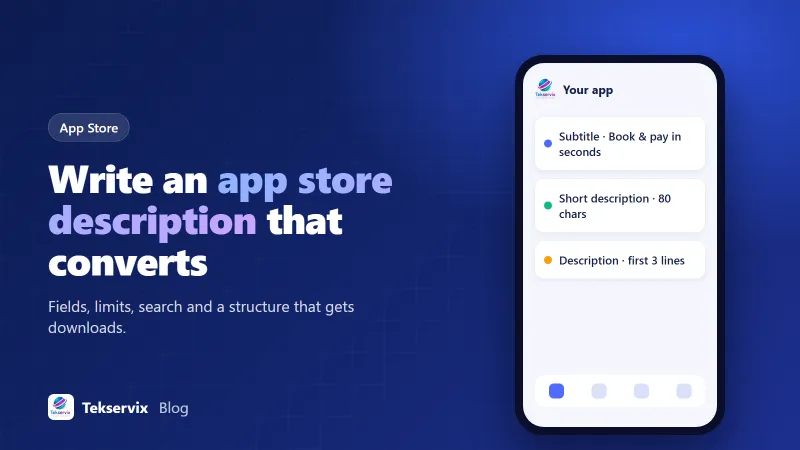
- 1. The first two lines: who it's for and what it does
- 2. A short list of key features
- 3. Details for people who want them
- 4. Trust signals
- 5. Support and contact
- An example for a business app
- Write for people, then check for search
- Use promotional text and listing updates
- Localise for your main markets
- What's New text matters too
- Mistakes to avoid
- The listing is part of the product
In an app store, you get a few seconds of attention. People see your icon, name, rating and screenshots, maybe the first couple of lines of text, and decide. Most never tap "more". That's why the opening of your app store description matters far more than the rest of it.
The description also works differently on Apple and Google. One store reads it for search; the other mostly doesn't. Here's how to write an app store description for both, field by field, with a structure that turns browsers into downloads.
The fields you're writing for#
Apple App Store#
- App name: up to 30 characters.
- Subtitle: up to 30 characters, shown under the name in search results.
- Promotional text: up to 170 characters, shown at the top of the description, and editable anytime without a new version.
- Description: up to 4,000 characters.
- Keywords: a hidden field of up to 100 characters, comma-separated, used for search.
Google Play#
- App title: up to 30 characters.
- Short description: up to 80 characters, shown prominently on the listing.
- Full description: up to 4,000 characters.
Stores occasionally change these limits, so check the current numbers when you fill them in.
What each store reads for search#
This is the difference that trips people up. On Apple, search mainly uses the app name, subtitle and the hidden keyword field. The long description is for persuading people, not for ranking, so stuffing it with keywords does nothing except make it harder to read.
On Google Play, the full description is part of how the app is understood and ranked. Use the phrases people search for, naturally and a few times, especially near the top. Google's policies forbid repeating keywords unnaturally, and listings that do it can be rejected.
Our guide to app store optimisation covers names, keywords and ratings in more depth.
A structure that converts#
Here's a structure that works for most business apps.
1. The first two lines: who it's for and what it does#
This is what shows before "more". Say plainly what the app lets people do and why that's good for them. Skip "Welcome to" and company history.
Weak: "Welcome to the official app of Greenway Dental, established in 1998."
Strong: "Book dental appointments in seconds, get reminders, and pay your bill from your phone. No more phone queues."
2. A short list of key features#
Four to six lines, each a benefit with the feature behind it. "Get a reminder the day before your appointment" beats "Push notifications".
3. Details for people who want them#
Explain how it works, what's included, who it's for, any account or subscription requirements. This is where people who tapped "more" decide, so answer their doubts.
4. Trust signals#
Real ones only: how long you've been in business, the number of customers if you can verify it, security or privacy points that matter in your category.
5. Support and contact#
A line saying how to get help. It reassures people and reduces bad reviews from those who couldn't find support.
An example for a business app#
For a salon booking app, a Google Play listing might read:
Short description: "Book Studio Nine appointments, get reminders and rebook your favourite stylist."
Full description, opening: "Book your next cut, colour or manicure at Studio Nine in under a minute. See real-time availability for every stylist, get a reminder the day before, and rebook in two taps."
Then the feature list: "See every stylist's free slots. Pay deposits securely. Get reminders by notification. Save your favourite services. Earn loyalty rewards with every visit." Then a few lines on opening hours, location and how to contact the salon.
Notice what's missing: no jargon, no "next-generation platform", no wall of keywords.
Write for people, then check for search#
Draft the description for a human customer first. Then, for Google Play, make sure your main phrases appear naturally: if people search "dentist booking app", that phrase should appear in the title, short description or first lines. For Apple, put the phrases into the subtitle and keyword field instead, and keep the description readable.
Use promotional text and listing updates#
Apple's promotional text can be changed anytime, which makes it ideal for seasonal messages, new features or offers. On Google Play you can edit the whole listing without a new release. Treat the listing as something you improve every month, not something you write once at launch. Change one element at a time and watch the conversion rate in App Store Connect or the Play Console.
Localise for your main markets#
Both stores let you write the listing in multiple languages. If you have customers in other countries, a translated listing (and translated screenshots) can make a real difference, even if the app itself is in English. Our guide on translating a website covers the review process that applies here too.
What's New text matters too#
Every update has release notes, the "What's New" section. Many developers write "Bug fixes and improvements" every time. Use it instead to tell existing users what changed in plain words: "You can now pay your balance in the app" or "Reminders now arrive a day earlier". Regular, specific notes show the app is maintained, and they give returning visitors a reason to update and keep using it.
Mistakes to avoid#
- Starting with history, a welcome message or a mission statement.
- Listing features without saying why anyone should care.
- Keyword stuffing, which hurts readability and can get the listing rejected.
- Claims you can't back up, like "#1 app" or "used by millions".
- Mentioning other platforms ("also on iPhone!") in the wrong store, which can be flagged.
- Forgetting to update the description when features change.
The listing is part of the product#
For a business app, the listing is often a customer's first impression of you on their phone. Spend an hour on it, have someone outside the business read the first two lines, and ask whether they'd download it. If you're turning your website into an app with our Website to App service, your app carries your own name and icon, our store publishing service can submit it for you, and you can refine the description as you learn what your customers respond to.
Frequently asked questions
Does the App Store description affect search rankings?
On Apple's App Store, the long description isn't used as a search keyword field; the app name, subtitle and the hidden 100-character keyword field matter most. On Google Play, the full description is read for search, so natural use of relevant phrases helps.
How long should an app description be?
Both stores allow up to 4,000 characters, but most people only read the first few lines before deciding. Put the most important information first, then use the rest for details, features and answers to common questions.
Can I update my app description without releasing a new version?
On Google Play, yes, you can edit the store listing at any time. On Apple, the description is tied to a version, but the 170-character promotional text can be changed anytime without a new submission.

Tekservix Team
The team behind Tekservix
The Tekservix Team builds and supports Tekservix: WhatsApp and SMS APIs, AI tools, invoicing, PDF and SEO tools for growing businesses. We write practical, tested guides based on what we see our customers do every day.
More articles from the Tekservix Team