Native App Builder vs Adalo: An Adalo Alternative With No Limit on Client Apps
Adalo is a friendly drag-and-drop builder with AI help. Native App Builder is focused on native capability and agency use. Here's where each one shines, with published prices.
On this page
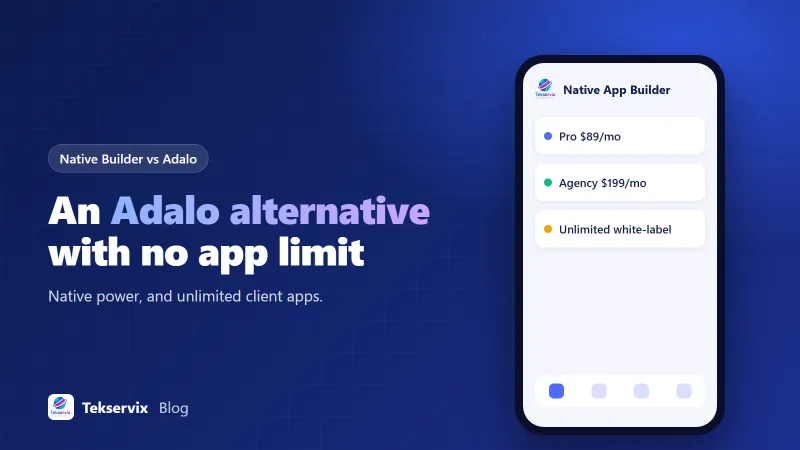
Adalo is one of the friendliest ways to build an app without code, and its drag-and-drop editor has helped a lot of first-time founders ship something real. So why look for an Adalo alternative? Usually because a project has grown beyond its limits: more apps than a plan allows, a need for native features, or a client list that makes per-plan caps expensive. Tekservix Native App Builder is aimed at those moments, with Pro at $89 a month and unlimited white-label apps on Agency at $199.
Adalo's prices below come from its pricing page, checked on 30 October 2026.
Plans side by side#
| Plan | Monthly | Apps | Worth noting |
|---|---|---|---|
| Adalo Free | $0 | 1 free app build | 500 records per app, 5 AI prompts a month |
| Native App Builder Starter | $35 | See plan | Offline use, dark mode |
| Adalo Builder | $65 | 2 published | AI building, 5 editors, 1 instant update a month |
| Native App Builder Pro | $89 | See plan | Biometrics, in-app purchases, background location and audio |
| Native App Builder Agency | $199 | Unlimited white-label | For client work |
| Adalo Business | $200 | 5 published | 10 editors, unlimited instant updates, external databases |
The closest price match is at the top: our Agency plan at $199 against Adalo Business at $200. One gives you five published apps, and the other gives you unlimited white-label apps.
Why teams look for an Adalo alternative#
The published-app limit is the common one. If you're an agency or a business with several brands, five apps runs out quickly. Each new client would then need another plan.
Native depth is another. Drag-and-drop builders do well with screens, lists and forms. When you need fingerprint sign-in, background tracking or in-app purchases handled at a native level, it pays to pick a tool designed around those features. Native App Builder puts them on its Pro plan, so you don't have to rely on third-party add-ons.
Control is the third. With our builder, you can download store-ready .aab, .apk and .ipa files and publish in your own developer accounts, and the Agency plan is white-labelled. That's important if you're building for clients who want to see their own brand. Every plan includes both iOS and Android with unlimited builds, and you don't need a Mac or Xcode.
What Adalo does better#
For a beginner building a brand-new app with its own database, Adalo is a lovely experience. You design screens visually, link them to data and see the result right away. There's no need for a separate backend. Its Ada AI assistant helps you build, and on paid plans it has no prompt limit.
It's also a great place to learn. The free plan lets you make test apps and understand how an app fits together before spending anything. And if your idea is a new marketplace, a directory or a booking app with no existing website, starting from a blank canvas with a built-in database may be the fastest way to a working version.
Three ways to get an app, from cheapest#
We sell three routes, so let's be clear about which one fits what.
| You have | Best route | Cost |
|---|---|---|
| A working mobile website | Website to App | $59.99 Android, $99.99 iOS, once |
| A need for native features | Native App Builder | From $35/mo |
| A complex or unique product | Custom development | Fixed-price quote |
If you've already got a website, Website to App beats any subscription on price. For bespoke work, our custom development team quotes a fixed price and replies within one business day.
A look at performance and scale#
Any visual builder has limits as data grows, and you'll want to test yours. Build one realistic list screen with a few thousand records and see how it feels on a cheap phone. Do the same for any tool you're considering. Adalo's free plan caps you at 500 records an app, so you'd want a paid plan for a proper test. On Business, it adds external databases and a Collections API for larger setups.
Check what happens when many people use the app at once as well. Ask each vendor how it handles that, and ask for real examples from apps of your size.
Examples#
A student in Lima wants to test a tutoring marketplace with no budget. Adalo's free plan is a great place to start, and we wouldn't try to talk them out of it.
A Berlin agency builds apps for six local clients. Five published apps on Adalo Business leaves it one short, whereas our Agency plan covers all six, and any more it signs.
A Nairobi clinic wants a patient app with fingerprint login and secure storage. Those features sit on Native App Builder Pro.
A Madrid shop has a good online store. It needs neither: Website to App will do the job for a single payment.
Where do your app's screens and data come from?#
This is the practical difference between the two. In Adalo, your screens and your database live together inside the tool, which is wonderful when you're starting from nothing. In our builder, you design the native parts and connect them to your own website or backend. So if you've already got data somewhere, your app can use it, and your data doesn't have to move into a new system.
For a business with an existing website, CRM or booking tool, that's usually what you want. For a new idea with no data yet, Adalo's all-in-one approach saves time. Think about where your records will live in two years, and choose the tool that doesn't force a difficult move later. If you can't tell, ask each vendor how you'd export your records and your app if you left. A clear answer is a good sign. A vague one tells you something too, and it's far better to find out now than after a hundred customers have signed up. Also ask what happens to live apps if a plan lapses, because your customers shouldn't suffer for a missed payment, a change of plan or a billing mistake on your side.
Instant updates and why they matter#
Adalo's Builder plan includes one instant update a month, and Business has unlimited. That refers to pushing changes without waiting for a store review. It's a feature worth understanding on any builder, because waiting days for a typo fix is painful. Ask how quickly a change reaches your users on each tool you try, and whether that differs between content updates and new native features.
Store rules still apply#
Apple's developer membership is $99 a year, and Google Play is a one-time $25, whichever builder you pick. New personal Google accounts must run a 12-tester closed test first. And Apple's review guidelines apply to every app. An app that does something useful passes, while a thin one doesn't. Our guide to version codes and version names helps with the small details of updating.
Our recommendation#
If you're a first-time builder with a new idea, start on Adalo's free plan. It's a great way to learn. If you're a business that needs native features, or an agency with a growing list of clients, look at the Native App Builder, because the numbers improve the more apps you make. Our FlutterFlow comparison and Bubble comparison cover other options.
Frequently asked questions
How much does Adalo cost?
Its pricing page lists a Free plan, Builder at $65 a month with 2 published apps and Business at $200 a month with 5 published apps. Quarterly billing is 10 percent off and yearly is 20 percent off.
Is Adalo good for beginners?
Yes. Its drag-and-drop editor and AI assistant are designed for people with no coding background, and its free plan is a good place to learn.
Who should choose Native App Builder over Adalo?
Businesses that need biometric sign-in, in-app purchases or background location, and agencies building apps for many clients. Adalo's published app limits make a large client list costly.

Tekservix Team
The team behind Tekservix
The Tekservix Team builds and supports Tekservix: WhatsApp and SMS APIs, AI tools, invoicing, PDF and SEO tools for growing businesses. We write practical, tested guides based on what we see our customers do every day.
More articles from the Tekservix Team