Native App Builder vs FlutterFlow: A FlutterFlow Alternative for Non-Developers
FlutterFlow is a superb visual builder for people who think like developers. Native App Builder is simpler and more guided. Here's how to tell which one suits your team.
On this page
- Pricing compared
- The learning curve is the real price
- Why teams choose a FlutterFlow alternative
- What FlutterFlow does better
- Who should pick which
- The cheapest option might be neither
- An example of each
- What a realistic first month looks like
- Do you need code ownership?
- Quality and testing
- Our recommendation
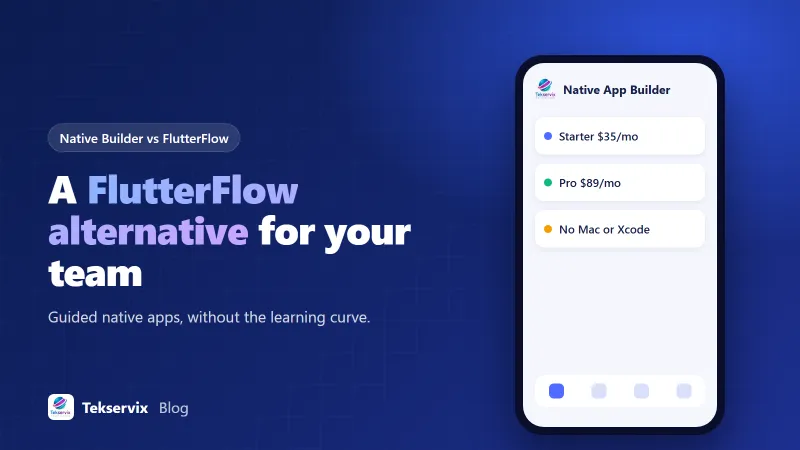
FlutterFlow is one of the most impressive visual app builders on the market. It writes real Flutter code, connects to serious backends and lets you download your project. So why would anyone need a FlutterFlow alternative? Because its power assumes you think a bit like a developer. If you run a business and don't want to learn about state management and API queries, Tekservix Native App Builder offers a simpler road to a real native app, from $35 a month, with iOS and Android and unlimited builds on every plan.
We build Native App Builder, so let's be fair about where each one fits. If you've got a developer, FlutterFlow may be the better tool.
Pricing compared#
| Plan | Monthly | Notes |
|---|---|---|
| FlutterFlow Free | $0 | Try the builder |
| Native App Builder Starter | $35 | iOS and Android, unlimited builds |
| FlutterFlow Basic | $39 | Source code or APK download |
| FlutterFlow Growth | $80, then $55 for a second seat | Team features |
| Native App Builder Pro | $89 | Biometrics, in-app purchases, background features |
| FlutterFlow Business | $150, then $85 for seats 2 to 5 | Larger teams |
| Native App Builder Agency | $199 | Unlimited white-label apps |
FlutterFlow's prices are from its pricing page, checked on 30 October 2026. The two are close on price at the low end, so this isn't really a cost decision. It's about skills and effort.
The learning curve is the real price#
When people compare builders, they look at the monthly fee and ignore the hours. With FlutterFlow, you're laying out widgets, defining data types, writing queries, handling navigation and connecting backends such as Firebase or Supabase. It's visual, but the concepts are the same as in programming. Expect a few weeks to feel comfortable, longer if you've never built software.
For a developer, that's fine, and even a pleasure. For the owner of a clinic or a chain of shops, those weeks are the most expensive line on the bill.
Native App Builder is more guided. You work with ready-made native parts and connect them to your website or database. If you'd rather not do even that, our team can set it up for you, including layout, navigation, branding, push and your data connection, and test it on real devices.
Why teams choose a FlutterFlow alternative#
There are a few recurring reasons.
Nobody on the team wants to be the app developer. A marketing manager shouldn't have to debug a Firestore query.
They need certain native features without plugins. Biometrics, in-app purchases, and background location and audio are all part of our Pro plan.
They're agencies with many small clients. Unlimited white-label apps at $199 a month let a small studio offer apps without paying per seat, or per project.
They want publishing handled. You can download .aab, .apk and .ipa files, or let us publish for you. That means no Mac and no Xcode, and no wrestling with certificates.
What FlutterFlow does better#
Code export is the main one. Being able to download real Flutter source means you're never truly stuck. A developer can take your project and carry on in any editor, which is an excellent safety net for a startup.
Design freedom is the second. You can build almost any screen you can imagine, with fine control over layout and animation. If your app's look is a competitive advantage, that matters.
Depth is the third. Custom code, complex logic, and integrations with Firebase and Supabase let you go a very long way. Plenty of real startups run on it.
Community is the fourth. There's a large pool of tutorials and freelancers, so help is easy to find.
Who should pick which#
| You are | Better fit |
|---|---|
| A technical founder building a new product | FlutterFlow |
| A startup that wants code ownership | FlutterFlow |
| A designer who wants pixel control | FlutterFlow |
| A business owner with a site or backend | Native App Builder |
| An agency with many small clients | Native App Builder Agency |
| A team that wants someone to set it up | Native App Builder, configured by us |
| Anyone with a good mobile website and no native needs | Website to App |
The cheapest option might be neither#
If you've got a good mobile website and all you need is a presence in the stores, plus push notifications, Website to App does the job for $59.99 once for Android and $99.99 once for iOS. Those are one-time prices with unlimited updates. Try a free Android test build before deciding. Lots of people who start out looking at FlutterFlow discover that a wrapped site meets their needs, at a fraction of the effort. Our PWA versus native app guide explains how to tell.
An example of each#
A Singapore fintech founder with a computer science degree wants a custom app and a path to a full engineering team. FlutterFlow gives them speed now and Flutter code later.
A Cairo chain of pharmacies wants an app for reminders and repeat orders, connected to its website, with fingerprint login. Nobody on staff is a developer. Native App Builder Pro, set up by our team, is a much better fit.
A Vancouver design studio builds apps for local clients. It uses FlutterFlow on one flagship project, and our Agency plan for small clients who just need something solid at a low price. There's no rule that says you have to pick one.
What a realistic first month looks like#
On FlutterFlow, week one usually goes on tutorials and learning how the builder thinks. Week two is your data model and first screens. Week three is logic and connecting a backend, and that's where beginners tend to get stuck. By week four, you've got something you can test, as long as you've stayed with it. That's a fine pace for a founder who's investing in a skill, but it's a lot for someone with a business to run.
On Native App Builder, day one is configuring your native parts and pointing them at your site. By the end of that day, you can scan a test build onto your phone. The rest of the month goes on polish, store listings and getting customers to install it. If you pay us to configure it, even that first day isn't yours to spend.
Do you need code ownership?#
Code export is a great feature, but ask whether you'd use it. A funded startup planning to hire engineers will. A shop that wants an ordering app won't, and it'd be paying for something it never touches. If nobody at your company would open that code, it's not much of an asset. What you'll really want is a working app, your customers, and access to your own store listings. You get those on any route, provided you publish in your own developer accounts.
Quality and testing#
Whichever tool you use, try your app on real devices, particularly older Android phones. Test it on a poor connection. Check dark mode, large text settings and the back button. Crash reporting is included with our builder, so you'll see problems your users don't report. Our guide to AAB and APK files helps when you're ready to publish.
Our recommendation#
If you've got the skills, or you're ready to build them, FlutterFlow is a fantastic tool. If you'd rather spend your time running your business, try the Native App Builder. And if your website's already good, start with the free test on the Website to App page. Our builder roundup has the rest.
Frequently asked questions
How much does FlutterFlow cost?
Its pricing page lists Free, Basic at $39 a month, Growth at $80 a month for the first seat and $55 for the second, and Business at $150 for the first seat and $85 for seats two to five. Source code download is on Basic and above.
Can I export code from FlutterFlow?
Yes. FlutterFlow's Basic plan lists downloading project source code or an APK, which is one of its big attractions. You get Flutter code that a developer can carry on with.
Do I need to know how to code to use FlutterFlow?
No, but it helps. It's a visual tool, yet you'll meet ideas such as state, queries and API calls. People without that background usually find a more guided builder easier.

Tekservix Team
The team behind Tekservix
The Tekservix Team builds and supports Tekservix: WhatsApp and SMS APIs, AI tools, invoicing, PDF and SEO tools for growing businesses. We write practical, tested guides based on what we see our customers do every day.
More articles from the Tekservix Team