WAservix vs the WhatsApp Business App: The Limitations You Hit and How to Get Past Them
The free WhatsApp Business app is a great start. But broadcasts, automation and integrations hit a wall quickly. Here's where its limits sit, and how to go past them without moving your number away from your phone.
On this page
The most common WhatsApp Business app limitations appear at roughly the same moment for everyone: the day your customer list gets too big for broadcasts, or the day you want your website to send a message by itself. The free app is one of the best business tools ever given away, and we'd recommend it to any shop starting out. But it wasn't built for automation. WAservix, the WhatsApp API we make, picks up where it stops, on the same number, for $4.50 a month.
You don't have to give anything up to do this, and that's what makes this different from moving to Meta's official API. Let's look at the walls you'll hit and how to get round them.
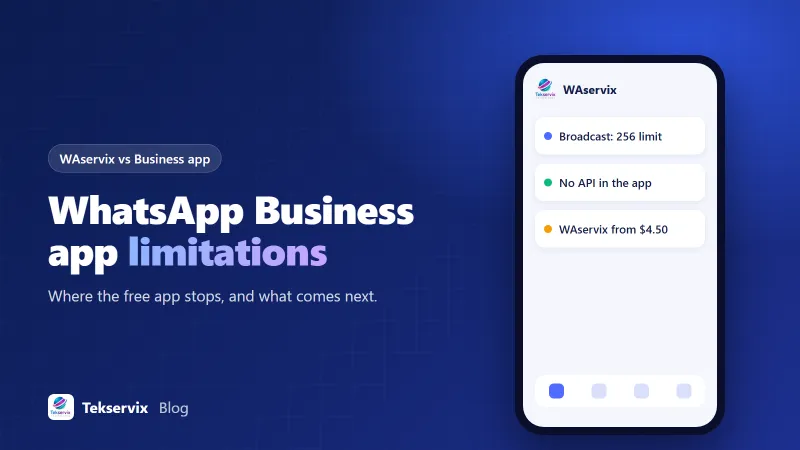
The WhatsApp Business app limitations that matter#
| What you want to do | Business app | With WAservix |
|---|---|---|
| Send one message to many people | Broadcast lists, capped at 256 per list | Campaigns, no cap from us |
| Reach people who haven't saved your number | Broadcasts won't reach them | Yes, send to opted-in contacts directly |
| Send messages from your website or CRM | Not possible | REST API |
| Receive messages in your own software | Not possible | Webhooks |
| Auto-replies | Greeting, away and quick replies | Rules-based auto-replies |
| AI answering customers | Limited | Add the AI Sales Agent |
| Several branches on one dashboard | One number per app | Up to 25 numbers on one plan |
| Cost | Free | From $4.50/mo |
Details of the app can change, so check WhatsApp's help centre for the current rules on broadcast lists and linked devices.
The broadcast problem, explained#
Broadcasts look like the answer to reaching lots of customers. Two things stop them. The first is the 256-person limit per list, so a business with 2,000 customers has to maintain eight or more lists. The second is more serious: only people who've saved your number in their phone receive a broadcast. Many customers never do. So you can send to 256 people and reach sixty, and the app won't tell you exactly who's missing.
With a WAservix campaign, you upload your list of opted-in customers and send at a safe pace. Messages go to each person individually, whether they've saved your number or not. That last point deserves care, though. Someone who doesn't recognise you may report you. So only message people who've agreed to it, and say who you are in the first line.
The automation wall#
The app's greeting message, away message and quick replies are handy, but they stop there. You can't react to what a customer wrote, look up an order or send a message when something happens in another system.
That's what an API is for. With WAservix, your booking system can send a reminder the day before an appointment. Your shop can send a tracking link when an order ships. Your server can text your technician when something breaks. Any message that a person would otherwise type can be automated once a system knows when to send it.
A Madrid dental practice is a good example. Reception was spending an hour a day confirming appointments by hand on the app. With an API call from its booking software, reminders go out automatically, and only people who reply need a human. The same phone stays on the desk, and staff keep using it for normal chats.
Why not just use the official API?#
Meta's official route removes all these limits, but it's a different world. You have to move your number onto the Business Platform or use its coexistence feature, get templates approved and pay per message. It suits many companies, and we've compared it in detail in WAservix vs the Cloud API.
WAservix takes a shorter road. It links to your number as a device, in the same way WhatsApp Web does, so nothing about your number changes. You scan a QR code and carry on. Our older guide, WhatsApp API versus WhatsApp Business app, explains how the official API compares with the free app.
What you take on when you add an API#
An API gives you more power, and with it more ways to get into trouble. The free app's limits protect you, to a degree. They make it hard to spam anyone. Once you can send thousands of messages, your habits matter.
WhatsApp doesn't approve linked-device automation, so a number that behaves like a spammer can be restricted. If this number is the only way your customers can reach you, take that seriously. Here's how to protect it:
- Start with small sends, then grow over a couple of weeks.
- Only message people who agreed.
- Vary your wording, and include their name or something specific.
- Leave a pause between messages.
- Stop at the first request to stop.
Our opt-in guide covers what real consent looks like. Some businesses also keep their main number purely for conversations and use a second number on WAservix for bulk messages.
When the free app is plenty#
Don't buy what you don't need. Stick with the app if you have fewer than about 200 customers, you're happy to reply by hand and you don't need any system to send messages. A local plumber who gets twenty messages a day doesn't need an API. The catalogue, labels and quick replies will do nicely, and the business profile gives customers your hours and address at a glance.
We'd also say stay on the app if nobody on your team has time to think about warm-ups and opt-ins. A simple tool you use well is better than a powerful one you use badly.
Signs you've outgrown it#
- You've made a third broadcast list.
- Someone spends more than an hour a day sending the same messages.
- Customers ask about orders, and staff look them up by hand.
- Your website or system ought to be sending messages by itself.
- You've got more than one branch or number to manage.
- You'd like messages answered at night.
Two or more of those, and it's time to look at the next step. If that last one's the big one, our AI Sales Agent answers on your WhatsApp and SMS lines using what's on your website, and it includes WAservix in the plan.
How to add WAservix to your number#
It takes about five minutes.
- Create a Tekservix account and start the $1 trial.
- Open the device page and show the QR code.
- In WhatsApp Business on your phone, open Linked devices and scan the code.
- Send a test to a colleague.
- Upload a small list, or copy your API key for your developer.
Your phone carries on as normal. Chats still appear on it, and you can reply by hand at any time. If you decide it's not for you, remove the linked device and you're back where you started, with your number and chats exactly as they were. There's no contract to end and nothing to undo.
Our advice#
Use the free app for as long as it serves you. When it stops, you've got a choice between a big move to the official API and a small add-on. We think most small businesses should try the small step first. It costs $1 to find out, and your number stays exactly where it is. For the full market, see our best WhatsApp API providers guide.
Frequently asked questions
What are the main WhatsApp Business app limitations?
Broadcast lists are capped at 256 contacts per list, and only people who saved your number receive them. There's no API or webhooks, automation is limited to greeting, away and quick replies, and a small number of linked devices can use the account at once.
Does WAservix replace the WhatsApp Business app?
It doesn't replace it. WAservix links to your number as a device, so you can keep using the app on your phone while the API and campaigns run alongside it.
Is the WhatsApp Business app free?
Yes, the app is free to download and use, and Meta has added paid extras in some markets. For many small businesses it's all they need, so try it first if you have only a handful of customers.

Tekservix Team
The team behind Tekservix
The Tekservix Team builds and supports Tekservix: WhatsApp and SMS APIs, AI tools, invoicing, PDF and SEO tools for growing businesses. We write practical, tested guides based on what we see our customers do every day.
More articles from the Tekservix Team