Website to App vs AppMySite: An AppMySite Alternative Without a Monthly Plan
AppMySite offers plans by platform, including WordPress, WooCommerce and Shopify. Website to App works with any website for one payment. Here's how to decide which suits your site.
On this page
- The key difference: how the app gets your content
- Why look for an AppMySite alternative?
- What Website to App includes
- Where AppMySite does better
- A speed check before you build
- Three examples
- Making a WordPress site feel like an app
- What happens when you change your theme?
- What to do about push notifications
- Comparing the long-term cost
- Our recommendation
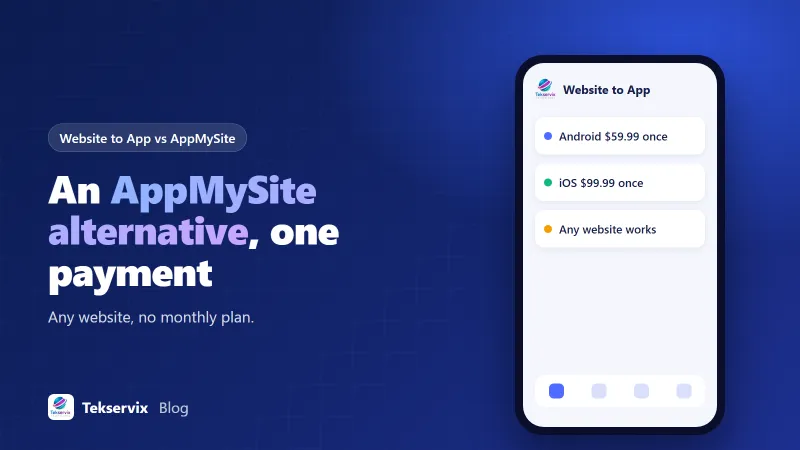
If you're weighing up an AppMySite alternative, you've probably got a WordPress or WooCommerce site and you've seen what an app could do for it. AppMySite is a popular way to do that, with plans built around each platform. Tekservix Website to App takes a simpler road: it works with any website that runs in a browser, and you pay once. That's $59.99 for Android, $99.99 for iOS or $159.98 for both, with unlimited updates and no subscription.
AppMySite's site breaks its pricing into six product pages. We checked the main page on 30 October 2026, and it doesn't list monthly prices there, so open the one for your platform to compare exact figures.
The key difference: how the app gets your content#
| Website to App | AppMySite | |
|---|---|---|
| Payment | One-time | Plan by platform, see its pricing pages |
| Works with | Any website | Website, Shopify, WordPress, WooCommerce, custom |
| Content | Your live site inside a native shell | Web view and synced native options |
| Free start | Android test app | Free start, no card |
| Signing key | Yours | Check their terms |
| Branding | None | Check plan |
| Agency option | Native App Builder Agency plan | Agency app builder |
There are two ways to make a website into an app. A synced builder connects to your site's data, such as WooCommerce products, and shows them in native screens. A wrapped app shows your real pages inside a native shell. Each has its fans.
Website to App uses the second method, so everything on your site works in the app on day one: your theme, plugins, checkout, booking forms and custom pages. You don't have to check whether a plugin is supported, because the app simply shows what your site shows.
Why look for an AppMySite alternative?#
Three situations come up often.
You've got plugins that matter. WordPress sites tend to depend on them: booking systems, memberships, LMS plugins, custom checkouts. A synced app needs to understand each one. A wrapped app doesn't.
You don't want another subscription. A business already pays for hosting, plugins, a theme, email and more. A one-time payment keeps the app off that list.
Your site isn't on a mainstream platform. If it's custom-built, or runs on something less common, a wrapper won't mind. Anything that loads in a phone's browser will work.
What Website to App includes#
- A free Android test build, three times a month.
- Android and iOS apps from your URL.
- Push notifications via your Firebase or OneSignal account.
- Your own signing key.
- No Tekservix branding.
- Unlimited updates.
- Optional store publishing help, and a Google Play 12-tester service.
You'll publish under your own developer accounts, so your listing and reviews are yours.
Where AppMySite does better#
A synced app can feel more native. Product lists scroll like a real app, and menus don't look like a web page. If you've got a large WooCommerce store whose theme is slow on phones, a native screen built from your product data could feel quicker than your website.
It's also strong on no-code customisation. You can design screens, colours and menus in its dashboard, which suits people who like to tinker. And it's built for WordPress and WooCommerce people, so its setup talks to those platforms directly.
The trade-off is that a sync has to be set up and kept working. Custom fields and plugins may not come across without extra effort, and anything it doesn't support won't appear.
A speed check before you build#
A wrapped app is exactly as fast as your site. So before you do anything, run your homepage through a speed test on a mobile connection. If it takes more than a few seconds, fix that first. On WordPress, it's usually too many plugins, large images or cheap hosting. Compress your images, add caching and drop anything you don't use. You'll help your search rankings as well, since Google looks at mobile speed.
Our SEO tools can audit your site and point out the slow pages, so there's no reason to skip this step.
Three examples#
A Cape Town online school runs WordPress with a learning plugin. Courses, quizzes and logins all depend on that plugin. A wrapper is the safest choice, as it shows the plugin as it is. Website to App fits.
A Paris gift shop uses WooCommerce with a simple catalogue and a slow theme. A synced native app could give it a smoother feel, so AppMySite is worth trying, although fixing the theme would help its website as well.
A Dubai logistics firm has a custom customer portal built in Laravel. It's not on any mainstream platform, and it doesn't need to be. A wrapper turns it into an app in an afternoon.
Making a WordPress site feel like an app#
A few small changes turn a wrapped WordPress site into something that feels at home on a phone. Hide your desktop-style top menu when the page loads inside the app, and let a simple bottom bar do the work. Remove cookie banners that repeat on every launch by remembering the choice. Turn off pop-ups for newsletters, which feel out of place in an app. Make buttons large enough for a thumb. Check that forms use the right keyboard, with a number pad for phone numbers and an email layout for emails.
Most of that can be done with a little CSS and a theme setting, and every change also improves your mobile website. That's the quiet advantage of a wrapper: the work you put into the app helps every visitor, not only those who've installed it. Search engines benefit too, as your pages stay in one place.
What happens when you change your theme?#
With a wrapper, you change the site and the app follows, because it's the same site. With a synced builder, your native screens stay as they are until you update them in its dashboard, so the app and the site can look different for a while. Neither approach is wrong. It depends on whether you'd like one thing to maintain or are happy to look after two.
What to do about push notifications#
Both approaches can send them. In our case, you connect your own Firebase or OneSignal account, and the subscribers are yours. For a WordPress site, OneSignal's plugin makes it easy to send a push when you publish a post. If you run a store, a weekly offer or a back-in-stock note works well. Keep it useful, or people will turn notifications off for good.
Comparing the long-term cost#
Take the plan price for your platform from AppMySite's pricing page, and multiply it by 36 for a three-year figure. Compare that with $159.98. Even a low monthly plan overtakes a one-time payment before long. Then decide what the extra is buying you. If it's a real improvement in the app's feel, or tools you'll use, it may be fair. If it's mainly the same app paid for again and again, it isn't.
Our recommendation#
Start by building the free Android test on the Website to App page. Log in, add something to your cart and try your plugins. If it feels good, pay once and you're done. If your theme makes it feel clunky, and you'd rather have native screens, try AppMySite's free start next. It costs nothing to try them both. The best website to app builders guide covers the rest of the field.
Frequently asked questions
How much does AppMySite cost?
AppMySite lists separate pricing pages for website, Shopify, WordPress, WooCommerce, custom and agency apps, and it offers a free start without a card. Open the page for your platform to see monthly prices.
Does Website to App work with WordPress and Shopify?
Yes. It works with any site that runs well in a mobile browser, including WordPress, WooCommerce, Shopify, Wix and custom-built sites. The app loads your live pages.
What's the difference between a synced app and a wrapped app?
A synced builder reads your products or posts and rebuilds them in native screens. A wrapped app shows your real website inside a native shell. Wrapping keeps every feature of your site and needs less setup, while syncing can feel more native.

Tekservix Team
The team behind Tekservix
The Tekservix Team builds and supports Tekservix: WhatsApp and SMS APIs, AI tools, invoicing, PDF and SEO tools for growing businesses. We write practical, tested guides based on what we see our customers do every day.
More articles from the Tekservix Team