Website to App vs Appy Pie: An Appy Pie Alternative for Businesses With a Website
Appy Pie lets you build an app from templates, one monthly fee per app. If you've already got a website, there's a quicker and cheaper way. Here's how the two compare.
On this page
- Three-year cost
- Why rebuild what you already have?
- Why choose this Appy Pie alternative?
- What Appy Pie does better
- Web wrapper vs template app: which feels better?
- Four real uses
- What you still have to pay for
- What happens to your app if you stop paying?
- How much time does each take?
- Getting the most from a wrapped app
- Our recommendation
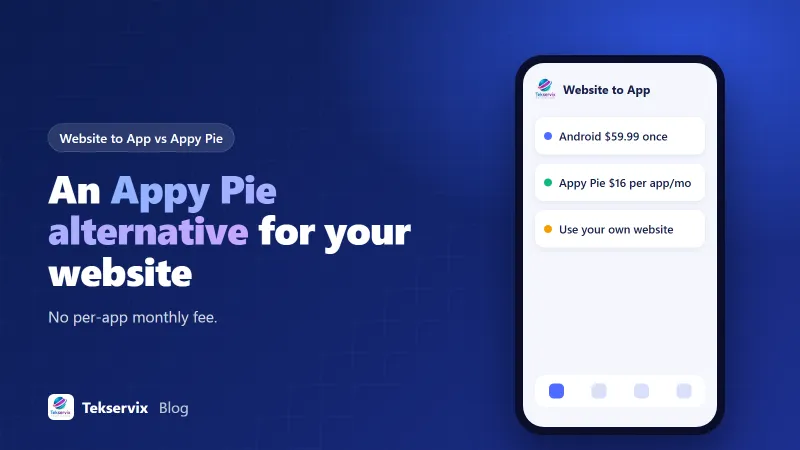
Appy Pie is a well-known name among no-code app makers, and its $16-a-month entry point looks tempting. But if you already have a website, you don't need to build an app from scratch in a template editor. That's why people look for an Appy Pie alternative. Tekservix Website to App turns the site you already have into Android and iOS apps, for a one-time $59.99 for Android or $159.98 for both. There's no per-app monthly fee, and updates are unlimited.
We make Website to App, so let's compare the two on facts, starting with what you'd pay.
Three-year cost#
| Plan | Monthly | 1 year | 3 years |
|---|---|---|---|
| Website to App, Android | $0 | $59.99 | $59.99 |
| Website to App, both platforms | $0 | $159.98 | $159.98 |
| Appy Pie Basic | $16 per app | $192 | $576 |
| Appy Pie Gold | $36 per app | $432 | $1,296 |
| Appy Pie Platinum | $60 per app | $720 | $2,160 |
Appy Pie's prices come from its pricing page, checked on 30 October 2026. The page also shows $32, $72 and $120 next to those plans without saying what they mean, so the true monthly price could be higher, depending on how you're billed. Check what each plan includes, as store publishing may be limited to certain tiers.
Why rebuild what you already have?#
This is the heart of it. A template builder asks you to make your business again inside a new tool. You'd re-enter your menu, your products, your hours and your about page. Then you've got two things to keep up to date, your website and your app, and they'll drift apart.
A wrapped app has one source of truth. Website to App loads your live site in a native shell. Change a price on your site, and it's changed in the app. Add a new page, and it's there. There's nothing to do twice, and nobody on your team has to learn another editor.
Why choose this Appy Pie alternative?#
You own what you've paid for. With a one-time payment, the app doesn't depend on a recurring plan. You hold your signing key and publish under your own developer accounts, so your listing, reviews and customers stay yours.
You get every feature of your site. Booking forms, payment pages, member areas and custom tools all work, since it's your site. Template builders only offer the blocks they've built.
You can try it for free. Enter your URL and get a working Android test app, with three test builds a month. Install it, tap around, and then decide.
There's no branding. Your app shows your name and logo only.
What Appy Pie does better#
If you've got no website, Appy Pie gives you a way to start. Its templates and drag-and-drop editor let someone with no technical background put an app together for a community, a church, a small shop or a personal project. It also offers a broad set of no-code tools beyond apps, including AI builders.
It's also useful for trying an idea when you don't want to build a site first. For a simple content or directory app, that may be enough.
We have an option for that too: our Native App Builder makes real native apps, starting at $35 a month. It costs more than Appy Pie's Basic plan, but it adds features like offline use and dark mode, and Pro adds biometric login and in-app purchases.
Web wrapper vs template app: which feels better?#
It depends on your website. If your site is fast and looks good on a phone, a wrapped app will feel smooth and polished. If it's slow or built only for desktop, fix that first, because the app inherits it.
Template apps feel consistent, because the same builder makes them all, and that can be a weakness as well. Many of them look alike. Users notice when an app feels generic, and Apple's reviewers do too: its guidelines have sections on minimum functionality and on spam from template-based apps.
Four real uses#
A Madrid restaurant has an online ordering site. Wrapping it means customers can order from a home-screen icon, and Friday offers can go out by push. There's no menu to re-enter.
A Jakarta school has a parent portal. Parents want an app icon, not a login page in a browser. A wrapper gives them this and needs no change to the portal.
A Chicago community group has no website, and just wants a calendar and a contact page. A template builder will do the job at a low price.
A Lagos gym wants members to book classes. If its booking system runs on the web, it's a wrapper job. If it wants offline class passes and fingerprint login, the Native App Builder's Pro plan is the better match.
What you still have to pay for#
Whatever you choose, publishing costs the same: $99 a year for Apple's developer program and $25 once for Google Play. New personal Google accounts need a closed test with 12 testers before release. If that sounds like a chore, we offer a 12-tester service and store publishing help.
What happens to your app if you stop paying?#
People rarely ask this before buying, and they should. On a per-app monthly plan, your app depends on an active subscription, so check the terms: what happens to its listing and updates if you cancel, or if your card fails. Find out too whether you can take the app with you, or whether it can only live inside that builder.
With Website to App, there's nothing to cancel. You've paid, you've got your signing key and the app is published under your own accounts. If your business has a slow year, the app stays where it is and costs you nothing more. Your only ongoing cost is Apple's yearly developer fee, if you're on iOS, and that's the same for every builder.
How much time does each take?#
A template app means choosing a design, adding pages, copying in your content, setting up menus and checking every screen. For a small business, that's several evenings, even with a friendly editor. A wrapped app takes minutes to generate. You enter your URL, choose an icon and name, and get an installable test build. Most of the remaining time goes on publishing, which is the same for everyone.
Time matters more than people think. The owner of a small business has few spare evenings. An app that's done on Tuesday brings in more than a better one that's still half-finished at the end of the month.
Getting the most from a wrapped app#
- Check your site on a cheap Android phone, not just a new iPhone.
- Set a clear home-screen icon and name.
- Add push notifications for things people want to hear about.
- Keep logins alive, so people don't have to sign in each time.
- Give it a proper offline message.
- Ask happy customers for a store review.
Our guide to no-code builders versus custom development is useful if you're deciding how far to go.
Our recommendation#
If you've got a website, use it. There's no reason to pay every month to rebuild something you already own. Try the free Android test on the Website to App page. If you don't have a website, Appy Pie is a fair place to start, and so is our Native App Builder. For the other options, see our best website to app builders comparison.
Frequently asked questions
How much does Appy Pie cost?
Its pricing page lists Basic at $16 per app a month, Gold at $36 and Platinum at $60, with Enterprise on request. It also shows higher figures of $32, $72 and $120 beside them without explaining them, so check how billing works before you buy.
Do I need a website to use Website to App?
Yes, it builds your app from a working mobile website. If you have no site at all, a template builder such as Appy Pie or our Native App Builder is a better starting point.
Is a template app or a wrapped app better?
If you've got a website that already does the job, wrapping is quicker, cheaper and keeps everything in one place. If you need an app from nothing with no site behind it, a template gives you somewhere to start.

Tekservix Team
The team behind Tekservix
The Tekservix Team builds and supports Tekservix: WhatsApp and SMS APIs, AI tools, invoicing, PDF and SEO tools for growing businesses. We write practical, tested guides based on what we see our customers do every day.
More articles from the Tekservix Team