WhatsApp Business Setup: Profile, Payments, Automation and the Rules That Matter
A practical guide to WhatsApp Business: the app vs the API, setting up a profile, catalogues, taking payments, multilingual messages, automation, consent under data protection laws and costs.
On this page
For billions of people, WhatsApp is where customers already are. They ask prices there, send photos of what they want, confirm deliveries and share the contacts of businesses they trust. Using WhatsApp Business well means more than downloading the app: it means a clear profile, fast answers, payment that's easy, and, as you grow, automation that keeps up without losing the personal touch.
This guide covers the setup, the tools for each stage of growth, the rules on consent, and what it costs.
The app or the API?#
- WhatsApp Business app: free, on one phone plus linked devices. Good for one or two people answering customers by hand, with quick replies, labels and a catalogue.
- A WhatsApp API: lets your website, shop or software send and receive messages automatically: order confirmations, reminders, delivery updates and replies at any hour.
Most businesses start with the app and add an API when typing the same messages by hand starts eating hours every day. Our comparison of the WhatsApp API and the Business app covers the differences in detail.
Set up a profile customers trust#
- Use a dedicated business number, not your personal one, so the business keeps the number if staff change.
- Business name exactly as on your signboard, website and receipts.
- Category, address and hours, including a landmark if people struggle to find you: "Second floor, above the pharmacy" helps more than a postal address alone.
- A short description of what you sell and whether you deliver or ship.
- A clear logo as the profile photo.
- A greeting and away message that say when you'll reply, with your time zone if customers are abroad.
Catalogues and quick replies#
Add your main products or services to the catalogue with photos, prices and short descriptions. Customers browse without asking "how much?" for every item. Save quick replies for the questions you answer twenty times a day: location, delivery fees, opening hours and payment details.
Taking payments#
WhatsApp's in-chat payments are only available in a few countries, such as India and Brazil, so for most businesses the flow runs through the payment methods customers already use, such as a card payment link, PayPal, a bank transfer or a local mobile wallet:
- Confirm the order and total in the chat.
- Share a payment link or your business payment details. A link from your payment provider is easier and more trusted than a personal account number.
- Confirm when the payment arrives, and send a receipt.
For larger orders, send a proforma invoice as a PDF first; our guide to proforma invoices explains when to use one. Tell customers clearly that you'll never ask for their card details, passwords or PINs in the chat, because scammers impersonate businesses on WhatsApp.
Write for your customers' language#
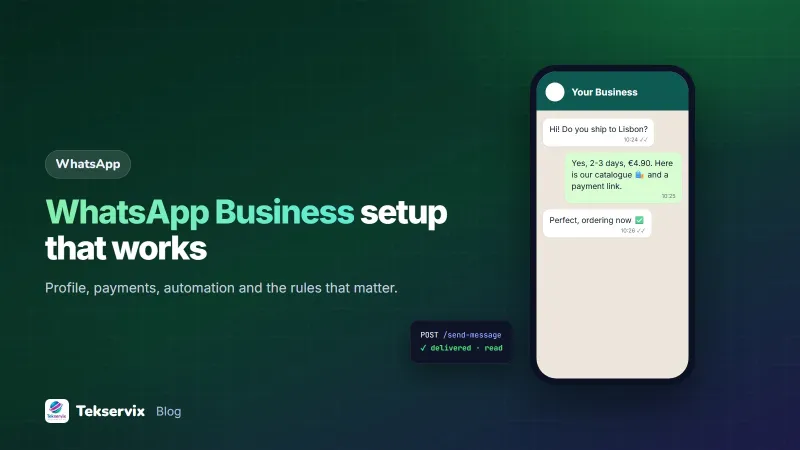
If your customers speak different languages, greet them in theirs: a "Hola" or "Bonjour" feels warmer than a generic English template, while prices, order numbers and dates should stay simple and unambiguous. If you send automated messages, prepare each template in the languages your customers use. Our guide to AI translation for customer messages covers getting translations right.
Automate as you grow#
When the volume grows, an API connects WhatsApp to the rest of your business. WAservix links your existing number, like WhatsApp Web, and adds:
- Automatic order confirmations and delivery updates from your website or shop.
- Appointment and payment reminders sent on schedule.
- Keyword auto-replies for prices, hours and location, day and night.
- Campaigns to customers who opted in, with personalisation and automatic STOP opt-outs.
- Several numbers under one account, such as sales and support.
Plans start at $4.50 a month per number with unlimited messages, and there's a three-day trial for $1. Because it isn't Meta's official API, follow WhatsApp's rules carefully: message only people who agreed, and grow sending volume slowly on a new number. Larger businesses that need Meta's official platform can compare costs in our guide to WhatsApp Business API pricing.
Consent and the law#
Data protection laws such as the GDPR in the EU and UK, and similar laws in many other countries, treat a phone number as personal data. Using it for marketing needs a lawful basis, usually consent, and people must be able to withdraw it. Your national data protection authority publishes guidance for businesses. In practice:
- Ask customers if they'd like offers on WhatsApp, and note their answer.
- Keep order updates, which customers expect, separate from promotions.
- Honour "stop" immediately.
- Don't add customers to groups without asking.
WhatsApp's own business policy also requires opt-in, and numbers that collect many reports get restricted. Our guide to WhatsApp opt-in best practices has wording you can use.
What it costs#
- The app: free, plus data.
- A gateway API: a flat monthly fee per number.
- Meta's official API: per-message fees for templates, which vary by country, plus your provider's charges.
- Your time: often the biggest cost. Automating repeated messages usually pays for itself first.
A worked example#
Imagine [Shop name], a cosmetics shop selling in-store and through Instagram. Two staff answer about 80 WhatsApp chats a day, half of them asking prices, location or whether an order was sent. The shop sets up a full business profile and catalogue with prices, saves quick replies, and pins a message with its payment link. A month later it connects its online shop to WAservix: orders trigger a confirmation in the customer's language, and a delivery message goes out when the courier leaves. Keyword replies answer "location" and "hours" at night. Staff now spend their time on the chats that sell, such as recommending products, and customers get answers within minutes.
Frequently asked questions
Is WhatsApp Business free?
The WhatsApp Business app is free to download and use; you pay only for mobile data. Sending messages from software through an API costs extra: Meta charges per template message on its official platform, while gateways such as WAservix charge a flat monthly fee per number.
Can I take payments on WhatsApp?
WhatsApp's own in-chat payments are only available in a few countries, such as India and Brazil. Elsewhere, businesses share a payment link or their usual payment details in the chat, then confirm payment when it arrives. Sending a proforma invoice or receipt as a PDF in the chat keeps a clear record.
Do I need customer consent to send WhatsApp messages?
Yes for marketing. Data protection laws such as the GDPR require a lawful basis, usually consent, to use people's phone numbers for marketing, and WhatsApp's own business rules require that people agree to receive your messages. Replies to customers who contact you, and updates about their own orders, are expected.

Tekservix Team
The team behind Tekservix
The Tekservix Team builds and supports Tekservix: WhatsApp and SMS APIs, AI tools, invoicing, PDF and SEO tools for growing businesses. We write practical, tested guides based on what we see our customers do every day.
More articles from the Tekservix Team