WhatsApp Chatbot for Business: What to Automate and How to Build It
How a WhatsApp chatbot helps a business: what to automate and what to leave to people, keyword bots vs AI bots, designing conversations, handing over to staff, building one with webhooks, and the rules to follow.
On this page
Most WhatsApp messages to a business are the same dozen questions: prices, hours, location, delivery, "is this in stock?", "where's my order?". Answering them by hand ties up staff and leaves customers waiting at night and at weekends. A WhatsApp chatbot handles those repeats instantly, and hands the conversations that need a human to a human. The trick is knowing where that line sits.
What to automate#
- Frequently asked questions: hours, location, delivery areas, payment methods, return policy.
- Menus, catalogues and price lists, sent as an image or PDF.
- Order status: "Your order #1042 left our store at 14:10."
- Simple bookings: offering available times and confirming a choice.
- Collecting details before handover: name, order number, what the problem is.
- After-hours replies that still give useful information.
What to leave to people#
- Complaints and upset customers.
- Anything involving refunds, disputes or payment problems.
- Custom quotes and complex orders.
- Sensitive topics, such as health or personal circumstances.
- Any conversation where the bot has failed twice.
A bot that tries to handle everything frustrates customers. A bot that handles the simple things well and passes the rest on quickly makes the whole service feel faster.
Keyword bots or AI bots?#
| Keyword bot | AI bot | |
|---|---|---|
| How it works | Replies to set words or menu choices | Understands free-form questions |
| Best for | A small set of common questions | Varied questions phrased many ways |
| Accuracy | Exactly what you wrote | Good with the right information, needs limits |
| Setup | Minutes | More work: knowledge, testing, guardrails |
| Risk | Low | Can give wrong answers if poorly set up |
Many businesses start with keywords and a clear menu, then add AI for the questions keywords can't catch.
Design the conversation#
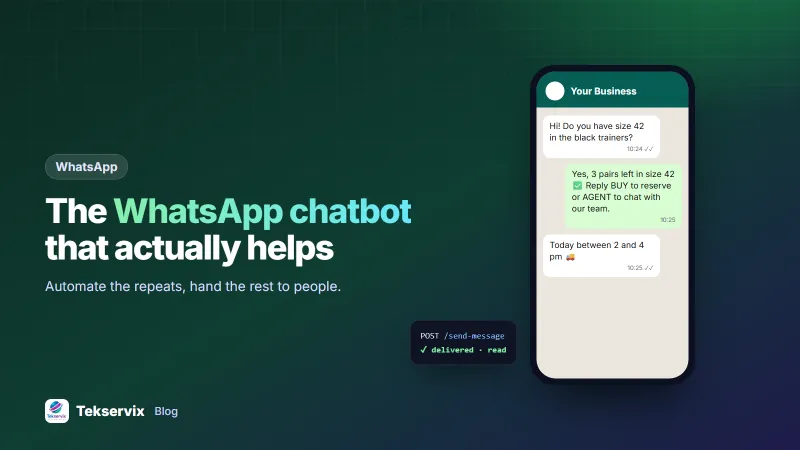
- Open with a short welcome and options: "Hi, welcome to [Shop name]! Reply 1 for prices, 2 for delivery, 3 for order status, or type your question."
- Keep replies short, one screen on a phone.
- Offer the next step in every reply: "Reply BUY to reserve" or "Reply MENU for more options".
- Always offer a person: "Reply AGENT to talk to our team."
- Handle "I don't understand" gracefully: after two misses, hand over rather than looping.
- Sound like your business, not a robot. Write the replies the way your best staff member talks.
Handing over to staff#
Handover is where most bots fail. Make it smooth:
- Tell the customer what happens next: "Thanks, a team member will reply within 30 minutes (08:00-19:00)."
- Pass along what the bot learned, so the customer doesn't have to repeat themselves.
- Stop the bot replying in that conversation while a person is handling it.
- Outside opening hours, say when someone will reply, and still offer the useful automated answers.
How to build one#
Option 1: Keyword auto-replies#
For the common questions, keyword auto-replies are enough, and they take minutes. WAservix links your existing WhatsApp number and lets you set keyword auto-replies, such as "price", "hours" or "menu", that answer instantly around the clock. Our guide to WhatsApp auto replies covers wording.
Option 2: Your own bot through webhooks#
For order status, bookings or AI answers, connect your own logic. WAservix sends every incoming message to your server as a webhook; your code decides the reply, looks up the order or asks an AI model with your business information, and sends the answer back through the API:
incoming message (webhook)  →  your server
  → is it a keyword or menu choice?  → reply from your templates
  → is it "where is my order"?       → look up the order, reply with status
  → otherwise                        → AI answer from your FAQ, or hand over
reply  →  POST /send-message
Our guide to WhatsApp webhooks shows how to receive and verify those events. Tekservix also has an AI chatbot builder that trains a chatbot on your FAQs and business details for your website; the same FAQ content is a good starting point for your WhatsApp bot's answers.
Rules to follow#
- Only message people who contacted you or opted in. A bot doesn't change WhatsApp's rules about unwanted messages.
- Be clear it's automated when that matters to the customer, and never pretend a bot is a named person.
- Keep answers accurate. A bot giving wrong prices or policies creates real problems; review its answers regularly.
- Protect personal data in the conversation and in your systems.
- Follow Meta's policies, including its Business Messaging Policy. Bots that serve your own customers about your own business are the intended use.
Start small#
You don't need to automate everything on day one. Pick the three questions you answer most often, write clear replies for them, and turn those on first. Watch real conversations for a week, then add the next few. A small bot that answers its questions perfectly builds more trust than a big one that guesses, and it's far easier to maintain as prices and policies change.
Measure and improve#
Review conversations weekly. Which questions did the bot answer well? Where did customers ask for a person, or give up? Every "I didn't understand" is a new keyword or FAQ answer waiting to be added. Track how many conversations the bot resolved without a person, and how quickly handed-over customers got a reply.
A worked example#
Imagine a shoe shop getting 150 WhatsApp messages a day. It starts with keyword replies for prices, delivery and hours, and a welcome menu. Two weeks later, it connects a webhook so "where is my order" messages get the real order status from its shop system. Anything else goes to the team with a note of what the customer asked. After a month, about half of all messages are answered instantly, staff spend their time on sizing questions and sales, and after-hours messages get useful answers instead of silence.
Frequently asked questions
What can a WhatsApp chatbot do for a business?
It can answer common questions instantly, share menus and price lists, take simple orders or bookings, check order status, collect details before a person takes over, and work outside business hours.
Do I need AI for a WhatsApp chatbot?
Not always. Keyword bots that reply to words like PRICE or HOURS handle many businesses' most common questions reliably. AI helps when questions are varied and phrased in many ways, but it needs your real information and careful limits.
How does a customer reach a person instead of the bot?
Offer a clear option in every conversation, such as 'Reply AGENT to talk to our team', and hand over automatically when the bot can't help or the customer seems frustrated. Tell the customer when a person will reply.

Tekservix Team
The team behind Tekservix
The Tekservix Team builds and supports Tekservix: WhatsApp and SMS APIs, AI tools, invoicing, PDF and SEO tools for growing businesses. We write practical, tested guides based on what we see our customers do every day.
More articles from the Tekservix Team