Laravel SMS: Send Texts with the Http Client, Queues and Notifications
Laravel already has everything you need to send SMS well: an Http client, queues, notifications and a scheduler. This guide wires them together into a clean Laravel SMS setup, from the first text to signed reply webhooks.
On this page
The first version of SMS in most Laravel apps is a few lines dropped into a controller. It works on the developer's laptop, then a slow API response makes the checkout page hang, or a deploy restarts the server mid-request and a confirmation text never goes out. Nobody notices until a customer asks why they didn't get their code.
Laravel already gives you the pieces to do this well: the Http client, queues, notifications and the scheduler. This guide puts them together into a tidy laravel sms setup. The examples use the SMS Gora API, which sends through an Android phone connected to your account, but the structure works with any SMS provider.
Configuration#
Keep credentials in .env, never in code:
SMSGORA_URL=https://tekservix.com/smsgora/api/v1
SMSGORA_KEY=your-api-key
SMSGORA_WEBHOOK_SECRET=your-webhook-secret
Then expose them in config/services.php so the rest of the app reads config, not env (env calls return null once config is cached in production):
'smsgora' => [
    'url' => env('SMSGORA_URL'),
    'key' => env('SMSGORA_KEY'),
    'webhook_secret' => env('SMSGORA_WEBHOOK_SECRET'),
],
A small service class#
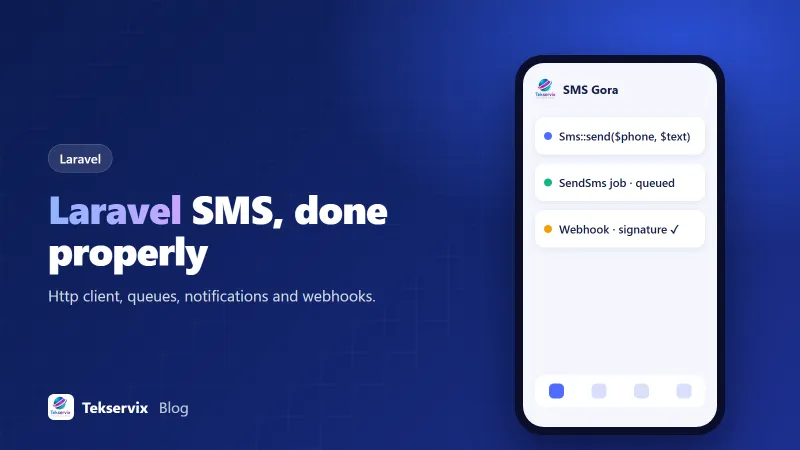
Put the HTTP details in one place. The rest of your app calls Sms::send() and doesn't care how it works.
namespace App\Services;

use Illuminate\Support\Facades\Http;

class Sms
{
    public static function send(string|array $to, string $message): array
    {
        return Http::baseUrl(config('services.smsgora.url'))
            ->withHeaders(['x-api-key' => config('services.smsgora.key')])
            ->timeout(15)
            ->acceptJson()
            ->post('/send-sms', [
                'recipients' => (array) $to,
                'message' => $message,
            ])
            ->throw()
            ->json();
    }
}
->throw() turns 4xx and 5xx responses into exceptions, so failures can't pass silently. The /send-sms endpoint picks your best available phone; use /devices/{id}/send-sms if you want to choose one. Store numbers in international format, like +447700900123.
Send from a queued job#
Never call the SMS API directly inside a web request a customer is waiting on. Dispatch a job instead.
namespace App\Jobs;

use App\Services\Sms;
use Illuminate\Bus\Queueable;
use Illuminate\Contracts\Queue\ShouldQueue;
use Illuminate\Foundation\Bus\Dispatchable;
use Illuminate\Http\Client\RequestException;
use Illuminate\Queue\InteractsWithQueue;

class SendSms implements ShouldQueue
{
    use Dispatchable, InteractsWithQueue, Queueable;

    public int $tries = 4;
    public array $backoff = [10, 60, 300];

    public function __construct(public string $to, public string $message) {}

    public function handle(): void
    {
        try {
            Sms::send($this->to, $this->message);
        } catch (RequestException $e) {
            $status = $e->response->status();
            if ($status >= 400 && $status < 500 && $status !== 429) {
                $this->fail($e);   // invalid number or bad key: retrying won't help
                return;
            }
            throw $e;            // 429 / 5xx: let the queue retry with backoff
        }
    }
}
Now a controller just does SendSms::dispatch($user->phone, 'Your order has shipped.'). The page stays fast, and temporary API problems retry at 10 seconds, 1 minute and 5 minutes. Make sure a queue worker is actually running in production (php artisan queue:work under Supervisor or your host's equivalent). A missing worker is the most common "SMS stopped working" bug in Laravel apps.
A notification channel#
If you already use Laravel notifications for email, add SMS as another channel so one notification can go out both ways.
namespace App\Notifications\Channels;

use App\Services\Sms;
use Illuminate\Notifications\Notification;

class SmsChannel
{
    public function send(object $notifiable, Notification $notification): void
    {
        $to = $notifiable->routeNotificationFor('sms', $notification);
        if ($to) Sms::send($to, $notification->toSms($notifiable));
    }
}
On your User model, add routeNotificationForSms() returning the phone number. In a notification, return SmsChannel::class from via() alongside 'mail', implement toSms(), and add ShouldQueue so it's sent in the background:
public function via(object $notifiable): array
{
    return $notifiable->sms_opt_in ? ['mail', SmsChannel::class] : ['mail'];
}

public function toSms(object $notifiable): string
{
    return "Hi {$notifiable->first_name}, your booking on {$this->booking->starts_at->format('D j M H:i')} is confirmed.";
}
Checking an opt-in flag in via() keeps marketing-style texts away from people who haven't agreed to them.
Scheduled reminders#
Laravel's scheduler handles daily jobs neatly. In routes/console.php (Laravel 11 and later) or the console kernel on older versions:
use Illuminate\Support\Facades\Schedule;

Schedule::call(function () {
    Booking::whereDate('starts_at', today()->addDay())->with('customer')->each(
        fn ($b) => SendSms::dispatch($b->customer->phone,
            "Reminder: see you tomorrow at {$b->starts_at->format('H:i')}. Reply R to reschedule.")
    );
})->dailyAt('16:00');
One cron entry running php artisan schedule:run every minute drives everything. Our guide to SMS appointment reminders has wording that reduces no-shows.
Receiving replies by webhook#
When a customer replies, SMS Gora POSTs JSON to your webhook URL with an X-SmsGora-Signature header: sha256= followed by an HMAC-SHA256 of the raw body using your webhook secret.
// routes/web.php (or api.php)
Route::post('/sms/webhook', function (Illuminate\Http\Request $request) {
    $expected = 'sha256=' . hash_hmac('sha256', $request->getContent(), config('services.smsgora.webhook_secret'));
    abort_unless(hash_equals($expected, (string) $request->header('X-SmsGora-Signature')), 401);

    $event = $request->json()->all();
    if (($event['event'] ?? '') === 'sms.received') {
        App\Jobs\HandleIncomingSms::dispatch($event['data']);
    }
    return response()->noContent();
});
Two things trip people up. First, routes in web.php have CSRF protection, so exclude this path (in bootstrap/app.php on Laravel 11+, or the VerifyCsrfToken middleware on older versions), or put it in api.php. Second, always hash $request->getContent(), the raw body, not re-encoded JSON. Answer within a few seconds and do the real work in a job; failed webhook deliveries are retried, so make the handler safe to run twice. Our article on webhook signature verification explains the reasoning.
Handling incoming messages#
The HandleIncomingSms job is where two-way texting becomes useful. A simple, reliable pattern:
- Normalise the sender's number and look up the customer by phone.
- Store the message against that customer, so your team can see the conversation history in your admin panel.
- Check for simple commands first: "C" to confirm a booking, "R" to reschedule, "STOP" to opt out. Match them case-insensitively and trim spaces.
- Anything that isn't a command goes to a human, with a notification to whoever handles customer messages.
Keep the command list short and print it in your outgoing texts ("Reply C to confirm or R to reschedule"), so customers know what works. Free-text replies like "yes that's fine" are worth catching too; a simple keyword match on "yes" and "ok" handles most of them. If a reply doesn't match anything, it's better to pass it to a person than to send an automatic "Sorry, I didn't understand", which frustrates people who wrote a real question.
SMS Gora handles STOP and START opt-outs automatically on its side, but it's still worth mirroring the opt-out in your own database, so your app never queues a marketing text to someone who's left.
Testing#
Laravel's Http::fake() makes the service easy to test without sending anything:
Http::fake(['*/send-sms' => Http::response(['id' => 1], 201)]);

Sms::send('+447700900123', 'Hello');

Http::assertSent(fn ($r) => $r['recipients'] === ['+447700900123']
    && $r->hasHeader('x-api-key'));
Use Queue::fake() to assert that controllers dispatch SendSms with the right message, and Notification::fake() for notifications. Keep one manual test that sends a real text to a team phone before releases.
Checklist before going live#
- Credentials in .env, read through config.
- All sending happens in queued jobs, and a queue worker is running.
- Retries only for 429 and 5xx; 4xx errors fail fast and are logged.
- Opt-in checked for anything that isn't strictly transactional, and STOP replies respected.
- Webhook route excluded from CSRF and verifying signatures on the raw body.
- Phone numbers validated and stored in international format.
The full endpoint list, including bulk sending, message status and phone management, is in the SMS Gora API docs. Plans start at $3.99 a month with unlimited SMS. If parts of your stack aren't Laravel, our guides for plain PHP and Node.js follow the same structure.
Frequently asked questions
Do I need a package to send SMS in Laravel?
No. Laravel's built-in Http client can call any SMS API in a few lines. Packages can help if you switch providers often, but a small service class of your own is easy to read, test and change.
Should SMS be sent in a queued job?
Yes, for anything triggered by a web request. Queuing keeps pages fast, and failed jobs can retry automatically with a delay instead of showing the user an error.
How do I receive SMS replies in Laravel?
Add a POST route for your provider's webhook, exclude it from CSRF protection, verify the signature against the raw request body, then dispatch a job to handle the message and return a 200 quickly.

Tekservix Team
The team behind Tekservix
The Tekservix Team builds and supports Tekservix: WhatsApp and SMS APIs, AI tools, invoicing, PDF and SEO tools for growing businesses. We write practical, tested guides based on what we see our customers do every day.
More articles from the Tekservix Team