30 Push Notification Examples for Business Apps (and Why They Work)
Push notifications can bring customers back to your app or push them to uninstall it. Here are 30 push notification examples by industry, with the timing, frequency and wording rules that separate useful alerts from noise.
On this page
- Shops and e-commerce
- Restaurants and food delivery
- Clinics, salons and appointment businesses
- Gyms and fitness
- News, media and content
- Schools, churches and communities
- Services and accounts
- Why these work: the rules behind them
- Be specific
- Make the tap go somewhere useful
- Lead with the useful part
- Respect time zones and quiet hours
- Separate service from promotion
- Watch frequency
- Use the user's language and name carefully
- Rich notifications, used sparingly
- Ask for permission at the right moment
- Test before everyone gets it
- Measure what matters
- Getting push into your app
A push notification is a tap on the shoulder. Done well, it's exactly what the user wanted to know, right when they needed it. Done badly, it's an interruption, and enough interruptions get your app's notifications switched off or the app deleted.
The difference is rarely technology. It's what you send, when, and how you word it. Here are 30 push notification examples grouped by industry, followed by the rules that make them work.
Shops and e-commerce#
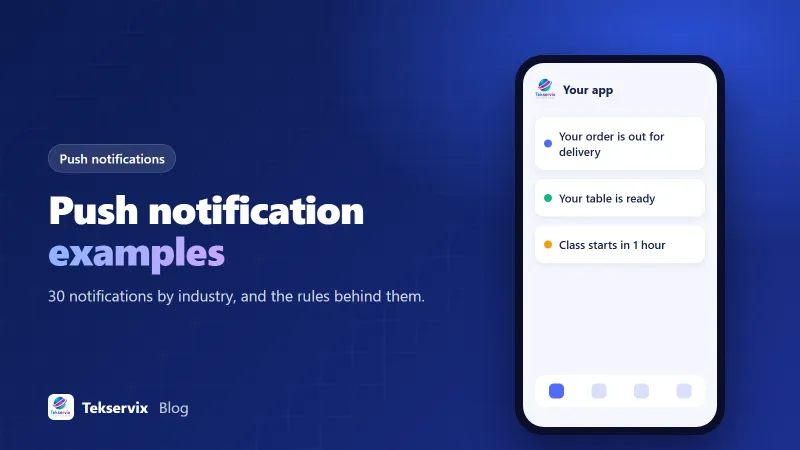
- "Your order #4821 has shipped. Track it here."
- "Out for delivery today between 2 and 4pm."
- "Delivered! We hope you love it."
- "Back in stock: the linen shirt in sage, size M."
- "Price drop on an item in your wishlist: now £34."
- "You left 2 items in your basket. They're still here when you're ready."
Restaurants and food delivery#
- "Your table at Olivo is ready. Please come to the host stand."
- "Your pickup order is ready at the counter."
- "Your driver is 5 minutes away."
- "Today's special: wild mushroom risotto. Until 9pm or until it's gone."
Clinics, salons and appointment businesses#
- "Reminder: your appointment with Dr Shah is tomorrow at 10:30."
- "Your results are ready. Log in to view them securely."
- "A slot opened with Leah tomorrow at 14:00. Tap to book."
- "It's been 6 weeks since your last cut. Book your next one?"
For health-related apps, keep sensitive details out of the notification itself. "Your results are ready" is fine; the results belong behind a login.
Gyms and fitness#
- "Spin with Jade starts in 1 hour. See you there!"
- "A spot opened in tonight's 18:00 HIIT. Tap to book."
- "You've trained 3 times this week. One more to hit your goal."
- "New class: Mobility & Stretch, Sundays at 10:00."
News, media and content#
- "Breaking: city council approves new cycle lanes."
- "New episode: How we priced our first product."
- "Your weekly digest: 5 stories you might have missed."
- "Live now: our Q&A with the head chef."
Schools, churches and communities#
- "School closes at 12:30 tomorrow for staff training."
- "Reminder: parents' evening Thursday from 5pm."
- "Sunday service will be livestreamed at 10:00."
- "Volunteers needed for Saturday's food drive. Tap to sign up."
Services and accounts#
- "Your invoice #1042 for $250 is due in 3 days."
- "Payment received. Thank you!"
- "New sign-in to your account from Chrome on Windows. Was this you?"
- "Your subscription renews on 1 December."
Why these work: the rules behind them#
Be specific#
Every example above names something concrete: an order number, a time, a person, a price. "Check out what's new!" tells the user nothing and trains them to ignore you.
Make the tap go somewhere useful#
The notification should open the exact screen it mentions: the order tracking page, the booking form, the article. Landing on the home screen and hunting for the relevant item wastes the moment. This is called deep linking; our guide to app links and deep links explains how it works.
Lead with the useful part#
Notifications are often cut off, especially on lock screens. Put the most important words first: "Out for delivery today" rather than "Great news from the team at Acme: your order..."
Respect time zones and quiet hours#
Send based on the user's local time, not your server's. Avoid promotional pushes late at night and early in the morning. Time-sensitive alerts, like "your driver is outside", are the exception.
Separate service from promotion#
Users accept frequent service notifications (orders, appointments, account security) because they asked for them. Promotional pushes should be rare and genuinely interesting. If your app supports it, let users choose categories in settings, so someone can keep order updates while turning off offers.
Watch frequency#
There's no universal limit, but every notification spends some of the user's goodwill. Track opt-out rates and uninstalls after campaigns. If a type of notification doesn't get opened, stop sending it.
Use the user's language and name carefully#
Personalisation helps when it's relevant: a first name in a booking reminder, the product someone viewed, the class they usually attend. It backfires when it's forced ("Hey Sam, we miss you so much!") or wrong, like a deceased pet's name or an old address. If your app serves several countries, send notifications in the language the user chose in the app, not your default.
Rich notifications, used sparingly#
Both Android and iOS support images and action buttons in notifications. A product photo on a back-in-stock alert or "Confirm" and "Reschedule" buttons on an appointment reminder can be very effective. But rich notifications take more of the screen, so save them for messages where the extra detail genuinely helps the user decide.
Ask for permission at the right moment#
On iOS, and on newer Android versions, apps must ask before sending notifications. If you ask on first launch, before the user knows why your app is useful, many will say no, and getting them to change it later is hard.
A better pattern: explain the value in your own screen first ("Get a reminder before your appointment and know when your order ships"), then show the system prompt when the user does something related, like booking or ordering. Users who understand why say yes far more often.
Test before everyone gets it#
Always send a new notification to yourself and a colleague first, on both Android and iPhone. Check how the text is cut off, whether the tap opens the right screen, and that any personalisation fields filled in correctly. A "Hi {first_name}" sent to 20,000 people is the kind of mistake users screenshot.
Measure what matters#
Track open rate (taps divided by deliveries), the action taken after tapping (did they book, buy or read?), and opt-outs. Test wording changes on a small group before sending to everyone. Our article on mobile app analytics covers the rest of the metrics worth watching.
Getting push into your app#
If your business app is built from your website, push notifications are one of the best reasons to have an app at all, since they reach customers far more reliably than many web alternatives. Our Website to App service includes push through your own Firebase or OneSignal account, so you own the subscriber list and can send from their dashboards or your own system. Start with two or three service notifications customers will thank you for, and add promotions slowly.
Frequently asked questions
How many push notifications should an app send?
It depends on the app, but less is usually more. For most business apps, a few useful notifications a week is plenty. Transactional alerts users expect, like order updates, can be more frequent; promotions should be rare.
When should an app ask for push notification permission?
After the user understands the value, not on first launch. Ask when they do something that benefits from alerts, like placing an order or booking an appointment, and explain what they'll receive.
What makes a push notification effective?
It's relevant to the person, timely, specific and short, and tapping it opens exactly the right screen. Notifications that are generic, frequent or lead to the home screen tend to be ignored or switched off.

Tekservix Team
The team behind Tekservix
The Tekservix Team builds and supports Tekservix: WhatsApp and SMS APIs, AI tools, invoicing, PDF and SEO tools for growing businesses. We write practical, tested guides based on what we see our customers do every day.
More articles from the Tekservix Team