WhatsApp Number Warm Up: How to Start Sending Without Getting Banned
How to warm up a WhatsApp number before sending at volume: why new numbers get restricted, a day-by-day plan, who to message first, pacing, signs of trouble, and how automatic warm-up protection works.
On this page
A business sets up a new WhatsApp number on Monday, uploads 2,000 contacts on Tuesday, and on Wednesday the number is banned. It happens constantly, and it's almost always avoidable. A brand-new number sending hundreds of identical messages looks exactly like a spammer. WhatsApp number warm up means giving the number a natural start: real conversations first, small volumes, then a steady climb. This guide gives you a plan.
Why new numbers are risky#
WhatsApp protects its users from spam by watching how numbers behave and how people react to them. It doesn't publish exact rules, but the patterns that attract attention are well known:
- A new or long-quiet number that suddenly sends a lot.
- Identical messages sent to many people in a short time.
- Messages to people who haven't saved the number or never talked to it.
- Recipients blocking or reporting the number.
- Very few replies compared with messages sent.
The last two matter most. WhatsApp's Business Messaging Policy is clear that you should only message people who agreed to hear from you; warm-up helps a new number, but it doesn't make unwanted messages acceptable.
Before you send anything#
- Use a real SIM registered to the business, in a phone that stays with the business.
- Complete the business profile: name, logo, description, address, hours and website. An empty profile looks suspicious.
- Use the number normally for a few days: save some contacts, join a couple of groups you belong to, send and receive ordinary messages.
- Prepare an opted-in list. Our guide to WhatsApp opt-in best practices explains how.
A day-by-day warm-up plan#
A cautious plan for a new number:
| Days | What to send | Rough volume |
|---|---|---|
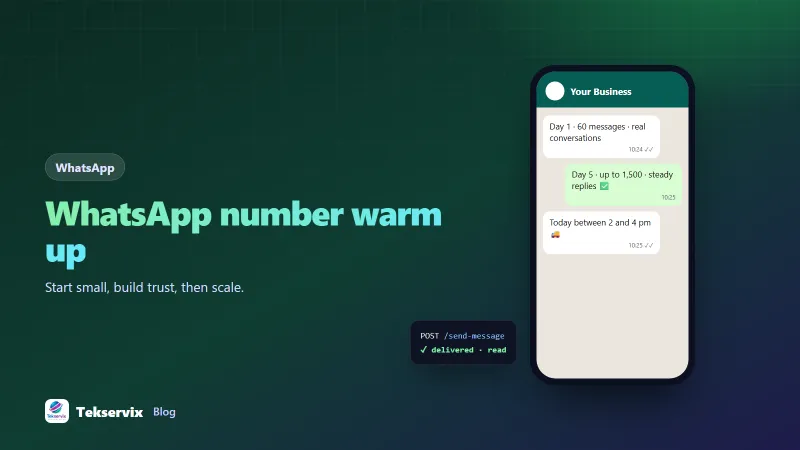
| 1-3 | Conversations with staff, regular customers and contacts who know you | Dozens a day |
| 4-7 | Service messages and replies to customers who messaged you | Up to a few hundred a day |
| Week 2 | Small campaigns to your most engaged, opted-in customers | Increase gradually |
| Week 3+ | Normal campaigns, still paced | Grow while replies stay healthy |
Treat these as guides, not guarantees. If replies drop or blocks rise, hold the volume where it is, or step back.
Who to message first#
Start with the people most likely to reply and least likely to report you:
- Your own team and people you work with.
- Customers who messaged you recently.
- Regular customers who know your business and saved your number.
- Newer opted-in customers.
Replies are the best signal a number can send. A message that invites a response, such as "Reply 1 to confirm your delivery slot", helps both your customer and your number.
Pacing and variety#
- Space messages out. Seconds between messages, not milliseconds, with some randomness.
- Personalise: use the person's name and details, so messages aren't identical.
- Vary wording between batches.
- Avoid links in the first messages to new contacts, and never use link shorteners that hide the destination.
- Spread large sends across hours or days rather than one burst.
Warm-up protection built in#
Doing all of this by hand is tedious. WAservix, which links your number the way WhatsApp Web does, turns account protection on by default for each device. It includes a warm-up for newly linked numbers, starting at 60 messages on the first day and rising to 1,500 a day over five days, random gaps of 5 to 12 seconds between messages (shorter inside a live conversation), a typing indicator, a cap of 250 messages an hour, no identical message to the same person within 10 minutes, and a check that each new number is on WhatsApp before messaging it.
Leave protection on unless you're sending opted-in traffic from a number with a long, healthy history. Automation paces your messages; it can't make people want them.
Several numbers, one warm-up at a time#
Businesses that run more than one number, such as one per branch or one for sales and one for support, sometimes warm them all up together and send the same campaign from each. That multiplies the risk rather than spreading it. Give each number its own purpose and its own audience, warm them up one at a time or at least on different lists, and keep their messages distinct. A support number that mostly answers questions builds a very different, and much safer, history than one that only sends promotions.
Signs of trouble#
- Replies drop sharply compared with earlier sends.
- Messages stay on one grey tick (sent, not delivered) far more than usual.
- Customers mention they reported or blocked you.
- WhatsApp shows a warning or temporarily restricts sending.
If you see these, stop campaigns, go back to conversations and service messages only for several days, review your list for people who didn't opt in, and restart at a lower volume.
Reviving a quiet number#
A number that hasn't sent much for months needs a gentle restart too. Treat it like a new number for the first week: conversations first, then small, engaged segments, then gradual growth. Consider a re-permission message to old contacts before sending them promotions again.
A worked example#
Imagine a pharmacy moving its customer messages to a new business number. For the first three days, staff use it to reply to incoming questions and confirm prescriptions for regulars. On day four, automated order confirmations start going out through the API, with warm-up protection on. In week two, the pharmacy sends its first campaign, a flu vaccine reminder, to 200 customers who opted in and ordered in the last month; dozens reply to book. By week four, campaigns reach the full opted-in list of 1,800 over an afternoon, reply rates are steady, and the number has never been restricted. For the rest of the process, see our guide to sending bulk WhatsApp messages without getting banned.
Frequently asked questions
What does warming up a WhatsApp number mean?
It means starting a new or quiet number with low, natural activity, such as real conversations and small numbers of messages to people who know you, then increasing volume gradually over days or weeks, instead of sending hundreds of messages on day one.
How long does WhatsApp number warm up take?
Plan for at least a week before sending at full volume, and longer for large campaigns. Increase gradually while watching replies and blocks. WhatsApp doesn't publish exact limits, so steady growth with good engagement is the goal.
Why do new WhatsApp numbers get banned?
A brand-new number that suddenly sends many identical messages to people who haven't saved it looks exactly like spam. If recipients block or report it, WhatsApp can restrict or ban the number.

Tekservix Team
The team behind Tekservix
The Tekservix Team builds and supports Tekservix: WhatsApp and SMS APIs, AI tools, invoicing, PDF and SEO tools for growing businesses. We write practical, tested guides based on what we see our customers do every day.
More articles from the Tekservix Team