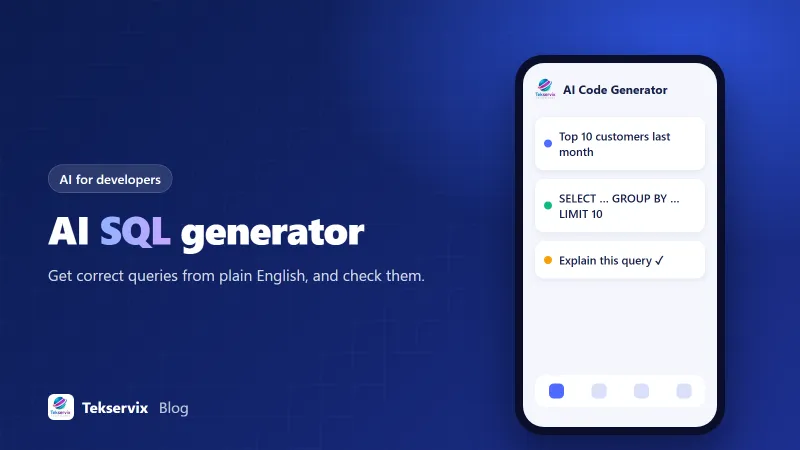
AI SQL Generator: How to Get Correct Queries from Plain English
An AI SQL generator can turn 'show me last month's top 10 customers by revenue' into a working query in seconds. It can also produce a confident query that quietly returns the wrong numbers. Here's how to get correct SQL from AI, and how to check it.
On this page
- Step 1: give it your schema
- Step 2: name the database and be precise
- Step 3: read the query before running it
- Joins that multiply rows
- The wrong kind of join
- Date boundaries
- NULLs
- Filters you forgot to mention
- Step 4: test it safely
- Step 5: think about performance
- Security: queries inside your app
- Prompts worth saving
- Where AI SQL helps most, and least
- Try it
SQL is one of those skills lots of people need occasionally and few people use every day. The marketing manager who wants last quarter's repeat-customer rate. The founder checking which plan has the most cancellations. The developer who writes application code all week and has to remember how window functions work once a month.
An AI SQL generator fills that gap nicely. Describe what you want in plain English and get a query back. The catch is that SQL can be wrong in ways that don't throw errors. A query that runs perfectly and returns the wrong revenue figure is worse than one that fails. Here's how to get correct SQL out of AI tools, and how to check it before you trust the numbers.
Step 1: give it your schema#
The most common reason AI-generated SQL fails is that the tool guessed your table and column names. It doesn't know that your customers table is called clients, or that revenue lives in order_items rather than orders.
Paste the relevant table definitions, or at least a list of tables with their columns and how they connect:
orders(id, customer_id, created_at, status)
order_items(id, order_id, product_id, quantity, unit_price)
customers(id, name, email, country, created_at)
-- orders.customer_id → customers.id, order_items.order_id → orders.id
Only include the tables you need. And never paste connection strings, passwords or real customer rows. Structure is enough.
Step 2: name the database and be precise#
Say which database you use: PostgreSQL, MySQL, SQL Server, SQLite or BigQuery. Date handling and many functions differ between them.
Then describe the question precisely. Compare:
- Vague: "top customers last month".
- Precise: "Top 10 customers by total revenue (quantity × unit_price) for orders with status 'paid' created in September 2026, showing name, email, order count and revenue, highest first. PostgreSQL."
The precise version answers questions the AI would otherwise guess: what counts as revenue, which orders count, what "last month" means, and what to show.
Step 3: read the query before running it#
You don't have to be an SQL expert to spot the common problems. Ask the AI to explain the query line by line if anything's unclear, then check these:
Joins that multiply rows#
Joining orders to order_items gives one row per item, not per order. If the query then counts orders with COUNT(*), a three-item order counts three times. Look for COUNT(DISTINCT orders.id) where you mean "number of orders".
The wrong kind of join#
An INNER JOIN drops rows with no match, so customers with no orders disappear. A LEFT JOIN keeps them. Which one you want depends on the question. "All customers and their order count" needs LEFT JOIN; "customers who ordered" doesn't.
Date boundaries#
"September" should be created_at >= '2026-09-01' AND created_at < '2026-10-01'. Watch for BETWEEN with an end date, which can miss everything after midnight on the last day if the column has times. Time zones matter too: is your data stored in UTC?
NULLs#
NULL isn't zero and isn't equal to anything, including another NULL. WHERE discount <> 0 skips rows where discount is NULL. SUM ignores NULLs; adding a NULL to a number gives NULL. If a column can be empty, check how the query treats it.
Filters you forgot to mention#
Test accounts, refunded orders, cancelled subscriptions, soft-deleted rows. The AI can't know your business rules unless you tell it.
Step 4: test it safely#
- Run SELECT queries first on a copy or read-only replica if you have one.
- Add LIMIT while experimenting so a bad query doesn't return millions of rows.
- Check the result against a number you already know, like last month's total from your payment dashboard. If they don't match, find out why before sharing the figure.
- Be very careful with UPDATE and DELETE. Run the equivalent SELECT first to see which rows would change, and wrap changes in a transaction so you can roll back.
Step 5: think about performance#
A query that's fine on 1,000 rows can crawl on 10 million. Ask the AI whether the query can use indexes, and run EXPLAIN (or your database's equivalent) on anything that will run often or on large tables. Common issues include wrapping indexed columns in functions, like WHERE YEAR(created_at) = 2026, which can stop an index being used, and SELECT * where you only need a few columns.
Security: queries inside your app#
If the SQL is going into application code, never build it by joining user input into a string. Use parameterised queries or your framework's query builder. AI tools sometimes produce string-concatenated examples, especially in quick snippets, so check for that and ask for a parameterised version. SQL injection is still one of the most common ways websites get breached. Our website security checklist covers it alongside other basics.
Prompts worth saving#
- "Here's my schema: [schema]. Write a PostgreSQL query that [question]. Explain any assumptions you made."
- "Explain this query line by line and tell me what could make it return wrong numbers."
- "Rewrite this query to use parameters instead of string concatenation, in PHP PDO."
- "Convert this MySQL query to SQL Server syntax."
- "This query is slow on a 5 million row table. Suggest indexes and a faster version."
Asking the AI to list its assumptions is the single most useful habit. It surfaces the guesses, like "I assumed revenue excludes tax", that you'd otherwise only discover when numbers don't add up.
Where AI SQL helps most, and least#
It shines at the tedious and the half-remembered: GROUP BY reports, date bucketing, window functions like running totals and rankings, pivoting data, translating between dialects and explaining someone else's 200-line query. It's weakest where it needs knowledge it doesn't have: your business rules, your data's quirks and what "active customer" means in your company.
Combine the two. You bring the definitions; the AI writes and explains the SQL.
Try it#
The Tekservix AI code generator writes SQL in the dialect you name, along with Python, JavaScript, PHP and 20+ other languages, and can explain or review a query you paste in. If you prefer building queries by clicking, the developer tools include a visual SQL builder too. Start with a question you already know the answer to, check that the query gets it right, then move on to the questions you don't.
Frequently asked questions
Can AI write SQL queries accurately?
Often, especially for common queries, if you give it your table and column names. Mistakes usually come from guessed column names, wrong joins, missing date filters or NULL handling, so check results against numbers you already know.
Is it safe to paste my database schema into an AI tool?
Table and column names are usually fine for most businesses, but never paste passwords, connection strings or real customer data. If your schema itself is sensitive, rename tables or describe them in general terms.
Which SQL dialect should I ask for?
Name it explicitly: PostgreSQL, MySQL, SQL Server, SQLite or BigQuery. Date functions, string functions and LIMIT syntax differ between them, and a query written for one may fail or behave differently on another.

Tekservix Team
The team behind Tekservix
The Tekservix Team builds and supports Tekservix: WhatsApp and SMS APIs, AI tools, invoicing, PDF and SEO tools for growing businesses. We write practical, tested guides based on what we see our customers do every day.
More articles from the Tekservix Team