How to Summarize Text With AI Without Losing What Matters
How to summarize text with AI accurately: choosing the summary type, prompts that work, checking for invented details, long documents, scanned PDFs, privacy, and when to summarize by hand.
On this page
A 30-page report lands in your inbox an hour before the meeting. A supplier sends a contract with a dozen pages of terms. A customer writes six paragraphs when one would do. Being able to summarize text quickly is one of the most practical uses of AI at work, and it's also one of the easiest to get subtly wrong. A summary that drops one condition or invents one figure can do more harm than no summary at all.
This guide covers how to get summaries that are short and accurate: picking the right type, writing prompts that keep the important facts, checking the result, and handling long or scanned documents.
Decide what kind of summary you need#
"Summarize this" gives you a generic paragraph. Better results start with knowing what the summary is for:
- Key points: five to seven bullets covering the main ideas. Good for reports and articles.
- Executive summary: a short paragraph with the conclusion first, then the reasons. Good for decisions.
- Action items: who must do what, by when. Good for meeting notes and email threads.
- Terms and obligations: what each party must do, deadlines, penalties. Good for contracts, alongside a proper read.
- One sentence: for a subject line, a social post or a quick reply.
Prompts that keep what matters#
A good summarizing prompt names the audience, the format, the length and what must not change. Compare:
- Vague: "Summarize this."
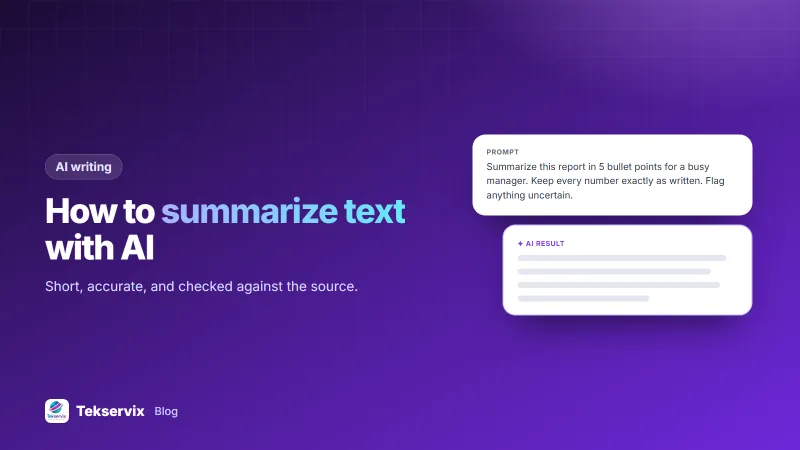
- Clear: "Summarize this supplier report in five bullet points for a manager deciding whether to renew. Put the recommendation first. Keep all prices, dates and percentages exactly as written. If something is unclear in the original, say so instead of guessing."
Three instructions do most of the work:
- "Keep numbers exactly as written." Models sometimes round or merge figures.
- "Don't add information that isn't in the text." This reduces invented details.
- "Flag anything uncertain." It gives the model permission to admit gaps instead of smoothing them over.
Our guide to AI copywriting covers the same brief-first approach for writing new text.
Check the summary against the source#
AI summaries fail in predictable ways. A two-minute check catches most of them:
- Numbers: pick every figure in the summary and find it in the original.
- Conditions: look for "only if", "unless", "except" and "subject to" in the source. These are the words summaries drop most.
- Who does what: make sure obligations haven't swapped between parties.
- Tone: a cautious "may" in the source shouldn't become a confident "will".
- The middle: models tend to cover the beginning and end of a long text well and skim the middle. Check that middle sections are represented.
For a summary you'll share, also read it as the recipient would. Does it answer the question they'll ask? Our tips to make AI writing sound human help the final version read like you wrote it.
Long documents: summarize in layers#
Pasting a 50-page document into one prompt often gives a summary of the first and last few pages. A layered approach keeps the detail:
- Split by structure: chapters, headings or roughly every few pages.
- Summarize each part with the same prompt, so the summaries are consistent.
- Combine: ask for an overall summary of the part summaries, with the format you need.
- Keep the part summaries. They make a handy index when someone asks "where did it say that?"
Scanned PDFs and images#
A scanned document is a picture of text, and many AI tools can't read it reliably. Extract the text first. The Tekservix PDF OCR tool turns a scanned PDF into plain text you can paste into any summarizer; our guide to OCR for PDFs explains how to get clean results from phone photos and faint copies. Check names and figures in the extracted text before summarizing, since OCR errors carry straight into the summary.
Privacy: think before you paste#
Summaries often involve the very documents you'd least want to leak: contracts, financial reports, HR notes, customer complaints. Before pasting:
- Check whether the service stores inputs and whether they're used to train models.
- Remove or replace names, ID numbers and account details when they're not needed for the summary.
- Follow your organisation's rules on approved tools.
Data protection laws such as the GDPR in Europe treat personal data carefully; your national data protection authority publishes guidance for organisations.
When to summarize by hand#
AI is fast, but some texts deserve a human read:
- Contracts you're about to sign. Use AI to find the sections to read closely, not to replace reading them.
- Legal, medical or regulatory documents where one word changes the meaning.
- Very short texts, where a summary saves no time.
- Anything emotionally sensitive, such as a complaint from a distressed customer. Read it yourself.
Practical uses in a business#
- Turning a long customer email into the three things they actually want.
- Producing action items from meeting notes.
- Getting the gist of a competitor's report or a government notice.
- Drafting an excerpt or meta description from your own article. Our meta description guide explains what to aim for.
- Making a one-paragraph brief from a supplier's catalogue before a call.
A worked example#
Imagine the operations manager at [Company name] receives a 40-page logistics tender with a deadline in two days. They split it by its eight sections, summarize each with a prompt asking for requirements, deadlines and penalties, keeping figures exactly as written, then combine the eight summaries into a one-page brief with a list of open questions. Checking figures against the source, they find one summary had turned "within 48 hours of notice" into "within 48 hours". They fix it, read the two penalty sections in full, and walk into the decision meeting with a brief everyone can read in five minutes and trust.
Frequently asked questions
Can AI summarize text accurately?
AI produces good summaries of clear, well-structured text most of the time, but it can drop important caveats, merge separate points or add details that weren't in the original. For anything you'll act on, such as a contract or a report, check the summary against the source.
How do I summarize a long document with AI?
Split it into sections, such as chapters or headings, and summarize each one. Then ask for a summary of those summaries. This keeps detail from the middle of the document, which models are most likely to skip when given everything at once.
Is it safe to paste confidential documents into an AI summarizer?
Only if you know how the service handles your data. Check whether inputs are stored, who can see them and whether they're used for training. For contracts, personal data or client files, use a tool your organisation has approved, or remove names and figures first.

Tekservix Team
The team behind Tekservix
The Tekservix Team builds and supports Tekservix: WhatsApp and SMS APIs, AI tools, invoicing, PDF and SEO tools for growing businesses. We write practical, tested guides based on what we see our customers do every day.
More articles from the Tekservix Team