Chatbot for Website: When It Helps, How to Set One Up and Mistakes to Avoid
Should you add a chatbot to your website? What a website chatbot does well, what it shouldn't do, setting one up from your FAQs, placement and tone, handover to people, privacy and measuring whether it helps.
On this page
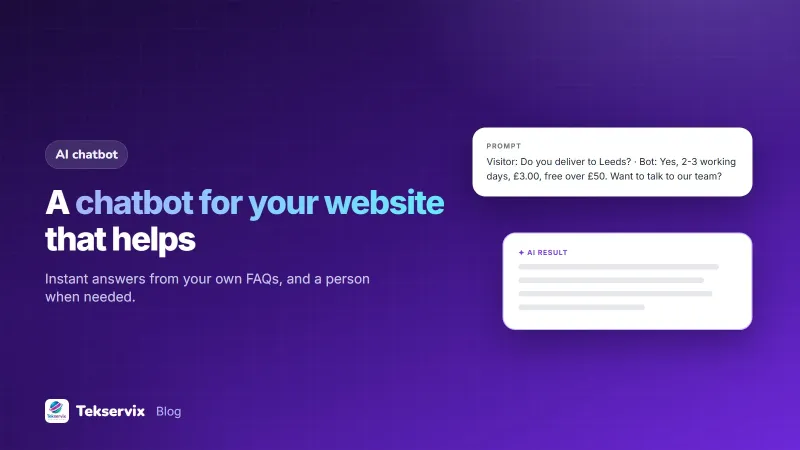
A visitor lands on your website at 22:00 with one question: "Do you deliver to my town?" If the answer isn't obvious, many will leave rather than send an email and wait. A chatbot for your website answers that kind of question instantly, any time, from information you've given it. Set up well, it keeps visitors on the page and takes pressure off your team. Set up badly, it's an annoying pop-up that can't answer anything.
What a website chatbot does well#
- Answers common questions instantly: prices, delivery, hours, returns, how a service works.
- Guides visitors to the right page, product or form.
- Works outside business hours, when most enquiries would otherwise wait.
- Collects details before handing over, such as name, contact and what the visitor needs.
- Shows you what visitors ask, which reveals gaps in your website content.
What it shouldn't do#
- Handle complaints, refunds or disputes.
- Give medical, legal or financial advice.
- Make promises about prices or availability it can't check.
- Pretend to be a person.
- Trap visitors in loops with no way to reach a human.
Research on chatbot usability, such as the Nielsen Norman Group's findings on chatbot user experience, consistently shows people get frustrated when bots overpromise or hide the way to a human. Being clear about what the bot can do is part of good design.
Do you need one?#
A chatbot is worth it when:
- You receive the same questions many times a week.
- Visitors arrive at times when nobody can reply.
- Answers exist but are hard to find on your site.
If you get only a few questions, start with a clear FAQ section and a visible WhatsApp or contact button. You can add a chatbot later.
Setting one up#
- Collect your real questions from emails, WhatsApp chats, calls and reviews. The top 20 usually cover most enquiries.
- Write clear answers, with specific facts: prices, times, areas, conditions.
- Add business details: what you sell, opening hours, contact options, policies.
- Test it by asking questions the way customers actually do, including badly spelled and vague ones.
- Refine any answer that's wrong, vague or missing.
- Embed it on your site, usually with one line of code.
The Tekservix AI chatbot builder follows this process: add your FAQs and describe your business, prices and policies, chat with the bot to test and refine its answers, then paste one line of code into your website. Our guide to training a chatbot on your FAQ goes deeper into writing content that bots answer well.
Tone and first message#
The opening message sets expectations. Say what the bot can help with and that a person is available:
Hi! I can answer questions about prices, delivery and opening hours. For anything else, I'll connect you with our team.
Keep answers short, use the same friendly tone as your team, and end with a useful next step: a link, a button, or an offer to connect with a person.
Placement#
- A small button in the corner is enough; avoid pop-ups that cover the page on arrival.
- Show it on pages where questions arise: pricing, product, delivery and contact pages.
- Keep it out of the way on mobile, where screen space is precious.
Handing over to people#
Every chatbot needs a clear route to a human: a "talk to a person" option, and automatic handover when the bot can't answer twice in a row. During opening hours, that might be a WhatsApp link or live chat; after hours, a form that promises a reply by a set time. Our guide to WhatsApp customer service covers answering those handovers quickly.
Keep it accurate#
The bot is only as good as its information. Update answers when prices, hours, delivery areas or policies change, ideally in the same step as updating the website. Review a sample of conversations every week or two: wrong answers, questions it couldn't answer, and places where visitors gave up.
Privacy#
Tell visitors what happens to their chat, and don't ask for more personal data than you need. Avoid collecting sensitive information such as ID numbers, card details or health information in chat. Mention the chatbot in your privacy notice.
Measure whether it helps#
- Resolution rate: the share of conversations answered without a person.
- Handover rate: how often visitors ask for a human, and why.
- Top unanswered questions: each one is new content for the bot and your website.
- Effect on enquiries: do repeated questions to your team drop?
A worked example#
Imagine an online furniture shop whose staff answer the same delivery and assembly questions all day. It collects the 25 most common questions from its inbox, writes clear answers with delivery prices by town and assembly options, adds its returns policy and opening hours, and tests the bot with real phrasing from past chats. The bot goes live on product and delivery pages with a "talk to our team" button linking to WhatsApp. After a month, most delivery questions are answered instantly, including late at night, and staff spend their time on custom orders instead. The unanswered-questions list shows many visitors asking about payment by instalments, so the shop adds a clear section about it to the website and the bot.
The bot's answers deserve the same editing as any other text on your site; our tips on making AI writing sound human help its replies read like your own staff wrote them.
Frequently asked questions
Do I need a chatbot on my website?
It helps when visitors ask the same questions often and you can't always answer live, such as prices, delivery, opening hours or policies. If you get very few questions, a clear FAQ page and a contact button may be enough.
How does an AI website chatbot know about my business?
You give it your information: FAQs, product and service details, prices, policies and contact details. It answers from that content. The more accurate and complete the information, the better the answers.
Will a chatbot replace my customer service staff?
No. A good chatbot handles simple, repeated questions and hands over complex or sensitive ones to people. It frees staff for conversations that need judgment, rather than replacing them.

Tekservix Team
The team behind Tekservix
The Tekservix Team builds and supports Tekservix: WhatsApp and SMS APIs, AI tools, invoicing, PDF and SEO tools for growing businesses. We write practical, tested guides based on what we see our customers do every day.
More articles from the Tekservix Team