Personalized Bulk SMS: Send Each Customer Their Own Message at Scale
How to send personalized bulk SMS: preparing a clean list, merge fields for names, amounts and dates, handling blanks and long values, testing, pacing, sending by dashboard or API, and privacy rules.
On this page
- Why personalisation works
- Step 1: Prepare the list
- Step 2: Write the template
- Step 3: Handle the awkward cases
- Blank fields
- Long values
- Wrong capitals and spelling
- Numbers and dates
- Step 4: Test before you send
- Step 5: Send at a sensible pace
- Two ways to send
- From the dashboard
- From your own software
- Privacy and consent
- A worked example
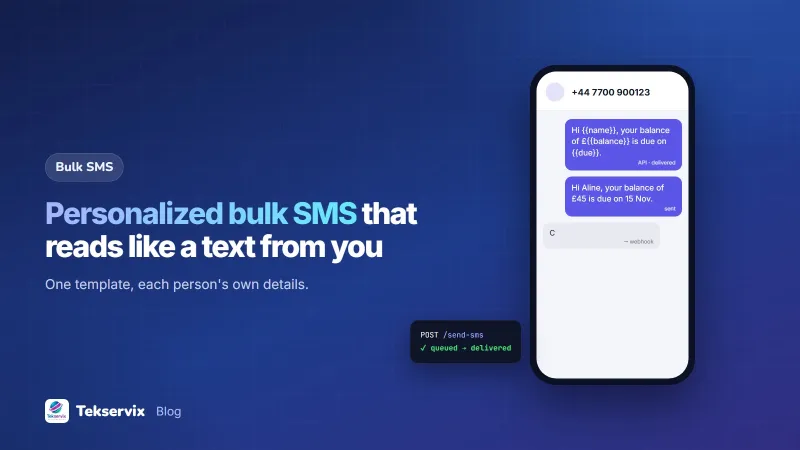
"Dear customer, you have a balance due" gets ignored. "Hi Aline, your balance of £45 is due on 15 November" gets paid. The difference is personalisation, and with the right setup it takes no more effort than a generic blast. Personalized bulk SMS means one campaign where every recipient gets a message with their own details: name, amount, date, order number or appointment time.
Why personalisation works#
- It gets read. A name and a specific detail signal that the message is for the reader, not a broadcast.
- It gets acted on. A reminder with the actual amount and date removes the need to look anything up.
- It cuts replies asking for details. "How much do I owe?" disappears when the text already says.
- It reduces opt-outs, because relevant messages feel less like marketing.
Step 1: Prepare the list#
Everything depends on a clean spreadsheet. One row per person, one column per detail:
| phone | name | balance | due |
|---|---|---|---|
| +447700900123 | Aline | 45.00 | 15 Nov |
| +447700900456 | Eric | 120.00 | 15 Nov |
| +447700900789 | Diane | 18.50 | 20 Nov |
- Phone numbers in international format, one per row.
- First names only in the name column, with correct spelling and capitals.
- Values formatted as they should appear in the message: "45,000" not "45000.00".
- Only people who agreed to receive these messages, and nobody who opted out.
- Save as CSV in UTF-8, so names with accents survive.
Step 2: Write the template#
Write the message once, with placeholders where each person's details go:
[credit union name]: Hi {{name}}, your loan repayment of £{{balance}} is due on {{due}}. Pay via [method], ref {{phone}}. Questions: 07700 900000.
Good templates:
- Start with your business name.
- Put the most important personal detail early.
- Read naturally with any value filled in.
- End with the action or a way to get help.
Step 3: Handle the awkward cases#
Blank fields#
A missing name produces "Hi , your balance...". Before sending, filter the spreadsheet for blanks. Fill them, use a neutral fallback such as "Hi there", or leave those rows out.
Long values#
A long name or a long product title can push the message past 160 characters and double the cost. Test the template with the longest value in each column. Our guide to the SMS character limit explains the thresholds and why one special character can change them.
Wrong capitals and spelling#
"Hi ALINE" or "Hi aline" looks automated. Fix capitalisation in the spreadsheet. If names come from forms, clean them before each campaign.
Numbers and dates#
Format them the way your customers read them: "15 Nov" rather than "2026-11-15", and thousands separators in amounts.
Step 4: Test before you send#
- Send the campaign to yourself and two colleagues first, using rows with real-looking values.
- Include one row with a long name and one with the largest amount.
- Read each test on a basic phone as well as a smartphone.
- Check the character count and part count of the longest message.
Step 5: Send at a sensible pace#
Send between about 08:00 and 20:00, and for large lists, spread sending over time. With a phone-based gateway, messages leave one by one with a short gap, which protects the SIM from being flagged. Send to the first 50 people, watch replies for an hour, then send the rest.
Two ways to send#
From the dashboard#
SMS Gora campaigns take an uploaded CSV and let you use {{name}}, {{first_name}} or any column from your file as a placeholder, plus variations such as {Hi|Hello} that pick one wording at random. You set the seconds between messages and an optional start time, and it sends at that pace from your own Android phone and SIM, and show sent and delivered counts live. People who reply STOP are removed from future campaigns automatically.
From your own software#
If the data lives in your system, send personalised messages through the API. SMS Gora's bulk endpoint accepts different texts for different people in one request:
POST https://tekservix.com/smsgora/api/v1/devices/42/send-bulk-sms
{
  "messages": [
    { "recipients": ["+447700900123"], "message": "Hi Aline, your balance of £45 is due on 15 Nov." },
    { "recipients": ["+447700900456"], "message": "Hi Eric, your balance of £120 is due on 15 Nov." }
  ]
}
Build each message in your code from the same template, and keep track of what was sent to whom so a rerun doesn't send twice. Our guide to sending SMS with Python shows the pattern.
Privacy and consent#
Personalised messages contain personal data, sometimes sensitive: balances, appointments, orders. Send them only to the person concerned, keep the spreadsheet secure, and delete working copies after the campaign. Only include details the person would expect to see on their lock screen. Marketing messages need consent and a clear way to opt out; the UK regulator's guidance on direct marketing is a detailed reference, and similar rules apply in many countries. For handling STOP properly, see our guide to SMS opt-outs.
A worked example#
Imagine a school sending fee reminders to 600 parents. The finance office exports a spreadsheet with parent phone, parent first name, child's name, class and balance, and removes rows with a zero balance. The template reads: "[School name]: Dear {{name}}, {{child}} ({{class}}) has a fee balance of £{{balance}} due on 15 Nov. Pay via [method], ref {{class}}-{{child}}." A test with the longest child's name shows 158 characters, so it stays one SMS. The first 50 go out at 09:00; no problems appear, so the rest follow. Replies asking "how much do I owe?" drop to almost none, because every parent already knows.
Frequently asked questions
What is personalized bulk SMS?
It's sending one campaign to many people where each message includes details specific to the recipient, such as their name, balance, appointment time or order number, instead of the same text for everyone.
How do I personalise SMS messages?
Put your contacts in a spreadsheet with a column for each detail, write a template with placeholders such as {{name}} and {{balance}}, and upload both to an SMS tool that replaces each placeholder with that person's value.
What happens if a field is empty?
The message may read 'Hi , your balance is'. Fill missing values before sending, use a sensible default such as 'there' for names, or leave those contacts out of the campaign.

Tekservix Team
The team behind Tekservix
The Tekservix Team builds and supports Tekservix: WhatsApp and SMS APIs, AI tools, invoicing, PDF and SEO tools for growing businesses. We write practical, tested guides based on what we see our customers do every day.
More articles from the Tekservix Team