Two-Way SMS for Business: How Texting Conversations Work and Where They Pay Off
One-way texts tell customers something. Two-way SMS lets them answer, confirm, ask and buy. Here's how two-way texting works behind the scenes, where it pays off most for businesses, and how to set it up without missing replies.
On this page
- How two-way SMS works
- Sender types that support replies
- Where two-way SMS pays off most
- Confirming appointments
- Customer support
- Sales follow-up
- Orders and deliveries
- Surveys and feedback
- Waitlists and last-minute offers
- Keyword auto-replies: the easy wins
- Don't let replies go unanswered
- Tone: it's a conversation, not a broadcast
- Privacy and consent
- Setting up two-way SMS
- Connecting replies to your other systems
- Measure what conversations bring
A lot of business texting is a monologue. "Your parcel is on its way." "Your appointment is tomorrow." "20% off this weekend." Useful, but the customer can't do anything with the message except read it. Often the sender is a name like "ACMESHOP", and a reply simply disappears.
Two-way SMS turns those messages into conversations. The customer can confirm, reschedule, ask a question, or say "yes, I'll take it". For many businesses, that's where texting starts paying for itself. Here's how it works, where it helps most, and how to set it up so no reply slips through.
How two-way SMS works#
The key requirement is a sender that can receive messages: a real phone number. When a customer replies, the message travels back through the mobile network to that number. What happens next depends on your setup:
- A shared inbox: replies appear in a dashboard where your team reads and answers them, like a group email inbox but for texts.
- A webhook: the SMS service sends each reply to your own software, which can update a booking, log a lead or trigger an automatic answer. Our guide to webhooks explains the mechanics.
- Keyword rules: replies matching set words (C, STOP, MENU, YES) trigger automatic actions or answers.
Most businesses use a mix: automatic handling for simple keywords, and people for everything else.
Sender types that support replies#
Alphanumeric sender names are one-way by design. For two-way messaging, send from a long code (an ordinary mobile or local number), a toll-free number where supported, or a short code set up for two-way traffic. Our guide to SMS sender IDs compares them. For most small and mid-sized businesses outside the US, a regular local mobile number is the simplest option: customers recognise it, can save it and can reply naturally.
Where two-way SMS pays off most#
Confirming appointments#
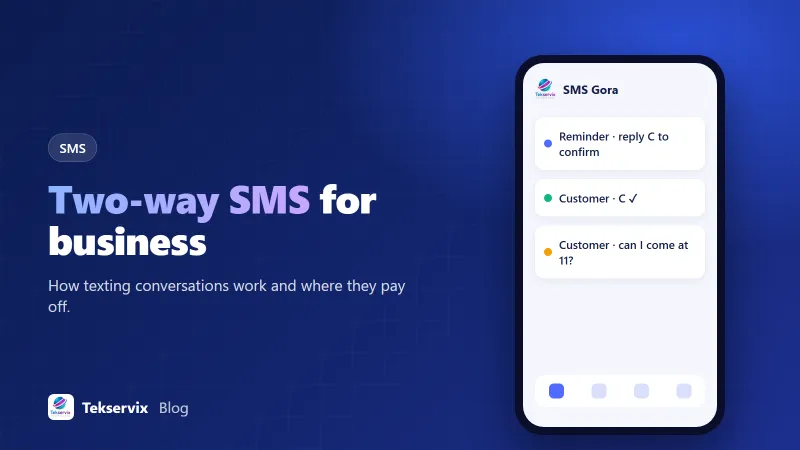
"Reply C to confirm or R to reschedule" turns a reminder into a tool. Confirmations reassure you, and reschedule requests arrive early enough to refill the slot. Clinics, salons, tutors and repair services see the biggest gains here.
Customer support#
Many people would rather text than call or wait on hold. A two-way number on your website and receipts lets customers ask quick questions and get answers between other tasks. It also gives you a written record.
Sales follow-up#
A short, personal text after an enquiry ("Hi Sam, it's Jo from Northside Kitchens. Happy to answer any questions about your quote") often gets a faster reply than an email. Keep it personal and respectful; this isn't for mass marketing.
Orders and deliveries#
Delivery drivers and customers can coordinate by text: "I'm outside", "Leave it with my neighbour at number 12". Restaurants can take simple orders or answer "is my order ready?".
Surveys and feedback#
"How did we do? Reply with a number from 1 to 5" gets far more responses than an emailed survey link. Follow up personally on low scores.
Waitlists and last-minute offers#
"A spot just opened at 14:30. Reply YES to take it." First reply wins, and the slot is filled in minutes.
Keyword auto-replies: the easy wins#
Some replies don't need a person. Set up keywords for the questions you answer all day:
- HOURS: your opening times.
- PRICES or MENU: a link to the current list.
- BOOK: your booking link.
- STOP: removes the number from marketing messages, which in most countries is a legal requirement.
Print the keywords on receipts, table cards or your website. Our guide to SMS auto-replies has more examples and wording.
Don't let replies go unanswered#
The biggest failure with two-way SMS isn't technical. It's a customer replying "Can we move to Friday?" and nobody reading it for two days. If you invite replies, someone has to own them.
- Decide who checks the inbox, and when. Three times a day is a reasonable minimum during business hours.
- Set an out-of-hours auto-reply: "Thanks! We're closed now and will reply tomorrow from 9am."
- Mark conversations as done so two people don't answer the same customer.
- For important replies, like cancellations, notify the right person immediately.
Tone: it's a conversation, not a broadcast#
Replies to customers should read like a person texting, because they are. Use the customer's name, keep it short, and skip formal phrases. "Hi Maria, Friday at 11 works. See you then! Jo" is better than "Dear Customer, we acknowledge receipt of your rescheduling request."
Privacy and consent#
Customers who text you first are generally happy to receive replies. For marketing texts, you still need consent and an opt-out. Be careful about sensitive information: don't send full account details, medical information or passwords by SMS. If a conversation turns sensitive, move it to a secure channel.
Setting up two-way SMS#
There are two broad approaches. Traditional SMS APIs rent you a virtual number and charge per message sent and received. Phone-based gateways use a real Android phone and SIM as the sender, so texts come from your own number and use your SIM plan.
SMS Gora is the second kind. Replies land in a shared inbox you can answer from the browser, your software receives them by webhook, keyword auto-replies and STOP opt-outs are built in, and dual-SIM phones let you choose which SIM sends. Plans start at $3.99 a month with unlimited SMS (your carrier's plan terms apply).
Connecting replies to your other systems#
As volume grows, copying replies into your booking system or CRM by hand stops scaling. With a webhook, each incoming text can update the right record automatically: mark the appointment confirmed, attach the message to the customer's profile, or create a support ticket. Start simple, perhaps just logging every reply against the customer's phone number, and add automation for the most common replies once you see the patterns.
Measure what conversations bring#
Track how many replies you get, how quickly you answer, and what they lead to: confirmed appointments, saved bookings, closed sales, resolved questions. After a month, most businesses find that the replies, not the outgoing messages, are where the value sits.
Start with one use case, usually appointment confirmations or support questions, and make sure replies are handled well before adding more. A small conversation done properly is worth more than a big broadcast nobody can answer.
Frequently asked questions
What is two-way SMS?
It's business texting where customers can reply and you can read and answer those replies, either in an inbox or automatically through your software. One-way SMS only sends messages out, often from a sender name that can't receive replies.
Can customers reply to a text from an alphanumeric sender like 'ACMESHOP'?
No. Alphanumeric sender IDs are one-way. For replies, you need to send from a real phone number, such as a mobile long code, a toll-free number or a two-way short code.
How quickly should a business answer SMS replies?
As quickly as you reasonably can during business hours, ideally within an hour. Customers treat texts as a fast channel. If replies may wait, set an auto-reply that says when someone will get back to them.

Tekservix Team
The team behind Tekservix
The Tekservix Team builds and supports Tekservix: WhatsApp and SMS APIs, AI tools, invoicing, PDF and SEO tools for growing businesses. We write practical, tested guides based on what we see our customers do every day.
More articles from the Tekservix Team