SMS Opt Out: How to Handle STOP Requests Properly (and Keep Your List Healthy)
How to handle SMS opt out requests: STOP wording in messages, words to treat as STOP, confirmation replies, keeping one suppression list, service vs marketing messages, START, records and common mistakes.
On this page
A customer replying STOP to your text isn't a failure. It's the system working: they've told you they don't want these messages, and respecting that keeps your list full of people who do. What goes wrong is when a STOP is ignored, lost between two systems, or answered with three more messages. Handling the SMS opt out properly is simple, and it protects your number, your reputation and, in many countries, your legal position.
Why it matters#
- Trust: a customer who keeps getting texts after saying stop starts to see you as spam.
- Complaints: ignored opt-outs lead to reports to operators and regulators, and SIMs or sender names can be blocked.
- Law: many countries' consumer protection and data protection rules require you to stop marketing when asked.
- Better results: a list of people who want your messages gets more replies and costs less to reach.
Tell people how to opt out#
Put clear opt-out wording in marketing messages. It's short and costs only a few characters:
- "Reply STOP to opt out."
- "Reply STOP to stop these messages."
- "Text STOP to unsubscribe."
Always include it in the first message someone receives after joining, and regularly after that. In the US, for example, the mobile industry's CTIA Messaging Principles and Best Practices set out expectations for opt-out wording and for honouring requests, and many other markets follow similar norms.
Treat similar words as STOP#
People don't always use the exact keyword. Treat these, in any mix of capitals, as an opt-out:
- STOP, UNSUBSCRIBE, CANCEL, END, QUIT
- "Stop sending me messages", "no more", "remove me"
- The equivalent words in the languages your customers use
If your system only recognises the exact word STOP, have someone review replies that look like opt-outs and add them by hand.
Confirm once, then stop#
A single confirmation is reassuring and helps if the opt-out was a mistake:
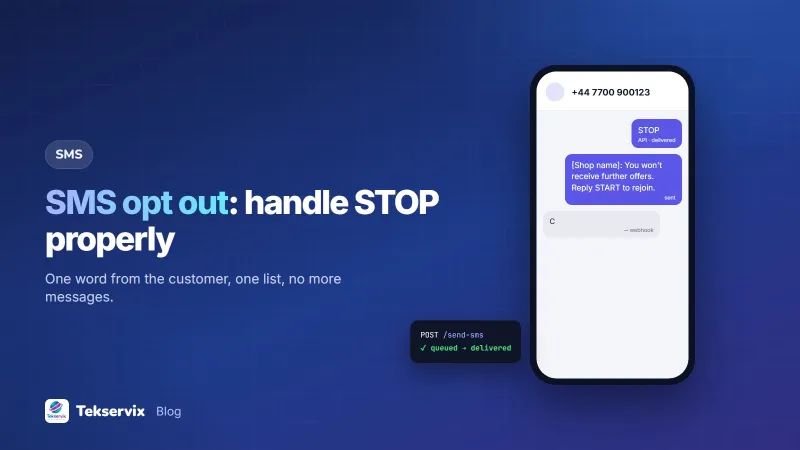
[Business name]: You've been unsubscribed and won't receive further offers. Reply START to rejoin.
Send it once, immediately, and then nothing else. No "Are you sure?", no "Here's one last offer". Those turn a quiet opt-out into an angry complaint.
One suppression list for everything#
The most common failure is technical: the customer opted out, but the number is still in another list, another campaign or another system. Keep one suppression list, the list of numbers that must not receive marketing, and check every send against it:
- Campaigns uploaded from a spreadsheet.
- Messages sent from your own software through an API.
- Numbers imported from a new source.
- Messages sent by staff from the dashboard.
Never delete opted-out numbers to "clean" the list. If you delete them and later import an old spreadsheet, they come back. Keep them, marked as opted out.
SMS Gora handles the common case automatically: people who text STOP are removed from your campaigns, and START adds them back. If you also send from your own code, read incoming messages through the webhook and keep your own records in step; our guide to receiving SMS by webhook shows how.
Service messages vs marketing#
An opt-out from marketing doesn't normally stop messages the customer needs about something they've done: an order confirmation, a delivery update, an appointment reminder, a security code. Those are part of the service they asked for.
Two cautions. First, be honest about what counts as service; a "delivery update" with a promotion attached is marketing. Second, if someone replies STOP to a service message, ask yourself whether they want no messages at all, and offer a choice: "You won't get offers. Do you still want updates about your order? Reply YES."
Opting back in#
Let people rejoin easily with START, or by signing up again. Record the new opt-in with the date and method, exactly as you did the first time. Don't treat a customer's new purchase as permission to restart marketing; ask again.
Keep records#
For each opt-out, record the number, the date and time, and how it arrived (a STOP reply, a call, an email, a request in person). If a complaint ever arises, you can show that you acted promptly. Records also let you see patterns: if one campaign produces a wave of STOPs, the message or its timing was wrong.
Learn from opt-out rates#
Some opt-outs are normal. People move, change interests or simply get too many texts. Watch the rate per campaign:
- A steady, low rate is healthy.
- A spike after one message means it was off-target, too frequent or sent at a bad time.
- A rising trend means you're messaging too often overall.
Our guides to SMS marketing best practices and SMS auto replies cover frequency and keyword handling.
Common mistakes#
- Sending a "last chance" offer after a STOP.
- Honouring STOP in one system but not another.
- Deleting opted-out numbers, then re-importing them from an old file.
- Recognising only "STOP" and ignoring "please stop texting me".
- Making people call or fill in a form to opt out.
A worked example#
Imagine a supermarket sending weekly SMS offers to 3,000 customers from two places: campaigns in its gateway dashboard and birthday offers sent by its loyalty software. A customer replies STOP to a campaign and is removed there, but still receives a birthday offer, and complains. The supermarket fixes it by keeping one suppression list: every STOP that arrives through the webhook is written to that list, the loyalty software checks every number against it before sending, and staff add written or spoken opt-outs to it too. Complaints stop, and the weekly opt-out count becomes a useful signal of which offers customers don't want.
Frequently asked questions
What does STOP mean in SMS marketing?
When someone replies STOP to a marketing text, they're asking not to receive any more marketing messages from that sender. You should stop immediately, confirm once if appropriate, and record the opt-out so no future campaign reaches them.
Should I include 'Reply STOP' in every text?
Include it in marketing messages, at least regularly and always in the first message someone receives. Service messages such as order updates don't usually need it, but it's still good practice to honour a STOP sent in reply to them.
Can I text someone again after they reply STOP?
Not with marketing, unless they opt back in themselves, for example by replying START or signing up again. You can usually still send service messages about orders or appointments they've made.

Tekservix Team
The team behind Tekservix
The Tekservix Team builds and supports Tekservix: WhatsApp and SMS APIs, AI tools, invoicing, PDF and SEO tools for growing businesses. We write practical, tested guides based on what we see our customers do every day.
More articles from the Tekservix Team