How to Translate Your Website Into Other Languages Without Hurting SEO
Translating a website opens new markets, but a careless approach confuses visitors and search engines. Here's how to translate a website into other languages properly: which pages first, AI versus human translation, URL structure and hreflang.
On this page
- Decide whether it's worth it first
- Translate the pages that earn money first
- AI, human or both?
- Machine or AI translation only
- Professional human translation
- Hybrid: AI draft, human review
- Build a glossary before you start
- Get the URL structure right
- Add hreflang tags
- Translate the invisible parts too
- Let visitors choose
- Mistakes that hurt SEO
- Don't forget currency, dates and units
- Keeping translations current
A shop in Madrid notices that a fifth of its online orders come from Portugal. A software company in Toronto keeps getting sign-ups from Brazil. A clinic in Dubai realises half its patients prefer Arabic. Each of them asks the same question: should we translate the website?
Often, yes. People are far more likely to buy, book or trust a business when they can read about it in their own language. But a careless translation can confuse visitors and search engines alike. Here's how to translate website into other languages the right way, as people often search it, from choosing what to translate first to the technical setup that keeps your SEO intact.
Decide whether it's worth it first#
Look at your analytics before translating anything. Which countries and browser languages send visitors? Where do enquiries and sales come from? If 2 percent of traffic speaks a language, a full translation may not pay off. If 20 percent does, it probably will.
Also ask whether you can serve those customers. A translated site that leads to support only in English, prices only in one currency, or delivery to only one country creates frustration rather than sales.
Translate the pages that earn money first#
You don't need to translate everything at once. Start with the pages that matter most to a new visitor:
- Homepage.
- Main product or service pages.
- Pricing page.
- Contact and booking pages.
- Checkout, confirmation emails and key notifications.
- The most important help articles.
Blog archives, old news posts and legal pages can follow later, though some legal content (terms of sale, privacy notices) may be required in the local language in certain countries.
AI, human or both?#
There are three practical ways to translate.
Machine or AI translation only#
Fast and cheap. Modern AI translation is much better than it was a few years ago, and it's often fine for understanding. But unreviewed output can sound stiff, mistranslate industry terms and miss cultural nuance. Publishing large amounts of it without review can also look like low-quality content to search engines.
Professional human translation#
The highest quality, especially for marketing copy, legal text and regulated industries. It's also the slowest and most expensive per word, and every future update needs translating again.
Hybrid: AI draft, human review#
For most businesses, this is the sweet spot. AI produces the first draft in minutes; a fluent speaker, ideally someone who knows your industry, reviews and edits it. You get speed and quality, and reviewing costs much less than translating from scratch.
The Tekservix AI translator is built for the drafting step, and it's handy for product descriptions and customer messages too. Our guide to AI translation for business covers where it shines and where it needs a human.
Build a glossary before you start#
Write a short list of terms that must be translated consistently, or not at all: your brand name, product names, technical terms, and phrases with specific meanings in your industry. Give it to everyone involved, including the AI tool. It prevents the classic problem where the same feature has three different names across the site.
Get the URL structure right#
Each language needs its own URL so search engines can index it separately. The common options:
- Subdirectories: example.com/es/, example.com/fr/. Easiest to manage, and all languages share the main domain's authority. Our default recommendation.
- Subdomains: es.example.com. Workable, slightly more setup.
- Country domains: example.es, example.fr. Strong local signal, but each domain builds authority separately and costs more to run.
Avoid switching languages with cookies or browser detection alone on a single URL. Search engines may only ever see one language.
Add hreflang tags#
Hreflang tags tell search engines that pages are translations of each other, and which language and region each one is for. On each version of a page, list every alternative, including itself, and an x-default for visitors who don't match any language:
<link rel="alternate" hreflang="en" href="https://example.com/pricing/">
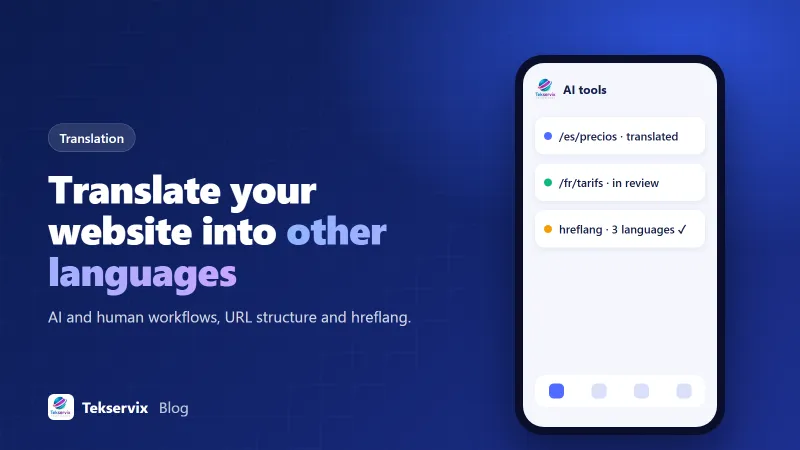
<link rel="alternate" hreflang="es" href="https://example.com/es/precios/">
<link rel="alternate" hreflang="x-default" href="https://example.com/pricing/">
Every page must link back to the others; one-way hreflang is ignored. Most multilingual plugins and platforms generate these automatically, but check a few pages yourself.
Translate the invisible parts too#
Visitors see the page; search engines and browsers also read the parts people don't notice. Translate page titles and meta descriptions, image alt text, URL slugs where practical, form labels and error messages, and the text in buttons and menus. Untranslated buttons in the middle of a Spanish page look careless.
Let visitors choose#
Add a clear language switcher, usually in the header or footer, showing each language in its own name (Español, Français) rather than flags, since flags represent countries, not languages. You can suggest a language based on the browser, but don't force a redirect; let people switch back.
Mistakes that hurt SEO#
- Publishing unreviewed machine translation across hundreds of pages at once.
- Translating the page but leaving titles and meta descriptions in the original language.
- Missing or one-way hreflang tags.
- Automatically redirecting visitors by IP address, which can block search engine crawlers from other versions.
- Letting translated pages fall out of date when the original changes.
Don't forget currency, dates and units#
Translation is more than words. A Spanish page with prices only in US dollars, dates written month-first and measurements in inches still feels foreign. Where you can, show local currency, format dates and numbers the local way (1.250,00 € rather than €1,250.00 in much of Europe), and use metric units outside the US. Small details like these tell visitors you actually serve their market.
Keeping translations current#
The hardest part isn't the first translation; it's the hundredth update. Decide who owns each language, and add translation to your publishing checklist: when a page changes, its translations get updated in the same week. A simple spreadsheet listing each page, its languages and when each was last updated is often enough to stay on top of it.
Start with one language and your five most important pages. Measure enquiries and sales from that market for a couple of months. If it works, the case for the next language will make itself.
Frequently asked questions
Is AI translation good enough for a business website?
For many pages, AI translation followed by a review from a fluent speaker is good enough and far faster than translating from scratch. For legal terms, marketing slogans and anything regulated, have a professional translator check the final text.
Do translated pages help SEO?
Yes, if each language version has its own URL, is properly linked with hreflang tags and is genuinely useful in that language. Automatically generated translations with no review can be treated as low-quality content.
Should I use a subdirectory, subdomain or separate domain for each language?
Subdirectories like example.com/es/ are the easiest to manage and keep all languages under one domain's authority. Separate country domains make sense mainly for large businesses with distinct local operations.
Tekservix Team
The team behind Tekservix
The Tekservix Team builds and supports Tekservix: WhatsApp and SMS APIs, AI tools, invoicing, PDF and SEO tools for growing businesses. We write practical, tested guides based on what we see our customers do every day.
More articles from the Tekservix Team