WhatsApp Cloud API vs a WhatsApp Gateway: Which One Should You Use?
WhatsApp Cloud API vs a WhatsApp gateway that links your own number: setup, templates, the 24-hour window, messaging limits, per-message costs, ban risk and which suits each kind of business.
On this page
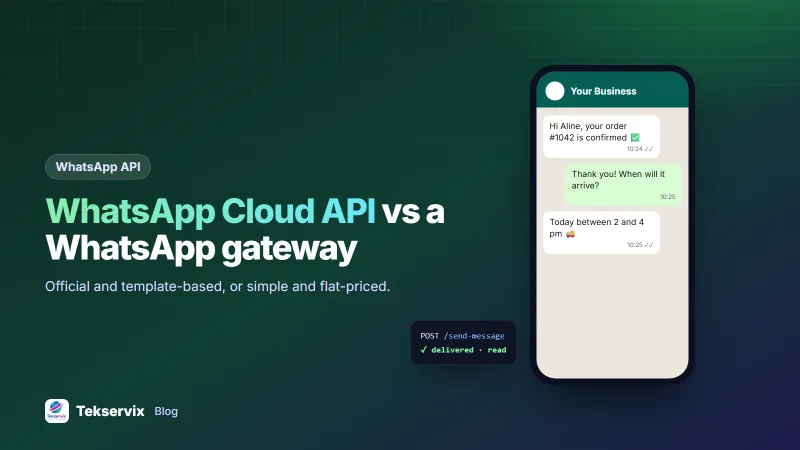
If you want your software to send and receive WhatsApp messages, you'll quickly meet two very different routes. The WhatsApp Cloud API is Meta's official, hosted platform for businesses. A WhatsApp gateway links an ordinary WhatsApp number the way WhatsApp Web does and gives you an API on top. Both send messages from code. They differ in setup, rules, cost and risk, and picking the wrong one either wastes money or puts your number in danger.
What the Cloud API is#
The Cloud API is the version of the WhatsApp Business Platform that Meta hosts itself. You register a phone number with Meta, verify your business, create message templates and call Meta's API directly or through a provider such as Twilio or WATI. Key features:
- Official status, with Meta's terms and support.
- Message templates: any message you send to start a conversation must be a pre-approved template.
- A 24-hour customer service window: after a customer messages you, you can reply freely for 24 hours.
- Messaging limits that start low and rise as your quality and volume prove themselves.
- Number rules: a number fully registered with the API no longer works in the WhatsApp app. Meta's coexistence option lets a WhatsApp Business app number keep working in the app as well, but only when onboarded through a Meta solution partner or tech provider.
What a WhatsApp gateway is#
A gateway such as WAservix links your existing number through WhatsApp's Linked devices feature. Your phone keeps working normally, and your software sends and receives through a REST API with webhooks. There are no templates to approve and no per-message fees: WAservix costs from $4.50 a month per number with unlimited messages. The catch is that it isn't Meta's official API, so the number follows the same rules as any personal or WhatsApp Business account, and WhatsApp can restrict numbers that send spam.
Cost compared#
Meta moved the Cloud API to per-message pricing in July 2025. According to Meta's pricing documentation:
- Template messages (marketing, utility and authentication) are charged per delivered message, with rates by category and the recipient's country.
- Non-template messages within the 24-hour customer service window are free.
- Providers add their own fees if you use one, such as a per-message charge or a monthly plan.
A gateway's cost is fixed per number, whatever the volume. Low-volume senders with mostly inbound conversations may pay very little on the Cloud API. High-volume senders of proactive messages usually pay much less with a flat gateway. Our article on WhatsApp Business API pricing shows how Meta's categories work in practice.
Messaging limits and scaling#
On the Cloud API, Meta controls how many people you can start conversations with each day. Its messaging limits documentation sets out the tiers:
- 250 unique users in a rolling 24 hours to start with.
- 2,000 after business verification, or after sending enough high-quality template messages.
- 10,000, 100,000 and unlimited through automatic scaling, for businesses with good quality ratings that use at least half their limit.
Limits are shared across all numbers in your business portfolio. Replies to customers who message you first don't count against the limit.
A gateway has no formal tiers, but it has practical ones. A new number sending hundreds of messages to strangers on day one is likely to be reported and restricted. Our guide to warming up a WhatsApp number covers safe sending speeds.
Setup time#
- Cloud API: a Meta business portfolio, a developer app, a registered phone number, business verification for higher limits, and template approval before your first proactive message. Expect days, sometimes longer.
- Gateway: scan a QR code on your phone, copy an API key, send a message. Minutes.
Risk and reliability#
- Cloud API: the lowest risk of a ban for legitimate businesses, with quality ratings that warn you before limits drop. Meta hosts the infrastructure.
- Gateway: relies on your phone staying linked and on your sending behaviour. Consent, sensible volumes and fast handling of opt-outs keep a number healthy. WAservix adds human-like pacing, typing indicators and automatic STOP opt-outs, but no tool can make spam safe.
Which one should you use?#
Choose the Cloud API if:
- You send high volumes to people who may not have messaged you before.
- You need authentication messages at scale or work in a regulated industry.
- Your brand needs Meta's official business features.
- You have a developer, or a provider, to handle templates and setup.
Choose a gateway if:
- You message existing customers: confirmations, delivery updates, reminders, follow-ups.
- You want to keep using your number in the WhatsApp app as well, without going through a Meta partner.
- You want to write messages freely, without template approval.
- You want a flat, predictable monthly cost.
Some businesses use both: the Cloud API for login codes and large announcements, a gateway number for day-to-day customer conversations.
Code looks similar either way#
Both routes are REST APIs with webhooks for incoming messages. A send is a POST with a recipient and a message; receiving means handling a JSON payload at your webhook URL. Our guides to sending a WhatsApp message with Python and WhatsApp webhooks show the gateway side in detail.
A worked example#
Imagine [Shop name], an online clothing store, planning WhatsApp order updates. They expect around 3,000 order and delivery messages a month to existing customers, plus replies. On the Cloud API, every order and delivery update sent outside a customer conversation would be a utility template with a per-message fee, after a few days of setup and approvals. With a gateway, they link the shop's existing WhatsApp Business number, keep answering customers from the phone, and pay one flat monthly fee. Because every recipient is a customer who opted in at checkout, the risk stays low. A year later, if they start sending national promotions to tens of thousands of people, the Cloud API becomes the better choice for that part of the traffic.
Frequently asked questions
Is the WhatsApp Cloud API free?
Access to Meta's Cloud API is free, and Meta hosts it for you. You pay Meta per delivered template message, with rates depending on the message category and the recipient's country. Non-template replies sent within the 24-hour customer service window are free.
What are the WhatsApp Cloud API messaging limits?
New businesses can start conversations with 250 unique users in a rolling 24 hours. Verifying the business, or sending enough high-quality messages, raises this to 2,000, and further increases to 10,000, 100,000 and unlimited happen automatically for businesses with good quality ratings that use their limit. Limits apply across the whole business portfolio.
Can I use my existing WhatsApp number with the Cloud API?
Yes, in two ways. A number can be migrated fully to the Cloud API, after which it no longer works in the phone app. Or a WhatsApp Business app number can be onboarded through a Meta solution partner using coexistence, which keeps the app working alongside the API. A gateway, by contrast, links any WhatsApp or WhatsApp Business number as a device, with no partner needed.

Tekservix Team
The team behind Tekservix
The Tekservix Team builds and supports Tekservix: WhatsApp and SMS APIs, AI tools, invoicing, PDF and SEO tools for growing businesses. We write practical, tested guides based on what we see our customers do every day.
More articles from the Tekservix Team