How to Send SMS from Node.js: Code, Retries, Bulk Sends and Webhooks
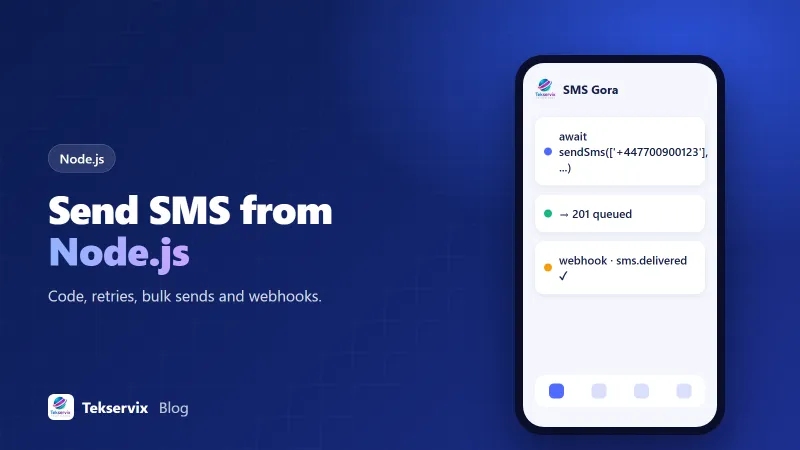
Sending a text from Node.js takes a few lines of code. Sending texts reliably takes a few more. This guide walks through a reusable send function, retries, bulk sends, scheduled reminders and receiving replies by signed webhook.
On this page
Sending a text message from Node.js is one of those tasks that looks finished after ten minutes. You call an API, a phone buzzes, and you move on. Then real life arrives: the API times out during a deploy, someone's number is mistyped, a batch of 500 reminders needs to go out at 6pm, and a customer replies "can we move it to Thursday?" and nobody sees it.
This guide shows how to send sms node.js style with plain fetch, and then adds the parts that make it dependable. The examples use the SMS Gora API, which sends through an Android phone you connect to your account, but the patterns apply to any SMS API.
What you need#
- Node.js 18 or newer, which has fetch built in.
- An SMS API key. Keep it in an environment variable, never in your code or repository.
- For SMS Gora, a connected Android phone. You can pick a phone by ID or let the service choose one.
The smallest working example#
const API = 'https://tekservix.com/smsgora/api/v1';

const res = await fetch(`${API}/send-sms`, {
  method: 'POST',
  headers: {
    'x-api-key': process.env.SMSGORA_KEY,
    'Content-Type': 'application/json',
  },
  body: JSON.stringify({
    recipients: ['+447700900123'],
    message: 'Your booking for Friday 10:00 is confirmed.',
  }),
});
console.log(res.status, await res.json());
Run it as an ES module (save as send.mjs) so top-level await works. Numbers should be in international format with the country code. The /send-sms endpoint picks your best available phone; to choose one, call /devices/{id}/send-sms instead.
A reusable send function#
Wrap the call so the rest of your app doesn't care about HTTP details, and so errors are thrown rather than silently logged.
class SmsError extends Error {
  constructor(status, message) {
    super(`SMS API ${status}: ${message}`);
    this.status = status;
  }
}

export async function sendSms(recipients, message) {
  const res = await fetch(`${API}/send-sms`, {
    method: 'POST',
    headers: { 'x-api-key': process.env.SMSGORA_KEY, 'Content-Type': 'application/json' },
    body: JSON.stringify({ recipients, message }),
    signal: AbortSignal.timeout(15000),
  });
  const data = await res.json().catch(() => ({}));
  if (!res.ok) throw new SmsError(res.status, data.message || res.statusText);
  return data;
}
AbortSignal.timeout stops a hanging request after 15 seconds, so one slow call can't block a worker indefinitely.
Retries that don't double-send#
Network blips happen. Retry when the request clearly didn't succeed, wait a little longer each time, and give up after a few attempts.
const RETRY = new Set([429, 500, 502, 503, 504]);

export async function sendWithRetry(recipients, message, attempts = 4) {
  for (let i = 0; i < attempts; i++) {
    try {
      return await sendSms(recipients, message);
    } catch (e) {
      const transient = e.name === 'TimeoutError' || e.name === 'TypeError' || RETRY.has(e.status);
      if (!transient || i === attempts - 1) throw e;
      await new Promise(r => setTimeout(r, 1000 * 2 ** i));
    }
  }
}
Don't retry 400-level errors like an invalid number or a bad key. They won't fix themselves. A timeout is the one tricky case: the request might have reached the server. For critical messages such as payment receipts, store the message ID when you get one and check its status before trying again.
Personalised bulk sends#
For a list of customers, loop through and personalise each message. Add a small pause so you're not firing hundreds of requests in the same second.
const customers = [
  { name: 'Amara', phone: '+447700900123', time: '10:00' },
  { name: 'Leo', phone: '+447700900456', time: '14:30' },
];

for (const c of customers) {
  await sendWithRetry([c.phone], `Hi ${c.name}, reminder: your appointment is tomorrow at ${c.time}. Reply C to confirm.`);
  await new Promise(r => setTimeout(r, 300));
}
For large batches, the API's bulk endpoint (/devices/{id}/send-bulk-sms) takes many messages in one call, each with its own text. Only text people who've agreed to hear from you, and honour opt-outs. Our guide to personalised bulk SMS covers the details.
Scheduled reminders#
For daily reminders, run a small script on a schedule rather than keeping timers in a web process. A cron job or your platform's scheduler is more reliable than setTimeout in a long-running server.
// reminders.mjs, run daily at 16:00 by cron:
// 0 16 * * *  /usr/bin/node /opt/app/reminders.mjs
const bookings = await db.bookingsFor(tomorrow());
for (const b of bookings) {
  await sendWithRetry([b.phone], `Hi ${b.firstName}, see you tomorrow at ${b.time}. Reply R to reschedule.`);
}
Our article on SMS appointment reminders has message wording that cuts no-shows.
Receiving replies with a signed webhook#
Two-way messaging is where SMS really earns its keep. Register a webhook in your dashboard or via the API, and incoming texts and delivery updates are POSTed to your server as JSON. SMS Gora signs each request with an X-SmsGora-Signature header: an HMAC-SHA256 of the raw body using your webhook's secret. Always verify it before trusting the payload.
import express from 'express';
import crypto from 'node:crypto';

const app = express();

app.post('/sms/webhook', express.raw({ type: 'application/json' }), (req, res) => {
  const expected = 'sha256=' + crypto.createHmac('sha256', process.env.SMSGORA_WEBHOOK_SECRET)
    .update(req.body).digest('hex');
  const given = req.get('X-SmsGora-Signature') || '';
  if (given.length !== expected.length ||
      !crypto.timingSafeEqual(Buffer.from(given), Buffer.from(expected))) {
    return res.sendStatus(401);
  }
  const event = JSON.parse(req.body);
  if (event.event === 'sms.received') {
    // queue it for processing: match the sender to a customer, handle "C" or "R"
  }
  res.sendStatus(200);
});

app.listen(3000);
Use express.raw, not express.json, on this route. The signature is computed on the exact bytes sent, and re-serialising parsed JSON can change them. Reply with a 2xx quickly and do slow work in a queue; failed deliveries are retried later, so make your handler safe to run twice for the same event. Our guide to webhook signature verification explains why this matters.
Testing without spamming yourself#
Put the base URL and key in environment variables, so tests can point at a mock server. In unit tests, stub sendSms and assert it was called with the right number and message. Keep one end-to-end test that sends a real text to a team phone before each release. If you want to explore the API by hand first, try the requests with curl or a browser-based API tester.
Common problems#
- 401 errors: the key is missing or wrong. Check the header name is x-api-key and the environment variable is loaded.
- Messages queued but not sent: the phone is offline, asleep or restricted by battery optimisation. See our guide to gateway battery settings.
- Numbers rejected: use international format, such as +44 or +1, without spaces.
- Webhook signature always fails: you're hashing parsed JSON instead of the raw body, or using the wrong secret.
Next steps#
Copy the sendSms and sendWithRetry functions into a small module, add your webhook route, and you have the core of a two-way SMS feature. The full endpoint list, including bulk sends, message status and phone management, is in the SMS Gora API docs. Plans start at $3.99 a month with unlimited SMS, and if you also work in other languages, our Python and PHP guides follow the same structure.
Frequently asked questions
Do I need a library to send SMS from Node.js?
No. Node 18 and later include fetch, so you can call an SMS API over HTTPS directly. Provider SDKs can be convenient, but a small wrapper around fetch is easy to read and has no extra dependencies.
How do I avoid sending duplicate texts when retrying?
Only retry on errors that mean the request didn't go through, such as timeouts, 429 and 5xx responses. Don't retry 4xx errors like invalid numbers. For important messages, record that a message was queued before retrying, so you can check status instead of sending again.
How do I receive SMS replies in Node.js?
Register a webhook URL with your SMS provider. When a text arrives, the provider POSTs JSON to that URL. Verify the signature header against the raw body with your webhook secret, then process the message and reply with a 2xx status quickly.

Tekservix Team
The team behind Tekservix
The Tekservix Team builds and supports Tekservix: WhatsApp and SMS APIs, AI tools, invoicing, PDF and SEO tools for growing businesses. We write practical, tested guides based on what we see our customers do every day.
More articles from the Tekservix Team