Zero-Knowledge Password Manager: What It Means and Why It Matters
What a zero-knowledge password manager is, how client-side encryption protects your vault even if the provider is breached, the trade-off of an unrecoverable master password, and how to choose and set one up.
On this page
Every password manager promises to keep your passwords safe. The real question is safe from whom. If the company can read your vault, so can an employee who goes rogue, a court order, or an attacker who breaks into its servers. A zero-knowledge password manager is built so the company can't read your vault at all. Your passwords are encrypted on your device before anything is uploaded, and only you hold the key.
This article explains how that works in plain terms, what you give up in exchange, and what to check before trusting one with every login you have.
What zero-knowledge means#
In a zero-knowledge design, three things are true:
- Your master password never leaves your device. It isn't sent to the server, not even in hashed form for the encryption step.
- The encryption key is created on your device from your master password, and stays there.
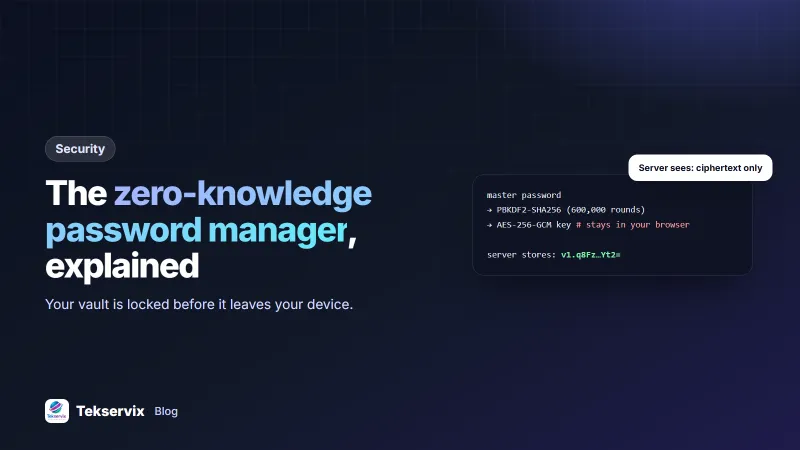
- The server stores only ciphertext: scrambled data that is useless without the key.
The result: if the provider's database leaks, attackers get a pile of encrypted blobs. To read any of them, they'd have to guess each user's master password, one by one, against a deliberately slow process.
How the encryption works#
You don't need to be a cryptographer, but it helps to recognise the parts. The vault in Tekservix utilities follows the standard pattern:
- Key derivation. Your master password goes through PBKDF2 with SHA-256, run 600,000 times with a random salt. That repetition makes each guess slow, so a stolen vault can't be brute-forced quickly. The 600,000-round figure matches the current OWASP password storage guidance for PBKDF2-HMAC-SHA256.
- Encryption. The derived key encrypts your vault with AES-256-GCM, a widely used authenticated cipher. "Authenticated" means tampering is detected: if anyone alters the stored data, decryption fails instead of producing garbage.
- Browser crypto. All of this runs through the browser's built-in Web Crypto API, not hand-written code.
The vault also locks itself after 10 minutes without activity, so a laptop left open in a café doesn't stay unlocked.
The trade-off: nobody can reset your master password#
This is the part people don't expect. If the provider can't read your vault, it can't help you get back in. There is no "forgot password" email that restores access, because the provider never had the key. Forget the master password and the only option is to erase the vault and start again.
That sounds harsh, but it's the same property that protects you. Any company that can reset your master password and give you your data back can, by definition, read it. To live with this safely:
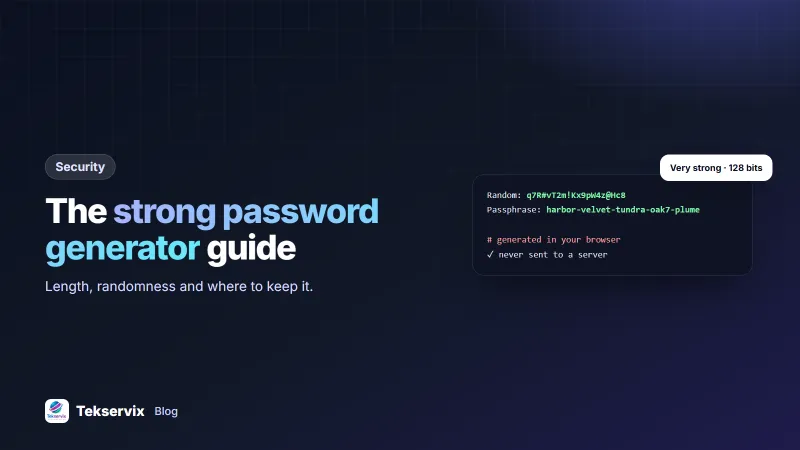
- Use a passphrase you can remember, five or six random words. Our guide to a strong password generator explains why random words beat clever substitutions.
- Write it down once and keep the paper somewhere physically safe at home, not in your wallet or on your desk.
- Type it regularly in the first weeks so it sticks.
What zero-knowledge does not protect against#
Encryption on the server side is one layer. It doesn't fix everything:
- Malware on your device can read what you type or what's on screen while the vault is open.
- A weak master password can still be guessed offline if the encrypted vault is stolen. The slow derivation helps, but "password123" is still weak.
- Phishing: if you type your master password into a fake page, the attacker has it.
- Exported files. A CSV export is unencrypted. Use it only to move between managers, and delete it right after.
Keep your device updated, use two-factor authentication on the account, and only open the vault on pages you reached yourself.
How to judge a password manager#
Before trusting a provider, look for clear answers to these questions:
- Where does encryption happen? It should be on your device, stated plainly.
- Which algorithms and settings? Look for named, standard algorithms (AES-256, PBKDF2 with a high iteration count, or Argon2), not "military-grade encryption".
- Can they reset your master password? If yes, it isn't zero-knowledge.
- Can you export your data? You shouldn't be locked in.
- Has the design been reviewed? Larger providers publish independent security audits.
Moving from your browser or another manager#
Most people already have passwords saved in a browser. Moving them takes a few minutes:
- Export a CSV from your browser or current manager. The Tekservix vault imports exports from Chrome, Edge, Firefox, Bitwarden, 1Password and LastPass.
- Import the file into the new vault.
- Delete the CSV immediately, and empty the recycle bin.
- Check the vault's report for weak and reused passwords, and change the important ones first: email, banking, then work accounts.
- Turn off the browser's own password saving so you don't end up with two copies drifting apart.
For businesses#
When a team shares logins through a spreadsheet or a WhatsApp group, every person who ever had access still knows every password. A personal zero-knowledge vault for each staff member, plus individual accounts wherever a service allows them, fixes most of that. For API keys and system credentials, which shouldn't live in anyone's personal vault, follow our API key security guide. Our guide to online tool safety applies the same "where does my data go?" test to other web tools.
A worked example#
Imagine the owner of [Shop name] who keeps 60 passwords in their browser, synced to a personal account, with half of them variations of one old password. They open the Tekservix vault, create a six-word passphrase as the master password, write it on a card kept with their passport, and import the browser's export. The vault's report flags 31 reused and 9 weak passwords. Over a week they replace them, starting with email and the bank, using the generator built into the vault. The browser export is deleted, browser saving is turned off, and from then on every new account gets its own random password that only they can unlock.
Frequently asked questions
What does zero-knowledge mean in a password manager?
It means your vault is encrypted and decrypted only on your own device, with a key derived from your master password. The provider stores only scrambled data and never has the key, so neither its staff nor anyone who breaks into its servers can read your passwords.
Can a zero-knowledge password manager recover my master password?
No. Because the provider never knows your master password or the key made from it, it cannot reset it for you. If you forget it, the vault can't be opened. That's why you should choose a memorable passphrase and keep a written copy somewhere physically safe.
Is a browser's built-in password manager zero-knowledge?
It depends on the browser and settings. Some browsers encrypt synced passwords with a key only you hold if you set a separate sync passphrase, while others can decrypt them using your account login. Check your browser's sync settings and documentation.

Tekservix Team
The team behind Tekservix
The Tekservix Team builds and supports Tekservix: WhatsApp and SMS APIs, AI tools, invoicing, PDF and SEO tools for growing businesses. We write practical, tested guides based on what we see our customers do every day.
More articles from the Tekservix Team