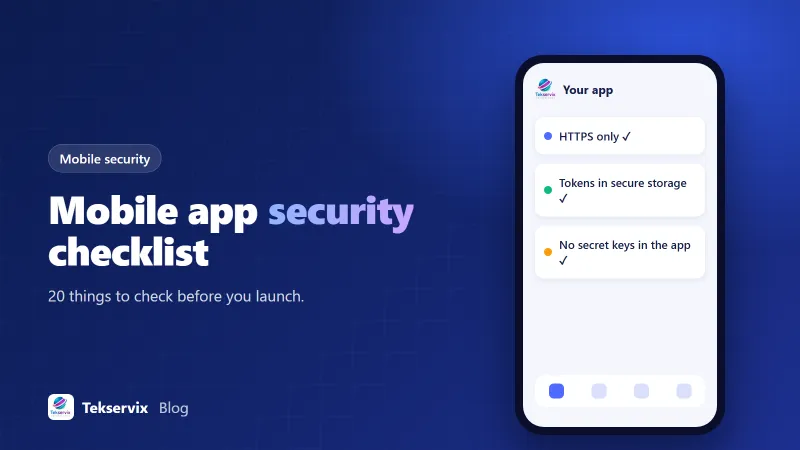
Mobile App Security Checklist: 20 Things to Check Before You Launch
Most mobile app breaches come from ordinary mistakes: a key left in the app, an API that trusts anything, a token stored in plain text. This mobile app security checklist covers the 20 things worth checking before launch.
On this page
When people imagine an app being hacked, they picture something sophisticated. In reality, most mobile security problems are mundane. A secret key shipped inside the app. An API that returns any customer's data if you change a number in the URL. A login token saved in plain text. These mistakes are easy to make under launch pressure and easy to avoid with a list.
Here's a mobile app security checklist for business apps: shops, booking apps, member portals, internal tools. It isn't a substitute for a professional audit on a banking or health app, but it covers the problems that cause most real incidents.
The mindset: the app is public#
Before the list, one principle. Anything inside your app, including code, configuration and strings, can be extracted by someone with the right tools. Treat your app like a web page that anyone can view the source of. That means the server must enforce every rule that matters. The app is just a convenient front end.
Network and data in transit#
- HTTPS everywhere. Every request the app makes should use HTTPS. Both Android and iOS block or discourage plain HTTP by default; don't add exceptions to make an old server work. Fix the server.
- Valid certificates. Never ship code that ignores certificate errors, a shortcut sometimes added during testing and forgotten.
- Consider certificate pinning for high-risk apps. Pinning makes interception harder but complicates certificate renewals. For most business apps, standard HTTPS is enough; for finance or health, it's worth discussing.
Secrets and keys#
- No secret keys in the app. Payment secret keys, database credentials, admin tokens and private API keys belong on your server. If the app needs to call a third-party service with a secret, route the call through your backend.
- Restrict public keys. Keys that must live in the app, like maps or push notification client keys, should be restricted to your app's package name or bundle ID in the provider's console.
- Check your repository. Make sure keys aren't committed to source control. If one was, rotate it, because deleting the commit doesn't remove it from history.
Authentication and sessions#
- Store tokens in secure storage. Use the iOS Keychain and Android Keystore-backed storage for login tokens, not plain preferences or local files.
- Short-lived access tokens. Use tokens that expire, with refresh tokens to stay signed in, so a stolen token has a limited life.
- Proper sign-out. Signing out should delete tokens on the device and invalidate the session on the server.
- Rate-limit login and one-time codes. Limit attempts per account and per device to stop password guessing and OTP brute force. Our guide to API rate limiting covers how.
- Offer biometric sign-in sensibly. Face ID and fingerprint sign-in are convenient, but they should open a stored session, not replace server-side authentication.
Your API#
This is where the most serious problems hide.
- Check ownership on every request. If the app requests /orders/1043, the server must confirm order 1043 belongs to the signed-in user. Changing an ID and getting someone else's data is one of the most common real-world API flaws.
- Validate input on the server. Don't rely on the app's form validation; anyone can send requests directly.
- Return only what's needed. An API that sends back a full customer record, including fields the screen never shows, leaks data to anyone watching the traffic.
- Log and monitor. Keep logs of sign-ins and sensitive actions, and alert on unusual spikes.
The same principles apply to any API, mobile or not. Our API key security guide goes deeper on the server side.
Data on the device#
- Store as little as possible. Cache what makes the app fast, but avoid keeping sensitive personal data on the device longer than needed.
- Keep sensitive data out of logs. Debug logs with tokens, emails or card details have a way of reaching production builds and crash reports.
- Think about screenshots and the app switcher. For apps showing sensitive information, consider hiding content when the app goes to the background.
Permissions and privacy#
- Request only the permissions you use, and only when you need them. Unused permissions raise store review questions and user suspicion. Our article on onboarding screens explains how to time permission prompts.
- Match your store privacy disclosures to reality. Apple's privacy labels and Google Play's Data safety form must describe what the app and its third-party libraries collect. Inaccurate disclosures can get an update rejected or an app removed.
A note on payments#
If your app takes payments, never handle raw card numbers yourself. Use your payment provider's own SDK or hosted checkout, which keeps card data away from your servers. Confirm payments on the server through the provider's webhooks rather than trusting a "success" message from the app, since the app's message can be faked. And remember the store rules: digital goods and subscriptions used inside an iOS or Android app usually have to go through in-app purchase, while physical goods and real-world services can use your normal checkout.
After launch#
Security isn't a launch-day box. Keep libraries and SDKs updated, since many vulnerabilities come from third-party code. Keep up with each store's target API and SDK requirements; Google Play, for example, regularly raises the minimum target API level, and apps that fall behind can't be updated. Have a plan for forcing an upgrade if you ever ship a version with a serious flaw. And give people a way to report problems, even if it's just a security contact email on your website.
Web-based apps#
If your app wraps your website, most of this list applies to your site and its backend rather than the app shell. HTTPS, secure sessions, ownership checks and input validation all happen on the web server. Our website security checklist and the guide to HTTP security headers cover that side.
Use the list before every major release#
Print it, paste it into your release checklist, or turn it into tickets. Go through it before launch and again before any release that touches sign-in, payments or personal data. If you're building with our Native App Builder, biometric sign-in, app lock and encrypted storage come with the Pro plan, and the backend checks above are still worth a review against your own server. Either way, twenty minutes with a checklist costs much less than explaining a data leak to your customers.
Frequently asked questions
What is the biggest security risk in mobile apps?
For most business apps, it's the backend rather than the app itself: APIs that don't check who's calling, secret keys built into the app, and weak authentication. Anything inside an app can be extracted by a determined person, so the server must enforce the rules.
Is it safe to put API keys in a mobile app?
Only keys designed to be public, such as a client ID or a restricted maps key. Secret keys, database passwords and payment secret keys must stay on your server. Treat the app like a web page: anyone can look inside it.
Do app stores check security?
They check some things, like malware, required privacy disclosures and certain permissions, but they don't audit your backend or how you store data. Security is still your responsibility.

Tekservix Team
The team behind Tekservix
The Tekservix Team builds and supports Tekservix: WhatsApp and SMS APIs, AI tools, invoicing, PDF and SEO tools for growing businesses. We write practical, tested guides based on what we see our customers do every day.
More articles from the Tekservix Team